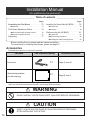
1
Warning Notices
WARNING:
CAUTION:
TO PREVENT FIRE OR SHOCK HAZARD, DO NOT
EXPOSE THIS PRODUCT TO RAIN OR ANY TYPE OF
MOISTURE.
TO PREVENT RISK OF ELECTRIC SHOCK HAZARD, DO
NOT REMOVE THE COVER OF THIS PRODUCT, REFER
SERVICING TO QUALIFIED SERVICE PERSONNEL.
THE SOCKET-OUTLET MUST BE NEAR THIS EQUIPMENT AND MUST BE EASILY ACCESSIBLE.
Federal Communications Commission Requirements
Note: This equipment has been tested and found to comply with the limits for a Class A digital device, pursuant to part 15 of the
FCC Rules. These limits are designed to provide reasonable protection against harmful interference when the equipment is
operated in a commercial environment. This equipment generates, uses, and can radiate radio frequency energy and, if not
installed and used in accordance with the instruction manual, may cause harmful interference to radio communications.
Operation of this equipment in a residential area is likely to cause harmful interference in which case the user will be required
to correct the interference at his own expense.
FCC Warning: To assure continued FCC compliance, the user must use only the provided power supply cord. Also, any
unauthorized changes or modifications to this equipment would void the user’s warranty.
Accessories
CFilm cassette (Blue gear✕1, Green gears✕3) .......1
CThermal transfer film [20m (65.6')] ...................1
CElectronic eraser ..............................................1
CEraser cloth (for Electronic eraser) ...................2
CMarkers (Black, Red, Blue-Big) ..............Each 1
CEraser ...............................................................1
CBatteries (LR03 “AAA”) .....................................6
CPower cord .......................................................1
CLetter papers .......................................20 sheets
CPen holder ........................................................2
CInteractive cable (5m) .......................................1
CSoftware CD-ROM ...........................................1
CMarkers for interactive
(Black, Red, Blue, Green-Small) .......Each 1
COperating Instructions ......................................1
CSoftware License Agreement ...........................1
CWall-mounting template ....................................1
The markers (Big) and the eraser are used for other than the interactive function.
The markers for interactive (Small) are used while inserted in the pen holder.
In this manual, the pen holder with a marker for interactive (Small) is called the Electronic Pen.
The Electronic Pen and the Electronic Eraser are used with the interactive function.
3