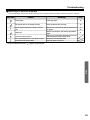
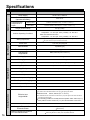
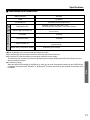
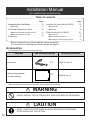
1
Installing Thermal Transfer Film
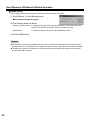
Load the thermal transfer film into the film cassette and install in the printer.
1
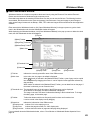
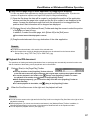
Set the power switch to on ( | ).
C" " will flash on the multi-copy/error indicator
when the thermal transfer film has run out.
ON
OFF
Power Switch
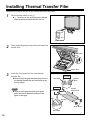
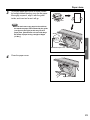
2
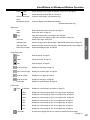
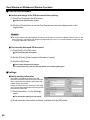
Push down the printer open lever and open the
printer door.
Printer Open
Lever
Printer Door
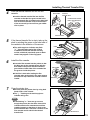
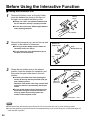
3
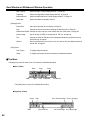
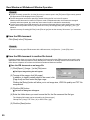
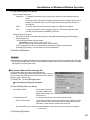
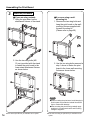
Insert the four gears into the new thermal
transfer film.
CSecurely align the gear tabs with the grooves in
the thermal transfer film and insert them as far
as they will go.
Note
CThere is a blue gear and three green gears
which need to be attached as shown in the
figure on the right.
Blue Gear
Gear Tabs
Grooves
(Blue)
Blue Gear
Thermal
Transfer Film
Green Gear
Tabs
Grooves
Green Gears
Green Gear
14