1
3. OPERATION (CONT)
3. OPERATION (CONT)
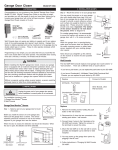
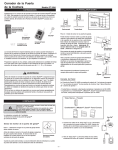
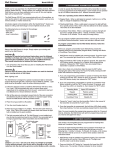
Operation
- Chamberlain®
- Sears®
- Liftmaster®
Open / Close door
Antenna
Lock / Unlock
Push button
Turn light on / off
Loss of Signal LED
Lock button
Timer / Learn LED
Important!
Learn button
Ensure both the lock and light functions operate properly. Depends on
which mode you are in:
Lock Button
Push Button
Press the push button to open or close the garage door.
Lock Button
Lock feature is designed to prevent Skylink® handheld
remotes such as Skylink® Keychain Remote Model 4B-201
(sold separately) to operate the garage door opener.
Light Button
Full Function Mode* Lock /Unlock both GC-433R and
Garage Door Opener
Turn light on / off
Simple Mode
No Function
Only lock / unlock GC-433R
* For Chamberlain®, Lift-Master®, Sears® Wall Console ONLY.
Pressing these buttons on the GC-433R should not activate anything
else, such as opening or closing the garage door. If it does, you may
need to change between Full Function Mode and Simple Mode. Refer to
“Garage Door Opener operating Mode” below.
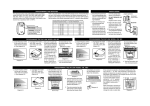
To activate the lock feature
1. Press and hold the lock button for approx. 2 seconds, then release it.
2. When the lock feature is activated, the red LED underneath the push
button will flash rapidly.
Erase Skylink® remote controls / sensors
Note: If a valid wireless remote signal is received while the lock feature is
activated, wall console will beep to reminding you the wall console is locked.
To erase unwanted remote control(s), first erase all remote controls and
sensors, then program the ones you would like to keep.
Erase all remote controls / sensors
To deactivate the lock feature (unlock)
1. Press and hold the lock button for approx. 2 seconds, then release it.
2. When the lock feature is deactivated, the red LED underneath the
push button will flash slowly indicating the wall console is in normal
operating mode and the lock feature is deactivated.
1. Press and hold the learn button for 15 seconds.
2. The “Timer / Learn” red LED will flash rapidly meaning all remote have
been erased.
3. You have now successfully erased all the remote controls and sensors.
Follow the instructions “To program Skylink’s remote control” to add
the remote control(s) you would like to keep.
If you have a Chamberlain®, Lift-Master®, or Sears® Multi-Function Wall
Console, the lock button will lock/unlock both the Skylink® handheld
remote, as well other Chamberlain®, Lift-Master®, Sears® remote
controls.
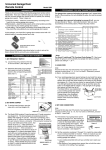
Loss of Signal
Skylink® Wall Console also monitors the status of the garage door sensor.
If the garage door sensor fails to communicate with the wall console, the
loss of signal LED will flash indicating a trouble condition for the sensor.
There are 2 types of sensors. The flashing is different depending on the
type of sensor:
Learn Button
Skylink® Wall Console can be used as a garage door opener receiver. It
does not only operate as a garage door closer, additional handheld remote
controls can be added. Additional remote controls are sold separately.
Garage Door Sensor: One flash at a time
Audio Sensor (Optional Accessory): Two flashes at a time
To program Skylink’s remote control / sensor
When the loss of signal is flashing, please check the following:
- Check the battery of the sensor.
- The LED on the sensor should flash when the sensor is triggered.
1. Press the learn button for approx. 5 seconds.
2. The “Timer / Learn” red LED will be on, release the learn button.
3. Activate the Skylink® remote control. If the Skylink® remote control has
multiple buttons, press the button you would like to operate.
4. The “Timer / Learn” LED will be off after it has successfully programmed
the remote control.
5. You can now press the programmed remote to operate the garage
door opener.
For the detail of how the Audio Sensor works, please refer to “Accessories”.
Garage Door Opener Operating Mode
The operation for different brands of opener is slightly different, so
while the GC-433R is charging, it also identifies the brand of your
garage door opener. Mainly there are 2 operating modes:
If you have a Chamberlain®, Lift-Master®, or Sears® Multi-Function Wall
Console, the learn button also works as a light button. Pressing this
button slightly will turn the light on the garage door opener on / off.
Full Function Mode: Chamberlain®, Lift-Master®, Sears® with Multi-Function
Wall Console
Simple Mode: Other brands
–3–