1
MSAP2000 AAMS User’s Guide
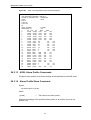
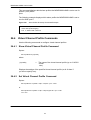
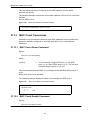
ras> adsl profile set goldi interleave=16,16 800 8000 5 0 30 64 5 0 30
128
After you create an ADSL profile, you can assign it to any of the ADSL ports on any
of the
MSAP2000 AAMSs in the MSAP2000.
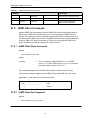
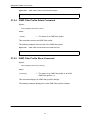
26.3.6 ADSL Profile Delete Command
Syntax:
adsl profile delete <profile>
where
=
<profile>
A profile name.
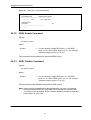
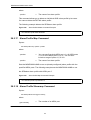
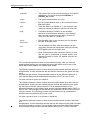
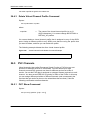
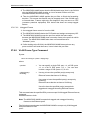
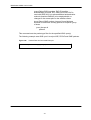
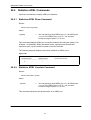
This command allows you to delete an individual ADSL profile by its name. You
cannot delete a profile that is assigned to any of the DSL ports in the MSAP2000
AAMS. Assign a different profile to any DSL ports that are using the profile that
you want to delete, and then you can delete the profile.
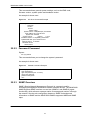
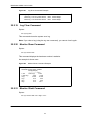
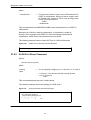
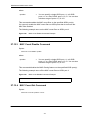
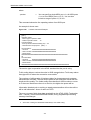
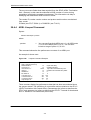
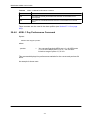
The following example deletes the gold ADSL profile.
Figure 93
ADSL Profile Delete Command Example
ras> adsl profile delete gold
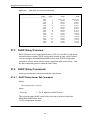
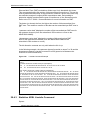
26.3.7
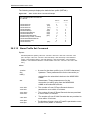
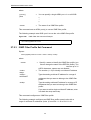
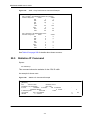
ADSL Profile Map Command
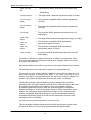
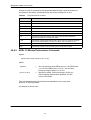
Syntax:
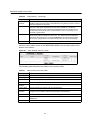
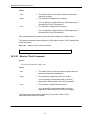
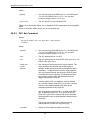
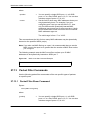
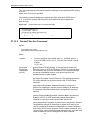
adsl profile map <portlist> <profile> <glite|gdmt|t1413|auto|adsl2|adsl2+>
adsl profile map <portlist> <profile> <gdmt|etsi|auto|adsl2|adsl2+>
where
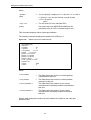
<portlist>
=
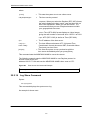
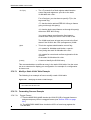
You can specify a single ADSL port <1>, all ADSL ports
<*> or a list of ADSL ports <1,3,5>. You can also
include a range of ports <1,5,6~10>.
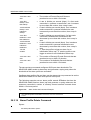
<profile>
=
The profile that will define the settings of this port.
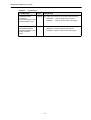
<glite|gdmt|t141
3|auto|adsl2|ads
l2+>
=
<gdmt|etsi|auto|
adsl2|adsl2+>
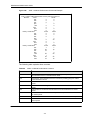
The ADSL operational mode. Choose from glite, gdmt,
t1413, auto, adsl2 or adsl2+.
The ADSL operational mode. Choose from
Gdmt, etsi, auto, adsl2 or adsl2+.
177