1
Using the DN9848 Memories
8. STORING AND RECALLING SETTINGS
The DN9848 Loudspeaker Processor is provided with the following memory facilities:
32 lockable System memories, designated as S01 to S32, for storing standard set ups in
battery-backed-up SRAM.
5 free access User memories, designated as U01 to U05, for storing a series of set ups for the
current show.
99 Preset (flash) memory locations, designated P01 –P99, for secure storage of essential
settings against overwriting or battery failure. These memories can only be programmed from
an external computer. Up to 25 Factory Presets, including cross-over set ups for commonly
used EV and third-party loudspeaker systems, are available at www.klarkteknik.com for
downloading to the unit via the front panel PC port. These are listed with the Technical
Specification in Section 11.
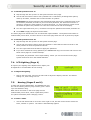
To store settings
1
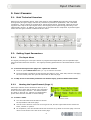
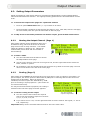
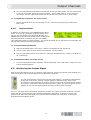
Press the black STORE button to access the
Store menu.
2
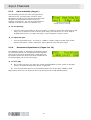
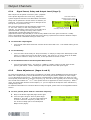
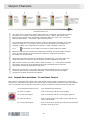
To include the current trims in the
memory, i.e. the settings on the front
panel Output Level controls, turn the
right-hand knob to select ‘Yes’.
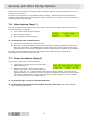
3
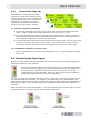
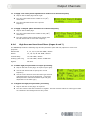
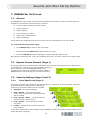
Press STORE to move to the next menu
page. Select a User (U01 –U05) or
System (S01 – S32) memory location
using the left-hand or centre knob,
respectively.
Note
Since a memory location is now active, you should only press STORE if you wish to accept and
continue the storing process. Otherwise, press HOME to abort.
4
Press STORE to accept the memory location and move on.
5
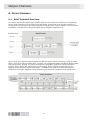
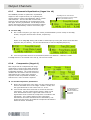
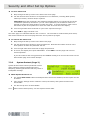
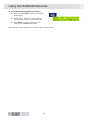
The current working memory name is displayed
(as defined in the Set Up menu). To change the
name before storing, use the centre knob to
move the cursor right or left, and the right-hand
knob to select the letter, number or symbol.
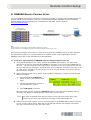
6
Press STORE to confirm the action and return to the DN9848 Home page.
The DN9848 automatically checks the memory settings and displays a warning if any errors are
found. Where possible, it will also attempt to automatically correct the error.
To lock the system memories, refer to Section 7.3 Security Settings.
23