1
1.3 Identifying Components
1.3 Identifying Components
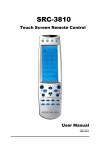
Refer to the following illustration to identify the components of
the SRC-3000b.
1. Infrared Eye
Point the infrared eye at
the device you want to
operate.
2. Light Sensor
Detects ambient light to
automatically turn on the
backlight.
3. LCD Touch Screen
The LCD panel enables you
to configure and operate
your devices by touching
the screen.
1. Infrared Eye
2. Light Sensor
3.
LCD Touch Screen
4. Backlight
4. Backlight
Automatic blue backlight
illuminates in a dim
environment.
5. Device keys
Press these keys to display
the LCD layouts for the
specific devices as below.
6. Learning Eye
Point your original remote
control to the learning eye
and press the
corresponding keys to send
out the IR signals; so that
the SRC-3000b can learn
the IR codes for your
devices.
5. Device Keys
6. Learning Eye
Figure 1: Front View
3