1
Using Silent Installation
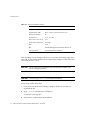
starts the console. For information about registering your iPlanet Web Server
with the Netscape Console, see “Accessing iPlanet Web Server from the
Netscape Console,” on page 20.
13. To configure your iPlanet Web Server, use the URL:
http://server_name:administration_port
For example: http://iplanet:8888
Enter your administration user name and password.
You can now configure your iPlanet Web Server. For more information, see the
iPlanet Web Server Administrator’s Guide.
Using Silent Installation
If you want to install several iPlanet Web Servers, you can use silent installation to
create a file of responses to the setup program’s prompts. You can then edit the file,
install.inf, and use it to install future iPlanet Web Server installations.
Silent installation works best when you use the Typical installation and your
installations are all similar.
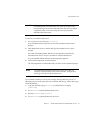
CAUTION
The install.inf file contains the password used to log on to the
Administration Server. The password is not encrypted; it is in plain
text. If you use silent installation, be sure and delete the
install.inf file once you are through with it.
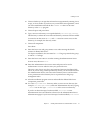
To use silent installation, follow these steps:
1.
Run setup with the -k option, which creates a file called install.inf that
contains all your responses to the installer’s prompts. At the command prompt,
type:
./setup -k
52
2.
Answer the installer prompts and install iPlanet Web Server.
3.
When the server is installed, go to the server_root/setup directory, where you’ll
find the install.inf file.
4.
Copy the install.inf file to the directory where you will run setup to install
your next iPlanet Web Serve.
iPlanet Web Server, FastTrack Edition Installation Guide • June 2000