1
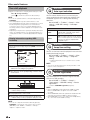
AQUOS LINK
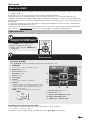
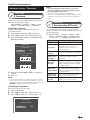
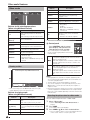
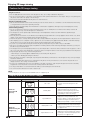
Controlling HDMI devices using AQUOS LINK
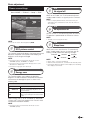
E What is AQUOS LINK?
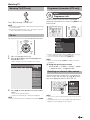
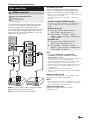
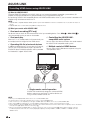
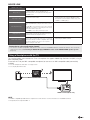
Using the HDMI CEC protocol, with AQUOS LINK you can interactively operate compatible system devices (AV
amplifier, DVD player/recorder, Blu-ray player/recorder) using a single remote control unit.
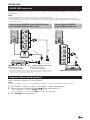
By connecting AQUOS LINK-compatible devices with HDMI-certified cables to the TV, you can control a recorder or AV
amplifier using the remote control of the TV.
NOTE
• AQUOS LINK-compatible AQUOS AUDIO speaker system and AQUOS recorder are scheduled to be on sale after the release of
this TV.
• AQUOS LINK does not work while using USB-recording functions.
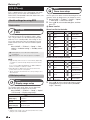
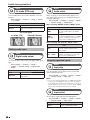
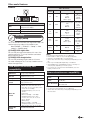
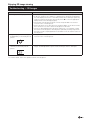
E What you can do with AQUOS LINK
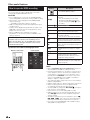
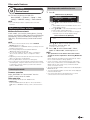
✓ One touch recording (DTV only)
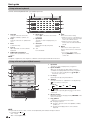
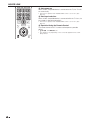
You do not have to search for the remote control unit of your recording device. Press REC E or REC STOP H to
start/stop recording what you see on the recorder.
✓ One touch play
✓ Controlling the AQUOS LINK-
When the TV is in standby mode, it will automatically turn
on and play back the image from the HDMI source.
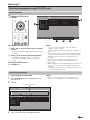
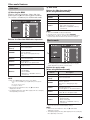
✓ Operating title list of external devices
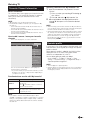
In addition to displaying the TV’s own timer list (Page 26),
you can also call up the external player’s top menu or
AQUOS BD player’s/AQUOS recorder’s title list provided
that the devices support AQUOS LINK.
compatible audio system
You can adjust the volume and select the sound mode of
the AQUOS LINK-compatible audio system.
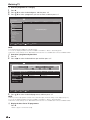
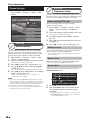
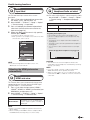
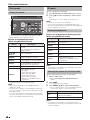
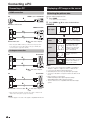
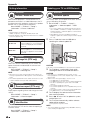
✓ Multiple control of HDMI devices
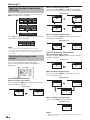
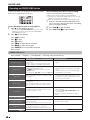
You can select which HDMI device to operate using the
“Link operation” menu.
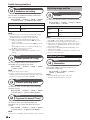
✓ Single remote control operation
AQUOS LINK automatically recognises connected HDMI
devices and you can control the TV and the devices as if
using a universal remote control unit.
NOTE
•
•
•
•
•
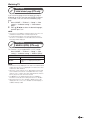
When you use AQUOS LINK, make sure to use a certified HDMI cable.
Point the remote control unit toward the TV, not to the connected HDMI device.
Video noise may occur depending on the type of HDMI cable used. Make sure to use a certified HDMI cable.
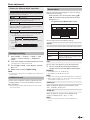
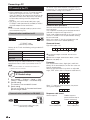
Up to three HDMI recording devices, one AV amplifier and three players can be connected using this system.
These operations affect the HDMI device selected as the current external source. If the device does not operate, turn on the device
and select the appropriate external source using b.
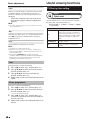
• When you insert/remove HDMI cables or change connections, turn on all connected HDMI devices before turning on the TV.
Confirm that picture and audio are correctly displayed/output by selecting “HDMI1”, “HDMI2”, “HDMI3” or “HDMI4” from the
“INPUT” menu.