1
Basic adjustment
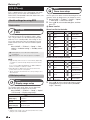
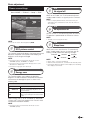
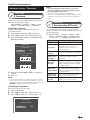
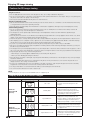
Power save settings
ECO
No signal off
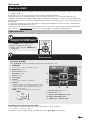
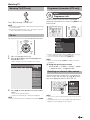
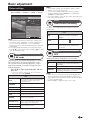
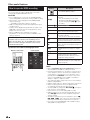
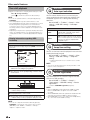
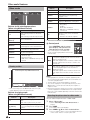
Go to “HOME” > “TV Menu” > “Setup” > “ECO”.
Menu
CH list
: Select
:Enter
Setup
:Back
When set to “Enable”, the TV will automatically enter
standby mode if there is no signal input for 15 minutes.
NOTE
• Even if a TV programme finishes, this function may not
operate because of interference from other TV stations or
other signals.
ECO
ECO
ECO picture control
[On]
No operation off
Energy save
[Off]
No signal off
[Disable]
No operation off
[Disable]
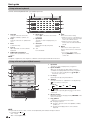
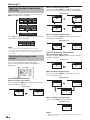
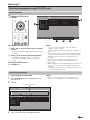
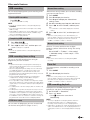
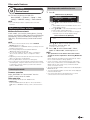
You can set the TV to automatically power off when no
TV operation is performed for 30 minutes or 3 hours.
NOTE
• “Disable” is the factory preset value.
NOTE
ECO
• You can also select “ECO” by pressing ECO.
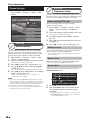
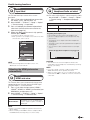
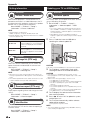
Sleep timer
ECO
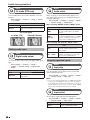
ECO picture control
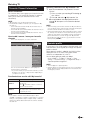
This function automatically detects the image source and
decreases the power consumption while keeping the
brightness of the image unchanged.
NOTE
• This function does not work when “AV mode” is set to
“DYNAMIC (Fixed)”, “DYNAMIC” or “AUTO”.
• This function does not work when “Energy save” is set to
“Standard” or “Advanced”.
• This function is greyed out in 3D mode.
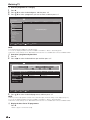
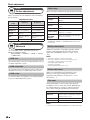
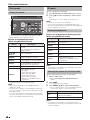
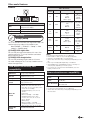
Allows you to set a time when the TV automatically
enters standby mode. You can set the time span for
entering standby mode after selecting “Change”.
0 hr.30 min.
Off
1 hr.00 min.
2 hr.30 min.
1 hr.30 min.
2 hr.00 min.
NOTE
• Select “Off” to cancel the sleep timer.
• When the time has been set, countdown automatically starts.
• Five minutes before the preset of time expires, the remaining
time displays each minute.
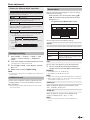
ECO
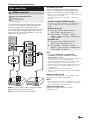
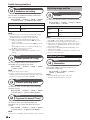
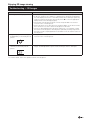
Energy save
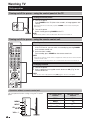
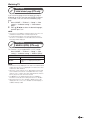
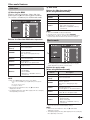
This function enables you to reduce the backlight
brightness in order to decrease the power consumption
and increase the backlight life span as shown in the
following table.
Item
Off
Standard
Reduces the backlight brightness.
Advanced
Reduces the backlight brightness more
than “Standard”.
The backlight brightness is the same
value of your settings in the selected “AV
mode”.
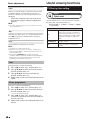
When “Energy save” is set to “Standard” or “Advanced”,
“Energy save” status icons appear in the “Picture” menu
and channel information windows.
NOTE
• This function does not work when “AV mode” is set to
“DYNAMIC (Fixed)”.
41