1
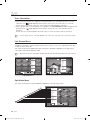
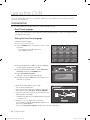
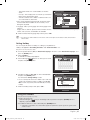
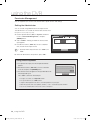
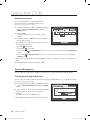
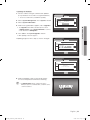
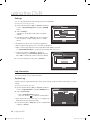
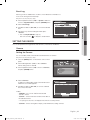
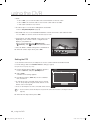
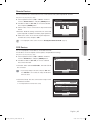
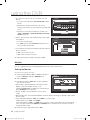
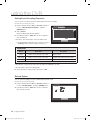
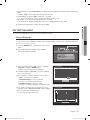
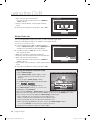
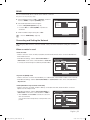
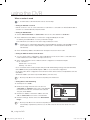
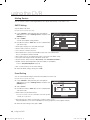
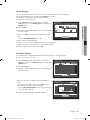
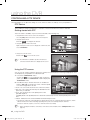
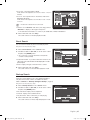
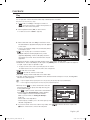
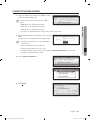
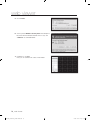
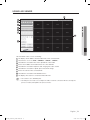
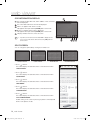
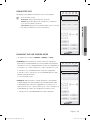
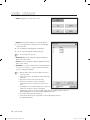
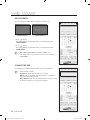
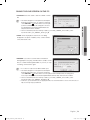
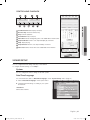
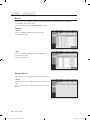
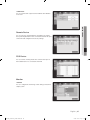
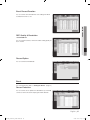
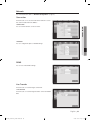
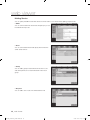
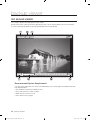
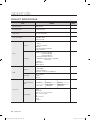
search & play search You can perform the search for recorded data by the time or by the search criteria such as an event. You can access the <search> menu directly in Live mode. Scene Mode SPOT OUT Audio Off Freeze Stop Alarm 1. In Live mode, right-click any area of the screen. The Live menu appears. Record Play Search Backup . Select <search>. Or, press the [search] button on the remote control or the front panel. Main Menu Shutdown Launcher hide Logout . The Search menu appears. ` If you have not checked “POS USE” in the “Main Menu > Device > POS Device” menu, the Search menu does not include the “POS Search” item. (Page 45) Return Time Search Event Search . The search can be restricted by the Auto Delete function. Refer to “setting the recording > record option”. (Page 50) M Backup Search POS Search Motion Search ` Overlapped data : It only appears if there exists overlapped data on a certain time, produced due to the change of DVR’s time setup. The latest data comes first, from <List0>. It does not appear in <Backup Search>. time search You can search for recorded data of a desired time. As the time to display may be different depending on the time zone and the DST standard time, the time of data recorded in the same time can be displayed differently depending on time zone and DST settings. Using the mouse may help easy setup. . Select <time search> in the <search> menu. . Select a date to search. Time Search Go to First 2009-01-01 . The record data on the specific date will be listed. The display bar is different according to the data type. So check the data type for the color in the left pane. . Use direction buttons (▲▼_ +) to set the search criteria and press the [enter] button. Go to Last Overlapped Data List0 ` Refer to “Using the Calendar”. (Page 35) Zoom In Zoom Out 00:01:17 Channel Duration CAM01 CAM02 CAM03 2009/01/01 00:01:17 CAM04 CAM05 Standard Schedule Motion Alarm V.Loss Etc CAM06 CAM07 CAM08 CH ALL Play Previous/Next Page Cancel ~ Go to First : Moves to the earliest date. ~ Go to Last : Moves to the most recent date. ~ Time : Enter a time to perform the search or use the up/down button <>> to select one. _ search & play 00769B_SHR-8162_ENG-NEW.indb 64 2008-12-04 오전 10:16:05