1
Operating Instructions
Facsimile Reference
<Basic Features>
***c1-fax-350.tif***
Getting Started
Faxing
Using Internet Fax Functions
Programming
Troubleshooting
For safe and correct use of this machine, please be sure to read the Safety Information in the
Copy Reference before you use it.
Operating Instructions Facsimile Reference <Basic Features>
Printed in China
EN USA B168-8607
Introduction
This manual describes detailed instructions on the operation and notes about the use of this machine.
To get maximum versatility from this machine all operators are requested to read this manual carefully
and follow the instructions. Please keep this manual in a handy place near the machine.
Notes
Some illustrations in this manual might be slightly different from the machine.
Certain options might not be available in some countries. For details, please contact your local dealer.
Two kinds of size notation are employed in this manual. With this machine refer to the inch version.
Important
Contents of this manual are subject to change without prior notice. In no event will the company be liable for direct, indirect, special, incidental, or consequential damages as a result of handling or operating the machine.
Trademarks
Microsoft® and Outlook® are either registered trademarks or trademarks of Microsoft Corporation in the
United States and/or other countries.
Adobe®, PostScript® and Acrobat® are registered trademarks of Adobe Systems Incorporated.
Other product names used herein are for identification purposes only and might be trademarks of their
respective companies. We disclaim any and all rights to those marks.
USA (This information is for facsimile users only.)
FCC Requirements
1. This equipment complies with Part 68 of the FCC rules and requirements adopted by the ACTA.
On the cover of this equipment is a label that contains, among other information, a product identifier in the format US:AAAEQ##TXXXXX. If requested, this number must be provided to the telephone company.
2. This equipment uses the RJ11C USOC jack.
3. A plug and jack used to connect this equipment to the premises wiring and telephone network
must comply with the applicable FCC Part 68 rules and requirements adopted by the ACTA. A
compliant telephone cord and modular plug is provided with this product. It is designed to be
connected to a compatible modular jack that is also compliant. See installation instructions for
detail.
4. The REN is used to determine the number of devices that may be connected to a telephone line.
Excessive RENs on a telephone line may result in the devices not ringing in response to an incoming call. In most but not all areas, the sum of RENs should not exceed five (5.0). To be certain of the number of devices that may be connected to a line, as determined by the total RENs,
contact the local telephone company. The REN for this product is part of the product identifier
that has the format US:AAAEQ##TXXXXX. The digits represented by ## are the REN without
a decimal point (e.g., 03 is a REN of 0.3).
5. If this equipment causes harm to the telephone network, the telephone company will notify you
in advance that temporary discontinuance of service may be required. But if advance notice is
not practical, the telephone company will notify the customer as soon as possible. Also, you will
be advised of your right to file a complaint with the FCC if you believe it is necessary.
6. The telephone company may make changes in its facilities, equipment, operations or procedures that could affect the operation of the equipment. If this happens the telephone company
will provide advance notice in order for you to make necessary modifications to maintain uninterrupted service.
7. If trouble is experienced with this equipment, for repair or warranty information, please contact
RICOH CORP. CUSTOMER SUPPORT DEPT. at 1-800-FASTFIX. If the equipment is causing
harm to the telephone network, the telephone company may request that you disconnect the
equipment until the problem is resolved.
8. In the event of operation problems (document jam, copy jam, communication error indication),
refer to the solving problems section in this manual.
9. Connection to party line service is subject to state tariffs. Contact the state public utility commission, public service commission or corporation commission for information.
WHEN PROGRAMMING EMERGENCY NUMBERS AND/OR MAKING TEST CALLS TO
EMERGENCY NUMBERS:
1. Remain on the line and briefly explain to the dispatcher the reason for the call before hanging
up.
2. Perform such activities in the off-peak hours, such as early morning hours or late evenings.
CANADA
The Ringer Equivalence Number is an indication of the maximum number of devices allowed to be connected to a telephone interface. The termination on an interface may consist of any combination of devices subject only to the requirement that the sum of the RENs of all the devices does not exceed five.
This product meets the applicable Industry Canada technical specifications.
Copyright © 2004
Manuals for This Machine
The following manuals describe the operational procedures of this machine. For
particular functions, see the relevant parts of the manual.
Note
Manuals provided are specific to machine type.
Adobe Acrobat Reader is necessary to view the manuals as a PDF file.
Three CD-ROMs are provided:
• CD-ROM 1“Operating Instructions for Printer/Scanner”
• CD-ROM 2“Scanner Driver & Document Management Utilities”
General Settings Guide
Provides an overview of the machine and describes System Settings (paper
trays, Key Operator Tools, etc.) and troubleshooting.
Refer to this manual for Address Book procedures such as registering fax
numbers, e-mail addresses, and user codes.
Network Guide (PDF file - CD-ROM1)
Describes procedures for configuring the machine and computers in a network environment.
Copy Reference
Describes operations, functions, and troubleshooting for the machine’s copier
function.
Facsimile Reference <Basic Features> (this manual)
Describes operations, functions, and troubleshooting for the machine’s facsimile function.
Facsimile Reference <Advanced Features>
Describes advanced functions and settings for key operators.
Printer Reference 1
Describes system settings and operations for the machine’s printer function.
Printer Reference 2 (PDF file - CD-ROM1)
Describes operations, functions, and troubleshooting for the machine’s printer function.
Scanner Reference (PDF file - CD-ROM1)
Describes operations, functions, and troubleshooting for the machine’s scanner function.
i
Manuals for DeskTopBinder V2 Lite
DeskTopBinder V2 Lite is a utility included on the CD-ROM labeled “Scanner
Driver & Document Management Utilities”.
• DeskTopBinder V2 Lite Setup Guide (PDF file - CD-ROM2)
Describes installation of, and the operating environment for DeskTopBinder V2 Lite in detail. This guide can be displayed from the [Setup] dialog box when DeskTopBinder V2 Lite is installed.
• DeskTopBinder V2 Introduction Guide (PDF file - CD-ROM2)
Describes operations of DeskTopBinder V2 Lite and provides an overview
of its functions. This guide is added to the [Start] menu when DeskTopBinder V2 Lite is installed.
• Auto Document Link Guide (PDF file - CD-ROM2)
Describes operations and functions of Auto Document Link installed with
DeskTopBinder V2 Lite. This guide is added to the [Start] menu when
DeskTopBinder V2 Lite is installed.
Manuals for ScanRouter V2 Lite
ScanRouter V2 Lite is a utility included on the CD-ROM labeled “Scanner
Driver & Document Management Utilities”.
• ScanRouter V2 Lite Setup Guide (PDF file - CD-ROM2)
Describes installation of, settings, and the operating environment for ScanRouter V2 Lite in detail. This guide can be displayed from the [Setup] dialog box when ScanRouter V2 Lite is installed.
• ScanRouter V2 Lite Management Guide (PDF file - CD-ROM2)
Describes delivery server management and operations, and provides an
overview of ScanRouter V2 Lite functions. This guide is added to the [Start]
menu when ScanRouter V2 Lite is installed.
Other manuals
• PostScript3 Supplement (PDF file - CD-ROM1)
• UNIX Supplement (Available from an authorized dealer, or as a PDF file
on our Web site.)
ii
TABLE OF CONTENTS
Manuals for This Machine ......................................................................................i
NOTICE ...................................................................................................................1
Important Safety Instructions ...............................................................................3
Caution.......................................................................................................................3
How to Read This Manual .....................................................................................4
Symbols .....................................................................................................................4
1. Getting Started
Control Panel..........................................................................................................5
Reading the Display ...................................................................................................7
Reading the display and using keys ........................................................................7
Standby display .......................................................................................................8
Communication display ...........................................................................................9
User code entry display .........................................................................................10
2. Faxing
Transmission Modes ...........................................................................................11
Switching between Memory Transmission and Immediate Transmission................12
Placing Originals..................................................................................................13
Placing a Single Original on the Exposure Glass.....................................................14
Placing Originals in the ADF ....................................................................................14
Originals unsuitable for the ADF............................................................................15
Memory Transmission.........................................................................................16
Canceling a Memory Transmission....................................................................19
Before the Original Is Scanned ................................................................................19
While the Original Is Being Scanned........................................................................19
While the Original Is Being Transmitted or Before the Transmission Is Started ......19
Immediate Transmission.....................................................................................21
Canceling an Immediate Transmission .............................................................24
Before You Have Pressed {Start} Key .....................................................................24
After You Have Pressed {Start} Key ........................................................................24
Scan Settings .......................................................................................................25
Resolution ................................................................................................................25
Original Type............................................................................................................26
Image Density (Contrast) .........................................................................................27
Mixing Scan Settings for a Multiple Page Original ...................................................27
When placing originals on the exposure glass ......................................................27
When placing originals in the ADF ........................................................................28
Specifying a Destination .....................................................................................29
Entering a Fax Number ............................................................................................29
Pause ....................................................................................................................30
Tone ......................................................................................................................30
Entering an E-mail Address .....................................................................................31
Using the Destination List ........................................................................................31
Specifying a destination using the Quick Dial key .................................................32
Specifying a group of destinations using the Quick Dial key .................................32
Checking the Specified Destination .........................................................................33
iii
Searching for a Destination ................................................................................34
Search by Destination Name ...................................................................................34
Selecting from Destination List.................................................................................35
Specifying a Registration Number............................................................................36
Search by Fax Number ............................................................................................37
Search by E-mail Address........................................................................................38
Reception..............................................................................................................40
Switching the Reception Mode.................................................................................40
Receiving a Fax in Manual Reception Mode............................................................41
3. Using Internet Fax Functions
Internet Fax Functions ........................................................................................43
Internet Fax Precautions ..........................................................................................44
Functions Not Supported by E-mail Transmission ...................................................44
Functions Not Supported by E-mail Reception ........................................................44
T.37 Full Mode .........................................................................................................45
Transmitting Internet Fax....................................................................................47
Confirming Reception...............................................................................................52
Canceling Internet Fax Transmission ................................................................53
Before the Original Is Scanned ................................................................................53
While the Original Is Being Scanned........................................................................53
Receiving Internet Fax.........................................................................................54
Auto E-mail Reception .............................................................................................54
Manual E-mail Reception .........................................................................................54
Received Images .....................................................................................................56
4. Programming
Initial Settings and Adjustments ........................................................................57
Programming............................................................................................................58
Editing ......................................................................................................................59
Deleting ....................................................................................................................60
Programming Fax Numbers and E-mail addresses..........................................62
5. Troubleshooting
Adjusting the Volume ..........................................................................................63
When {Facsimile} Key Is Lit in Red ......................................................................65
When Toner Runs Out .........................................................................................66
Error Messages and Their Meanings .................................................................67
Solving Problems.................................................................................................70
When Things Don't Go as Expected ..................................................................72
INDEX......................................................................................................... 73
iv
NOTICE
Note to users in the United States of America
-Notice:
This equipment has been tested and found to comply with the limits for a Class
B digital device, pursuant to Part 15 of the FCC Rules. These limits are designed
to provide reasonable protection against harmful interference in a residential installation. This equipment generates, uses and can radiate radio frequency energy and, if not installed and used in accordance with the instructions, may cause
harmful interference to radio communications. However, there is no guarantee
that interference will not occur in a particular installation. If this equipment does
cause harmful interference to radio or television reception, which can be determined by turning the equipment off and on, the user is encouraged to try to correct the interference by one more of the following measures:
• Reorient or relocate the receiving antenna.
• Increase the separation between the equipment and receiver.
• Connect the equipment into an outlet on a circuit different from that to which
the receiver is connected.
• Consult the dealer or an experienced radio /TV technician for help.
-Warning
Changes or modifications not expressly approved by the party responsible for
compliance could void the user's authority to operate the equipment.
1
-Notice about the Telephone Consumer Protection Act (Valid in USA
only).
The Telephone Consumer Protection Act of 1991 makes it unlawful for any person to use a computer or other electronic device, including FAX machines, to
send any message unless such message clearly contains in a margin at the top or
bottom of each transmitted page or on the first page of the transmission, the date
and time it is sent and an identification of the business or other entity, or other
individual sending the message and the telephone number of the sending machine or such business, other entity, or individual. (The telephone number provided may not be a 900 number or any other number for which charges exceed
local or long-distance transmission charges.)
In order to program this information into your FAX machine, you should complete the following steps: Follow the FAX HEADER programming procedure in
the Programming chapter of the operating instructions to enter the business
identification and telephone number of the terminal or business. This information is transmitted with your document by the FAX HEADER feature. In addition to the information, be sure to program the date and time into your machine.
Note to users in Canada
-Note:
This Class B digital apparatus complies with Canadian ICES-003.
Remarque concernant les utilisateurs au Canada
-Avertissement:
Cet appareil numerique de la classe B est conforme a la norme NMB-003 du Canada.
2
Important Safety Instructions
Caution
When using your telephone equipment, basic safety precautions should
always be followed to reduce the risk
of fire, electric shock and injury to
persons, including the following:
• Do not use this product near water,
for example, near a bathtub, wash
bowl, kitchen sink or laundry tub,
in a wet basement or near a swimming pool.
• Avoid using a telephone during an
electrical storm. There may be a remote risk of electric shock from
lightning.
• Do not use a telephone in the vicinity of a gas leak to report the leak.
• Use only the power cord and batteries indicated in this manual. Do
not dispose of batteries in a fire.
They may explode. Check with local codes for possible special disposal instructions.
Save these instructions.
IMPORTANTES MESURES DE SÉCURITÉ
Certalnes mesures de sécurité doivent être prises pendant l’utilisation de
matérial téléphonique afin de réduire
les risques d’incendle, de choc électrique et de blessures. En voici
quelquesunes:
• Ne pas utiliser l’appareil près de
l’eau, p.ex., près d’une balgnoire,
d’un lavabo, d’un évier de cuisine,
d’un bac à laver, dans un sous-sol
humide ou près d’une piscine.
• Éviter d’utiliser le téléphone (sauf
s’il s’agit d’un apparell sans fil)
pendant un orage électrique. Ceci
peut présenter un risque de choc
électrique causé par la foudre.
• Ne pas utiliser l’appareil téléphonique pour signaler une fulte de
gaz s’il est situé près de la fuite.
• Utiliser seulement le cordon d’alimentation et le type de piles indiqués dans ce manual. Ne pas
jeter les piles dans le feu: elles peuvent exploser. Se conformer aux
ègrlements pertinents quant à
l’élimination des piles.
Conserver ces instructions.
3
How to Read This Manual
Symbols
In this manual, the following symbols are used:
R WARNING:
This symbol indicates a potentially hazardous situation that might result in
death or serious injury when you misuse the machine without following the instructions under this symbol. Be sure to read the instructions, all of which are included in “Safety Information”, Copy Reference.
R CAUTION:
This symbol indicates a potentially hazardous situation that might result in minor or moderate injury or property damage that does not involve personal injury
when you misuse the machine without following the instructions under this
symbol. Be sure to read the instructions, all of which are included in “Safety Information”, Copy Reference.
* The statements above are notes for your safety.
Important
If this instruction is not followed, paper might be misfed, originals might be
damaged, or data might be lost. Be sure to read this.
Preparation
This symbol indicates information or preparations required prior to operating.
Note
This symbol indicates precautions for operation, or actions to take after abnormal operation.
Limitation
This symbol indicates numerical limits, functions that cannot be used together,
or conditions under which a particular function cannot be used.
Reference
This symbol indicates a reference.
[
]
Keys that appear on the machine's display panel.
[
]
Keys and buttons that appear on the computer's display.
{
}
Keys built into the machine's control panel.
4
1. Getting Started
Control Panel
The illustration shows the control panel when options are installed.
ABZ101S.eps
1. Communicating indicator
8. Indicators
Lights during transmission or reception.
Display errors and the machine status.
h: Error indicator. See Network Guide
and General Settings Guide.
B: Load Paper indicator. See Copy Reference.
D: Add Toner indicator. See Copy Reference.
2. Receive File indicator
Lights to tell you a message has been received into memory. Blinks when a
Memory Lock file has been received. See
p.75 “Memory Lock”, Facsimile Reference
<Advanced Features> .
3. {On Hook Dial} key
Use to dial a number while hearing tone.
4. {Facsimile} key
Reference
For more information, see General
Settings Guide.
Press to switch to Facsimile mode.
9. Display
5. {Search Destination} key
Display the operation status and messages.
Press to search for destination from the
destination list.
6. {Check Destination} key
Press to check destinations which are
currently selected.
7. {Job Information} key
Press to check the status of sending faxes
or e-mail.
10. Selection keys
These keys correspond to the items on
the display. Press the corresponding key
to select the item.
11. Scroll keys
Use to select an item.
{U} key: Press to scroll upward
{T} key: Press to scroll downward
{V} key: Press to scroll right
{W} key: Press to scroll left
5
Getting Started
1
12. {User Tools/Counter} key
20. {Pause/Redial} key
Use to change default or operation parameters according to the operating conditions.
Pause:
Inserts a pause when you are dialing or
storing a fax number. A pause cannot be
inserted as the first digit.
Redial:
Press to redial one of the last ten destinations.
13. {Clear Modes} key
Press to clear the current setting.
14. {Clear/Stop} key
Clear: Clears an entered numeric value.
Stop: Stops scanning or other operations.
15. Main power indicator and On
indicator
The main power indicator lights up when
the main power switch is set to on. The On
indicator lights up when the machine is on.
16. Operation switch
Use to select the programmed destination at a single touch or to enter letters
and symbols.
Reference
For more information, see General
Settings Guide.
Press to turn the machine on. The On indicator lights up. To turn the machine off,
press this switch again.
Note
You can program up to 16 destinations in the Quick Dial key.
Note
This key is inactivate while scanning
or setting Facsimile Features.
tor
17. User Function keys
Each of these can be programmed for
rapid access to frequently used features.
Features Programmed by Default
Key
Function
F1
Start Manual Reception
F2
Switch RX Mode
F3
Print Journal
18. {Memory Trans.} key
Press to toggle between Memory Transmission and Immediate Transmission
modes. The indicator lights up when
Memory Transmission is selected.
19. {Resolution} key
Press to switch between Standard, Detail
and Fine. When the resolution type is selected, the corresponding indicator
lights.
6
21. Quick Dial keys
Note
The indicators are off when the resolution is set to Standard.
22. Data In indicator/Online indica23. {Online} key
24. {Lighter} and {Darker} keys
Press to change the setting of image density. Select the image density in five steps
from Lighter to Darker.
25. {Original Type} key
Press to select the original type programmed with Text or Photo. When the
original type is selected, the corresponding indicator lights.
26. {Cancel} key
Press to cancel an operation or return to
the previous display.
27. {OK} key
Press to set a selected item or entered
characters.
28. Number keys
Use to enter numeric values.
29. {Start} key
Press to begin faxing, printing reports or
lists.
Control Panel
Reading the Display
The display shows you the machine status, messages, and guides you through
operations.
1
Note
This machine automatically returns to standby mode if you do not use the
machine for a certain period of time. You can select the period using "Facsimile Auto Reset Timer". See “Timer Settings”, General Settings Guide.
Reading the display and using keys
Display contents will differ depending on installed optional units.
Note
The copy display is set as the default display when the machine is turned on.
You can change the settings in the System Settings. See General Settings Guide.
ABZ102S.eps
4
1
2
3
1. Selection keys
3. {OK} key
Correspond to items at the bottom line on
the display.
Example: The standby display
• When the instruction "Press [
]"
appears in this manual, press the left
selection key.
• When the instruction "Press [Tone]"
appears in this manual, press the middle selection key.
• When the instruction "Press [TX Mode]"
appears in this manual, press the right
selection key.
Press to set a selected item or entered numeric values.
4. Scroll keys
Press to move the cursor to each direction
on by one.
When {U}, {T}, {V} or {W} appears in
this manual, press the scroll key of the
same direction.
2. {Cancel} key
Press to cancel an operation or return to
the previous display.
7
Getting Started
AAN200.eps
1
1
2
3
1
5
4
1. Machine status or currently selected function
2. Message
3. Destination entry
4. Selection keys
5. Selectable items
When Internet Fax Settings is ON
ABZ300S.eps
1
ABZ300S
1. Switches the destination between fax number and e-mail address.
Note
To use the Internet Fax functions,
the optional printer/scanner unit
is required.
You need to set Internet Fax Settings to On in Fax Features. See
p.68 “E-mail Settings”, Facsimile
Reference <Advanced Features> .
Standby display
While the machine is in standby mode (immediately after the {Facsimile} key is
pressed or after the {Clear Modes} key is pressed), the following display appears.
***FAX605.tif***
Note
To return to standby mode, do one of the following:
8
• If you have placed the original in the ADF (Auto Document Feeder) and
have not pressed the {Start} key, remove the original.
• If you are in User Tools mode, press the {User Tools/Counter} key.
Control Panel
Communication display
While communicating, the machine status is displayed.
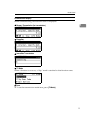
Memory Transmission (fax transmission)
1
***FAX606.tif***
Reception
***FAX407.tif***
Immediate Transmission
***FAX607.tif***
TX Mode
When a function is set to on, a “clip” mark is attached to that function name.
***FAX608.tif***
Note
To set the transmission mode item, press [TX Mode].
9
Getting Started
User code entry display
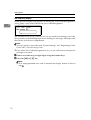
When the following message appears on the display, User Code Management is
active. Enter a user code to deactivate User Code Management.
1
***FAX609.tif***
The machine can be set up so that no one can use it without entering a user code.
This prevents unauthorized people from sending fax messages and helps track
the activity of each user or department.
Note
You can specify a user code with “System Settings”. See “Registering a New
User Code”, General Settings Guide.
Even when User Code Management is on, you can still receive and print fax
messages as normal.
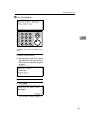
A Enter a user code of up to eight digits using the number keys.
B Press the {OK} or {#} key.
Note
If an unprogrammed user code is entered, the display returns to that of
step A.
10
2. Faxing
Transmission Modes
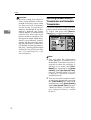
There are two types of transmission:
• Memory Transmission
• Immediate Transmission
Note
You can use Parallel Memory Transmission that dials while the original is being scanned. See p.28
“Parallel Memory Transmission”,
Facsimile Reference <Advanced Features> .
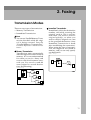
Memory Transmission
Transmission starts automatically
after the original has been stored in
memory. It is a convenient method
for when you are in a hurry and
want to take the document away
with you. You can also send the
same original to several destinations (broadcasting).
Immediate Transmission
Immediately dials the destination
number, and while scanning the
original, sends it. This is convenient when you want to send an
original quickly, or when you
want to check if original was sent
to the specified destination (since
Immediate Transmission is made
after establishing the connection).
When using this type of transmission, the original is not stored in
memory, and you can only specify
one destination.
GDRH240E.eps
Gfdoho2e.eps
11
Faxing
Important
If power outage lasts about an
hour, or the machine is disconnected from the power outlet
for about an hour, documents
stored in the fax machine's
memory are deleted. If any document is deleted, the Power
Failure Report is automatically
printed out when the main
power switch is turned on. Use
this report to check which documents were deleted. Simply
turning off the power by pressing the Operation switch does
not delete stored documents.
See p.98 “Turning Off the Main
Power/In Case of a Power Failure”, Facsimile Reference <Advanced Features> .
2
Switching between Memory
Transmission and Immediate
Transmission
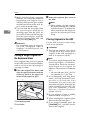
Check the indicators on the operation
panel to check which mode is currently active and press the {Memory
Trans.} key to toggle between them.
ABZ103S.eps
Note
You can select the transmission
mode (Memory Transmission or
Immediate Transmission) that is
operative when the machine is
turned on or when the {Clear
Modes} key is pressed, using [Home
Position] under [Key Operator Tools].
See p.81 “Home Position”, Facsimile Reference <Advanced Features>
(switch 02, bit 2).
You can have the machine return
to the status obtained by pressing
the {Clear Modes} key after each
transmission using [Home Position]
under [Key Operator Tools]. See p.81
“Home Position”, Facsimile Reference <Advanced Features> (switch
01, bit 7).
12
Placing Originals
Placing Originals
You can set your originals either in
the Document Feeder or on the exposure glass. Some types of originals are
unsuitable for the Document Feeder
so they must be set on the exposure
glass.
Which way you place your original
depends on its size and whether you
are using the Document Feeder or the
exposure glass.
How to place A4, B5 JIS (Japanese
Industrial Standard), A5, 51/2"× 81/2"
and 81/2"×11" size originals
AAN055S.eps
Original
How to place A5, 51/2"× 81/2" and B5
JIS size originals
AAN056S.eps
Original
*2
Where original is placed
Exposure glass
For ADF
*3
2
*1
AAN056S
Note
When you place originals as
shown in the above illustration,
the fax header will be printed on
the received faxes at the destination as follows:
Where original is placed
Exposure glass
For ADF
*1
*2
AAN055S
Note
When you place originals as
shown in the above illustration,
the fax header will be printed on
the received faxes at the destination as follows:
• *1 On the top of the fax
• *2 On the left side of the fax
• *1 On the top of the fax
• *2 On the left side of the fax
• *3 When the scanning size is set
to A4L or 81/2"×11"L on the
original size specifying display.
When sending a fax, the image
output at the other end depends on
the size and orientation of paper
used in the receiver's terminal. If
the receiver does not use paper of
the same size and orientation as
that of the original, the fax image
may be reduced in size, trimmed at
both edges, or divided into two or
more sheets. When sending an important original, we recommend
you ask the receiver about the size
and orientation of the paper used
in their terminal.
13
Faxing
2
Make sure that all ink, correcting
fluid etc., has completely dried before placing your original. If it is
still wet, the exposure glass will be
marked and those marks will appear on the received image.
You can send the first pages from
the exposure glass then the remaining pages from the ADF. After you have removed the last page
from the exposure glass, insert the
remaining pages in the ADF, and
then press the {Start} key.
B Lower the exposure glass cover or
Reference
For acceptable types of originals,
see p.107 “Acceptable Types of
Originals”, Facsimile Reference <Advanced Features> .
Use the ADF to scan in a stack of originals in one operation.
Placing a Single Original on
the Exposure Glass
Place originals that cannot be placed
in the ADF (Auto Document Feeder),
such as a book, on the exposure glass
one page at a time.
A Place the original face down and
align its upper left corner with the
reference mark at the upper left
corner of the exposure glass.
the ADF.
Note
When setting a bound original,
the received image may contain
some black areas. To reduce this
effect, hold down the original to
prevent the bound part from
rising.
Placing Originals in the ADF
Limitation
Place all the originals to be sent in
a single stack. You cannot place
originals in the ADF one page at a
time or in successive stacks.
Note
To send an original longer than the
following lengths, use Memory
Transmission. However, the maximum length of an original for
Memory Transmission is 1200 mm
(47").
ABZ025S.eps
ABZ025S
1. Positioning mark
2. Left Scale
14
• A4 size: 600 mm (23.6") for Detail, 300 mm (11.8") for Fine
If you frequently send long documents, set Long Document Transmission to on with the User
Parameters. If a jam occurs, the
document might be damaged because scanning will not stop. See
p.76 “User Parameters”, Facsimile
Reference <Advanced Features>
(switch 14, bit 1).
If your original is bent or folded,
flatten it before you place it.
When sending thin originals, place
them on the exposure glass.
If an original jammed, press the
{Clear/Stop} key, and then slowly
remove the original.
Placing Originals
You can check information about
the sizes and number of originals
that can be placed in the ADF. See
p.107 “Acceptable Types of Originals”, Facsimile Reference <Advanced Features> .
A Adjust
the document guide to
match the size of the originals.
B Align the edges of the originals
and stack them in the ADF face
up.
ABZ026S.eps
ABZ026S
1. Limit mark
2. Document guide
Originals unsuitable for the ADF
Do not place the following types of
originals in the ADF because they
may be damaged. Place them on the
exposure glass instead.
• Originals in unacceptable sizes
(See p.107 “Acceptable Types of
Originals”, Facsimile Reference <Advanced Features> .)
• Originals containing staples or
clips
• Perforated or torn originals
• Curled, folded, or creased originals
• Pasted originals
• Originals with any kind of coating,
such as thermosensitive paper, art
paper, aluminum foil, carbon paper, or conductive paper
• Originals with index tabs, tags, or
other projecting parts
• Sticky originals, such as translucent paper
• Thin and soft originals
• Originals of inappropriate weight
(See p.107 “Acceptable Types of
Originals”, Facsimile Reference <Advanced Features> .)
• Originals in bound form, such as
books
• Transparent originals, such as
OHP transparencies or translucent
paper
2
15
Faxing
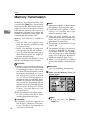
Memory Transmission
In Memory Transmission mode, after
you press the {Start} key, the machine
does not dial the destination until all
pages of your fax message have been
scanned into memory (in contrast to
Immediate Transmission, where the
number is dialed first and pages are
scanned and sent one by one).
Memory Transmission is useful because:
• You can take your original away
from the machine without having
to wait too long.
• While your message is being sent,
other people can use the machine.
• You can send the same message to
more than one place in a single operation (broadcasting).
Memory transmission mode has normal fax and Internet Fax functions.
2
Important
If there is a power failure (the main
power switch is off) or the machine
is unplugged out for more than
one hour, all the documents stored
in memory are deleted. As soon as
the main power switch is turned
on, the Power Failure Report is
printed to help you identify deleted files. If you turn only the operation switch off, documents are not
deleted. See p.98 “Turning Off the
Main Power/In Case of a Power
Failure”, Facsimile Reference <Advanced Features> .
Note
Maximum number of destinations
per Memory Transmission: 300.
Combined total number of destinations of standby messages
stored in memory: 300.
After the total number of programmed destination numbers exceeds 300, you can perform only
Immediate Transmission.
The number of documents you can
store is 200.
The number of pages you can store
in memory depends on the original images and the scan settings.
You can store up to 160 standard
pages (ITU-T #4 chart, Resolution:
Standard, Original Type: Text).
Allows you to specify fax number
and e-mail address simultaneously.
Reference
p.47 “Transmitting Internet Fax”
A Make sure the Memory Trans. indicator lights.
ABZ103S.eps
We recommend you call the receiver and confirm with them when
sending important messages.
16
Limitation
If memory is full (0% appears on
the display), Memory Transmission is disabled. Use Immediate
Transmission instead.
Note
If it is not, press the {Memory
Trans.} key.
Memory Transmission
B Place the original in the ADF, or
on the exposure glass.
Note
You can send the first few pages
from the exposure glass then
the remaining pages from the
ADF. After you remove the last
page from the exposure glass,
you have 60 seconds to insert
the remaining pages in the ADF.
Note that you cannot place originals on the exposure glass after
you start using the ADF.
Reference
p.13 “Placing Originals”
Reference
p.29 “Entering a Fax Number”
p.31 “Entering an E-mail Address”
p.31 “Using the Destination
List”
p.23 “Chain Dial”, Facsimile Reference <Advanced Features>
p.24 “Redial”, Facsimile Reference <Advanced Features>
2
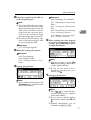
E When sending the same original
to several destinations (broadcasting), press [Add Dest] to specify other destinations.
***FAX610.tif***
C Make the settings you require.
Reference
p.25 “Scan Settings”
p.26 “Original Type”
p.27 “Image Density (Contrast)”
D Specify a destination.
***FAX601.tif***
Note
You do not have to press [Add
Dest] when adding a destination
using a Quick Dial key.
If you do not want to do a
broadcast transmission, proceed to step G.
F Specify a destination.
***FAX611.tif***
Note
If you make a mistake, press the
{Clear/Stop} key, and then enter
the correct number.
Note
Press [
] to switch the destination between fax number
and e-mail address.
If you want to specify another
destination, repeat steps E and
F.
Entered destinations can be
checked using {U} or {T}.
17
Faxing
To delete an entered destination, find it using {U} or {T},
press the {Clear/Stop} key, and
then press [Delete].
G Press the {Start} key.
Note
Do not lift the ADF during scanning.
2
After scanning, the standby display appears.
-Sending originals using the
exposure glass
A
B
C
D
E
F
Make sure the Memory Trans. indicator lights. If it is not, press the
{Memory Trans.} key.
Place the first page of your original
face down on the exposure glass.
Specify a destination.
Make the scan settings you require.
Press the {Start} key.
The machine starts scanning.
Place the next original on the exposure glass within 60 seconds after
the machine has finished scanning
the first original.
***FAX612.tif***
G
H
18
Repeat steps D to F for all originals.
Place the last original, press the
{Start} key, and then press the
{#} key.
-Broadcasting Sequence
If you dial several destinations for the
same message (broadcasting), the
messages are sent in the order in
which they were dialed. If the fax
message could not be transmitted, the
machine redials that destination after
the last destination specified for
broadcasting. For example, if you
specify four destinations, A through
D, for broadcasting, and if the lines to
destinations A and C are busy, the
machine dials the destinations in the
following order: A, B, C, D, A, and C.
-Checking the Transmission
Progress
To check which destinations the fax
message has been sent to so far, print
the Journal. See p.19 “Printing the
Journal”, Facsimile Reference <Advanced Features> .
Canceling a Memory Transmission
Canceling a Memory Transmission
Even when fax number and e-mail
address are simultaneously specified,
or only e-mail address is specified,
you can cancel the mode using the
same procedure. However, you cannot cancel the transmission of a sent
Internet Fax document.
While the Original Is Being
Scanned
Use this procedure to cancel a transmission after pressing the {Start} key.
2
A Press the {Clear/Stop} key.
ABZ105S.eps
Before the Original Is Scanned
Use this procedure to cancel a transmission before pressing the {Start}
key.
A Press the {Clear Modes} key.
ABZ104S.eps
The machine stops scanning.
Note
When documents are placed in
the ADF, you can cancel transmission simply by removing
them.
Note
Scanning may be completed
while you are performing the
cancel operation.
While the Original Is Being
Transmitted or Before the
Transmission Is Started
Use this procedure to cancel a transmission after scanning finishes. While
transmitting, you can cancel transmission by pressing the {Clear/Stop}
key. After canceling, skip steps 1 and
2.
Note
If the transmission finishes while
you are carrying out this procedure, it will not be canceled.
19
Faxing
If you cancel a message while it is
being sent, the transmission is halted as soon as you finish the cancellation procedure. However, some
pages of your message may have
already been sent and received at
the other end.
A Make sure that the standby dis-
2
play appears.
Note
If you press the {Clear/Stop} key
while the original is being
scanned, scanning stops.
B Press the {Clear/Stop} key.
ABZ105S.eps
C Press [Stop TX].
***FAX613.tif***
D Press [Delete].
***FAX614.tif***
The standby display appears.
Note
If you want to cancel stopping,
press [No].
20
Immediate Transmission
Immediate Transmission
With Immediate Transmission, when
you press the {Start} key, the fax
number is dialed immediately. The
message is scanned and transmitted
page by page without being stored in
memory. This contrasts with Memory
Transmission which scans all pages
into memory before dialing the destination.
Immediate Transmission is useful if
you want immediate confirmation
that the message is being sent to the
correct destination (just check the other terminal's Own Name or Own Fax
Number on the control panel during
transmission).
Limitation
Internet Fax is performed only
with Memory Transmission which
starts transmission automatically
after storing documents in memory. If you specify Immediate Transmission in Internet Fax, the “Try
again after switching to
memory transmission.” message
appears. When this happens, press
[Exit], and then switch to Memory
Transmission.
Note
You cannot send the same document to multiple destinations
(broadcasting). Memory Transmission allows this function.
You can have the machine set to
Memory Transmission mode or
Immediate Transmission mode
right after the power is turned on.
See p.81 “Home Position”, Facsimile Reference <Advanced Features> .
You can have the machine return
to the default transmission mode
(Memory Transmission or Immediate Transmission) after every
transmission. You can change this
so that the desired setting is maintained. See p.66 “General Settings/Adjust”, Facsimile Reference
<Advanced Features> .
2
A Make sure the Memory Trans. indicator is off.
ABZ103S.eps
Note
If it is not, press the {Memory
Trans.} key.
B Place the original.
Note
You can scan a few pages of
your original from the exposure
glass and the remaining pages
from the ADF. When you have
finished scanning from the exposure glass, remove the original from the exposure glass and
place the remaining pages in the
ADF within 10 seconds.
To send two or more pages using the exposure glass, set them
one page at a time.
The original can be placed
whenever, before the {Start} key
is pressed.
21
Faxing
Reference
p.13 “Placing Originals”.
C Select
the scan settings you re-
quire.
Reference
p.25 “Scan Settings”
2
p.26 “Original Type”
p.27 “Image Density (Contrast)”
E Press the {Start} key.
The machine calls the destination.
While it is dialing, the number or
name which is programmed as the
Own Name or Own Fax Number
in the machine of the other party is
shown on the display. When connected, the machine starts scanning the original.
ABZ106S.eps
D Specify a destination.
***FAX615.tif***
Note
If you make a mistake, press the
{Clear/Stop} key, and then enter
the correct number.
Reference
p.29 “Specifying a Destination”
p.31 “Using the Destination
List”
p.23 “Chain Dial”, Facsimile Reference <Advanced Features>
p.24 “Redial”, Facsimile Reference <Advanced Features>
22
Note
Do not lift the ADF during scanning.
After transmission, the standby
display appears.
Immediate Transmission
-Sending originals using the
exposure glass
A
B
C
D
E
F
Make sure the Memory Trans. indicator is off. If it is not, press the
{Memory Trans.} key.
Place the first page face down on
the exposure glass.
Specify a destination.
Make the scan settings you require.
Press the {Start} key.
Place the next original on the exposure glass within 10 seconds after
the machine has finished scanning
the first original.
2
***FAX616.tif***
G
H
Repeat steps D to F for all originals.
Place the last original, and then
press the {#} key.
23
Faxing
Canceling an Immediate Transmission
Before You Have Pressed
{Start} Key
A Press the {Clear Modes} key.
2
ABZ104S.eps
Note
When the original is placed in
the ADF, you can also cancel an
Immediate Transmission by removing the original.
After You Have Pressed
{Start} Key
A Press
the {Clear/Stop} key, and
then remove the original.
ABZ105S.eps
Note
If the transmission finishes
while you are carrying out this
procedure, it will not be canceled.
24
Scan Settings
Scan Settings
You may want to send many different
types of fax messages. Some of these
may be difficult to reproduce at the
receiver's end. However, your machine has three settings that you can
adjust to help you transmit your document with the best possible image
quality.
Resolution:
Standard, Detail, Fine
Original Type:
Text, Photo
Image Density (Contrast):
Manual Image Density (five levels)
Resolution
Images and text are scanned into the
machine by converting them to sequences of dots. The density of the
dots determines the quality of the image and how long it takes to transmit.
Therefore, images scanned at high
resolution (Fine) have high quality
but transmission takes longer. Conversely, low resolution (Standard)
scanning results in lower quality but
your original is sent more quickly. Select the setting that matches your
needs based upon this trade off between speed and image clarity.
Fine (8 x 15.4 lines/mm, 200 x 400 dpi)
Select for originals with fine details
or when you require the best possible image clarity. This resolution is
four times finer than Standard.
2
Limitation
If the other party's machine does
not support the resolution at
which you are sending, this machine automatically switches to a
resolution that is supported. You
can check the resolution at which
you sent actually. See p.19 “Printing the Journal”, Facsimile Reference
<Advanced Features> .
Transmission at Fine resolution is
possible with originals of A4,
81/2"×11" and smaller. Even if you
select the Fine resolution for the
original exceeding A4, 81/2"×11",
the resolution type is forcibly
changed to Detail.
In Internet Fax transmission, if the
destination is not set in full mode,
the original is scanned using Detail, even if you select [Fine].
Note
The machine supports Standard,
Detail, and Fine resolutions.
The resolution type selected as
soon as the machine is turned on or
modes cleared is set to [Standard].
Standard (8 x 3.85 lines/mm, 200 x 100
dpi)
Select for originals containing normal size characters.
Detail (8 x 7.7 lines/mm, 200 x 200 dpi)
Select for originals containing
small characters or when you require greater clarity. This resolution is twice as fine as Standard.
25
Faxing
A Press
the {Resolution} key to
switch between resolutions. The
indicators above the key shows
the current selection.
ABZ107S.eps
2
Note
The indicators are off when the
resolution is set to Standard.
You can select which original type
(Text or Photo) is active when the
machine is first turned on, or when
the {Clear Modes} key is pressed,
using [Home Position] under [Key
Operator Tools]. See p.81 “Home Position”, Facsimile Reference <Advanced Features> (switch 02, bit 1).
You can set the machine to return
to the initial status obtained by
pressing the {Clear Modes} key after each transmission using [Home
Position] under [Key Operator Tools].
See p.81 “Home Position”, Facsimile Reference <Advanced Features>
(switch 01, bit 7).
A Press
the {Original Type} key for
the type you require.
ABZ108S.eps
Original Type
If your original contains photographs, illustrations, or diagrams
with complex shading patterns or
grays, select the appropriate original
type to optimize image clarity.
Text
Select Text to send an original containing a high-contrast black-andwhite image. Use this setting even
if your original contains text and
photographs or if you only want to
send clearer text.
Photo
Select Photo to send an original
containing a halftone image such
as a photograph or a color original.
Note
If you select Photo, the transmission will take longer than if you select Text.
If you send a fax message with
Photo and the background of the
received image is dirty, reduce the
density and re-send.
26
Scan Settings
Image Density (Contrast)
When placing originals on the exposure
glass
The text and diagrams in your original should stand out clearly from the
paper they are written on. If your
original has a darker background
than normal (for example, a newspaper clipping), or if the writing is faint,
adjust the image density.
Use the {Image Density} key to vary
the image density within 5 levels.
Note
Select density, resolution, and
original type within 60 seconds for
Memory Transmission (10 seconds
for Immediate Transmission). The
remaining time is shown on the
display.
A Press the {Lighter} or {Darker} key
to change the density from five
density level.
ABZ109S.eps
2
A Check which pages you want to
scan with different settings.
B Remove
the previous page and
place the next page.
C Select the image density, resolution, and original type.
ABZ110S.eps
Mixing Scan Settings for a
Multiple Page Original
When sending an original of several
pages, you can select a different image density, resolution, and original
type setting for each page.
Place the original, select the scan settings for the first page, dial, and then
press the {Start} key as you would
normally. Then follow one of the following two procedures.
Note
It is recommended that originals
be placed on the exposure glass
when mixing scan settings for a
multiple page original.
ABZ107S.eps
Note
Adjust the settings for each
page before you press the
{Start} key.
27
Faxing
When placing originals in the ADF
Note
Depending on what time the scan
settings are adjusted, the settings
may not be reflected in the resulting operation.
2
A Check which pages you want to
scan with different settings.
B Select the image density, resolution, and original type before the
next page is scanned.
ABZ110S.eps
ABZ107S.eps
28
Specifying a Destination
Specifying a Destination
You can specify the destination using
one of three methods.
Fax number
p.29 “Entering a Fax Number”
E-mail address
p.31 “Entering an E-mail Address”
Destination list
p.31 “Using the Destination List”
This section covers these functions
and others in more detail.
Note
The display shows the percentage
of free memory space for storing
originals. Since fax numbers and email addresses are programmed in
separate memory, dialing fax
numbers using the number keys
does not change the percentage on
the display.
Entering a Fax Number
Enter numbers directly using the key
pad on the right side of the control
panel.
2
Note
Maximum length of a fax number:
128 digits.
You can insert pauses and tones in
a fax number. See p.30 “Pause”,
p.30 “Tone”.
A Make sure that
is displayed in
the destination display column.
FAX601.tif
Note
If it is not displayed, press
[
].
B Enter
the fax number using the
number keys.
FAX615.tif
Note
If you make a mistake, press the
{Clear/Stop} key, and then enter
again.
29
Faxing
Pause
Press the {Pause/Redial} key when dialing or storing a number to insert a
pause of about two seconds.
ABZ111S.eps
2
Note
A tone is shown as a “•” on the display.
Using the Tone function with On
Hook Dial
A Press the {On Hook Dial} key.
ABZ112S.eps
Note
You cannot insert a pause before
the first digit of a fax number. If
you press the {Pause/Redial} key at
the first digit, a redial occurs. See
p.24 “Redial”, Facsimile Reference
<Advanced Features> .
B Enter
the fax number using the
number keys.
***FAX618.tif***
A pause is shown as a “-” on the
display.
***FAX617.tif***
C Press [Tone].
***FAX619.tif***
Note
You can also program numbers including pauses in destination lists.
Tone
This function allows a machine connected to a pulse dialing line to send
tonal signals (for example if you want
to use a special service on a tone dialing line).
Limitation
Certain services may be unavailable when using the Tone function.
30
D Enter
the number you want to
tone dial using the number keys.
***FAX620.tif***
Specifying a Destination
Entering an E-mail Address
When using Internet Fax transmission, specify the e-mail address in
place of the fax number.
Reference
“Entering Text”, General Settings Guide
The destination is specified.
***FAX624.tif***
Note
You can enter up to 128 characters.
2
A Make sure that
is displayed in
the destination display column.
***FAX621.tif***
Using the Destination List
Note
If it is not displayed, press
[
].
B Press [Manual].
***FAX622.tif***
C Enter the e-mail address destina-
tion, and then press the {OK} key.
***FAX623.tif***
Note
If you make a mistake, press the
{Clear/Stop} key, and then enter
again.
To change the e-mail address after pressing the {OK} key, press
[EditDest], re-enter an e-mail address, and then press the {OK}
key.
You can program up to 150 destinations (fax numbers and e-mail addresses) into the destination list. The
destinations programmed into destination numbers 001 to 016 can be
specified by pressing Quick Dial keys
01 to 16. Hence, you should program
frequently used destinations in the
Quick Dial keys. In a Quick Dial key,
you can program a single destination
or multiple destinations (fax numbers
and/or e-mail addresses). A Quick
Dial key programmed with multiple
destinations is called a Group Dial.
You can send (broadcast) the same
message to the destinations in the
Group Dial.
You can also program a name for a
Quick Dial key (for example "Brown",
or "Branch Office") that will appear
before you press the {Start} key to
start sending.
Preparation
In the destination list, program individual fax numbers, e-mail addresses and/or groups of
destinations. See “Registering a
Fax Destination”, “Registering an
E-mail Destination”, and “Registering a New Group”, General Settings Guide.
31
Faxing
Limitation
Group Dial can be used for Memory Transmission only; not Immediate Transmission. If you specify
Immediate Transmission in Group
Dial, the " Try again after
switching to memory transmissi on. " message appears.
When this happens, press [Exit],
and then switch to Memory Transmission.
2
Note
To check the contents of Quick Dial, print the destination list. See
“Key Operator Tools”, General Settings Guide.
A stored name can be printed out
on the first page of a received fax at
the other end. See p.9 “Label Insertion”, Facsimile Reference <Advanced Features> .
To check the contents of the
Groups, print the list. See “Key
Operator Tools”, General Settings
Guide.
Specifying a destination using the Quick
Dial key
A Press the Quick Dial key in which
the destination's number is programmed.
If the destionation's name has been
stored, the name is shown on the
display. If it is not, the fax number
or e-mail address is shown.
***FAX625.tif***
Note
If you make a mistake, press the
{Clear/Stop} key and try again.
If you want to specify another
destination, press [Add Dest] and
specify another fax number or
e-mail address.
You do not have to press [Add
Dest] when adding a destination
using the Quick Dial keys.
B Press the {Start} key.
Specifying a group of destinations using
the Quick Dial key
A Place the original, and then select
the scan settings you require.
B Press the Quick Dial key in which
the Group is programmed.
ABZ113S.eps
ABZ113S.eps
***FAX626.tif***
32
Specifying a Destination
Note
If you make a mistake, press the
{Clear/Stop} key and try again.
B Press the {Check Destination} key.
ABZ114S.eps
If you want to specify other destinations, press [Add Dest].
C Press the {Start} key.
Note
If you press an incorrect Quick
Dial key, press the {Clear/Stop}
key, and then press the Quick
Dial key you want.
2
C If
you specified more than one
destination, display them one by
one using {U} or {T}.
***FAX628.tif***
To cancel all the destinations
specified by the Quick Dial key,
press the {Clear Mode} key.
Then, repeat from step B.
Checking the Specified
Destination
If you specified from the destination
list, you can display the name and fax
numbers or e-mail addresses. If the
group is specified for the destination,
you can display fax numbers or email addresses in the group.
A Make sure the destination name
Note
If you specified a group using
the Quick Dial keys, , the
group icon appears to the right
of the destination name.
D Press the {OK} key when confir-
mation is complete.
The display returns to that of step
A.
appears on the display.
***FAX627.tif***
Note
If you want to specify other destinations, press [Add Dest].
33
Faxing
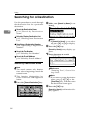
Searching for a Destination
Use this procedure to search through
the destination lists for a particular
destination.
B Make sure [Search by Name] is selected.
***FAX629.tif***
Search by Destination Name
p . 34 “ S e a r c h b y D es t ina t i o n
Name”
2
Select by Display Destination List
p.35 “Selecting from Destination
List”
Specifying a Registration Number
p.36 “Specifying a Registration
Number”
Search by Fax Number
p.37 “Search by Fax Number”
Search by E-mail Address
p.38 “Search by E-mail Address”
Note
If [Search by Name] is not selected, press {U} or {T} to display.
C Press the {OK} key.
[Search by Name] entry display appears.
D Enter characters to search.
***FAX630.tif***
Search by Destination Name
Note
The search returns only destinations whose beginnings match the
entered name.
Reference
“Entering Text”, General Settings Guide.
This function distinguishes between lowercase and uppercase
letters.
Note
If you enter a wrong destination
name, press {W}, {V} or the
{Clear/Stop} key, and then enter
the destination name again.
A Press the {Search Destination} key.
ABZ115S.eps
E Press the {OK} key.
[Search by Name] confirmation display appears.
34
Searching for a Destination
F Press the {OK} key.
***FAX631.tif***
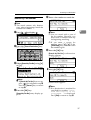
A Press [
] to switch the destination to fax number
or e-mail
address .
***FAX001.tif***
A search progress starts, then
search result appears.
Note
If no destination is matched for
specified text, " Specified
destination is not programmed. " is displayed. Press
[Exit] to return to the display of
B.
G Select
the destination name to
specify using {U} or {T}.
***FAX632.tif***
2
B Press the {Search Destination} key.
ABZ115S.eps
C Select [Display Destination List] using {T} or {U}.
FAX629.tif
H Press the {OK} key.
The destination which you
searched is specified for the destination.
Note
Press [Add Dest] to specify other
destinations.
D Press the {OK} key.
Destinations appear in order of
registration number.
E Select the destination you want to
specify using {T} or {U}.
***FAX633.tif***
Selecting from Destination
List
Destinations can be selected from the
destination list. Destinations appear
in order of registration number.
Limitation
Fax and e-mail destinations are not
displayed at the same time.
35
Faxing
F Press the {OK} key.
The specified destination is selected.
D Enter the three-digit registration
number of desired Quick Dial
key by number keys.
***FAX634.tif***
Note
Press [Add Dest] to specify other
destinations.
You cannot specify destinations
twice. If you try to, the “This
2
destination has already
been programmed.” message
appears. Press [Exit] to return to
the standby display.
Specifying a Registration
Number
You can search by Destination Lists.
Limitation
Fax and e-mail destination are not
displayed at the same time.
A Press the {Search Destination} key.
ABZ115S.eps
Note
If you enter a wrong registration number, press the
{Clear/Stop} key, and then enter
the code again.
E Press the {OK} key.
Search result appears.
Note
If no destination is matched for
specified registration number,
"Specified destination is
not programmed. " is displayed. Press [Exit] to return to
the display of B.
F Press the {OK} key.
***FAX635.tif***
B Select
[Search by Registration No.]
using {U} or {T}.
FAX629.tif
C Press the {OK} key.
[Search by Registration No.] entry
display appears.
36
The destination which you
searched is specified for the destination.
Note
If you try to specify the destination again, "This destination
has already been programmed." is displayed. Press
[Exit] to return to the destination
specifying display.
Press [Add Dest] to specify other
destinations.
Searching for a Destination
E Enter a fax number to search for.
Search by Fax Number
***FAX637.tif***
Note
The search returns only destinations whose beginnings match the
entered fax number.
A Press [
] to display
.
***FAX636.tif***
B Press the {Search Destination} key.
ABZ115S.eps
2
Note
You can search with a part of
the fax number. However, you
must enter a number from top
for beginning matching.
If you enter a wrong fax
number, press {W}, {V} or the
{Clear/Stop} key, and then enter
the number again.
F Press the {OK} key.
[Search by Fax No.] confirmation
display appears.
***FAX638.tif***
C Select [Search by Fax No.] using {U}
or {T}.
FAX629.tif
G Press the {OK} key.
***FAX639.tif***
Note
If [Search by Fax No.] does not appear,
is not selected in step A.
Press the {Cancel} key to return
to step A.
D Press the {OK} key.
[Search by Fax No.] entry display appears.
Search result appears.
Note
If no destination is matched for
specified fax number, "Specified destination is not
programmed. " is displayed.
Press [Exit] to return to step C.
37
Faxing
H Select the number to specify using {U} or {T}.
***FAX640.tif***
2
The destination which you
searched is specified.
Note
Press [Add Dest] to specify other
destinations.
Search by E-mail Address
Note
The search returns only destinations whose beginnings match the
entered e-mail address.
] to display
ing {U} or {T}.
FAX629.tif
I Press the {OK} key.
A Press [
C Select [Search by E-mail Address] us-
Note
If [Search by E-mail Address] does
not appear, is not selected in
step A. Press the {Cancel} key to
return to step A.
D Press the {OK} key.
[Search by E-mail Address] entry display appears.
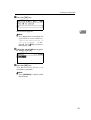
E Enter an e-mail address to search
for.
***FAX642.tif***
.
***FAX641.tif***
Reference
"Entering Text", General Settings
Guide
B Press the {Search Destination} key.
ABZ115S.eps
Note
You can search with a part of
the e-mail address. However,
you must enter a number from
top for beginning matching.
If you enter a wrong e-mail address, press {W}, {V} or the
{Clear/Stop} key, and then enter
the address again.
F Press the {OK} key.
[Search by E-mail Address] confirmation display appears.
38
Searching for a Destination
G Press the {OK} key.
***FAX643.tif***
2
Search result appears.
Note
If no destination is matched for
specified e-mail address,
"Specified destination is
not programmed. " is displayed. Press [Exit] to return to
the display of C.
H Select the e-mail address to specify using {U} or {T}.
***FAX644.tif***
I Press the {OK} key.
The destination which you
searched is specified.
Note
Press [Add Dest] to specify other
destinations.
39
Faxing
Reception
There are two ways you can set up
your machine to handle incoming
calls:
• Manual Reception (external telephone required)
• Auto Reception
2
Auto Switch
In this mode, the machine rings a
number of times. You can answer
the call while the machine is ringing. If you do not answer the call,
the machine automatically changes to receive fax messages.
Manual Reception
When a telephone call comes in,
the machine rings. If the call is a fax
message, you must switch manually to facsimile mode.
Auto Reception
When a telephone call comes in,
the machine automatically receives it as a fax message. Use this
setting on a dedicated fax line.
Note
The external telephone is required to use this machine as a
telephone.
You can change the number of
rings. See p.67 “RX Mode Auto
Switch Time”, Facsimile Reference <Advanced Features> .
When the other party send a fax
message, the machine changes
to receive the fax message automatically.
You can connect a telephone answering machine with Auto Select.
40
Set a smaller number of rings
for the telephone answering
machine than for the fax machine.
This function will not work
with certain answering machines.
Switching the Reception Mode
You can switch reception modes using the Reception Settings menu (under Fax Features). See p.67
“Reception Settings”, Facsimile Reference <Advanced Features> .
If you program a User Function key
with Switch Reception Mode, you can
switch reception mode quickly. See
p.66 “General Settings/Adjust”, Facsimile Reference <Advanced Features> .
This function is set to the User Function key {F2} as default.
A Press the {Switch RX Mode} key.
ABZ116S.eps
Reception
B Select the reception mode using
{U} or {T}, and then press the
{OK} key.
***FAX645.tif***
2
The standby display appears.
Note
To cancel the selection, press the
{Cancel} key.
Receiving a Fax in Manual
Reception Mode
A When the machine rings, pick up
the handset of the external telephone.
B If you hear beeps, press the {Start}
key. (The {Start} key is only available in facsimile mode when an
original is not placed.)
C Select [Start RX] using {U} or {T}.
***FAX646.tif***
D Replace the handset of the exter-
nal telephone. The machine will
start receiving.
41
Faxing
2
42
3. Using Internet Fax Functions
Internet Fax Functions
The optional printer/scanner unit is required.
This machine converts scanned document images to e-mail format and transmits
the data over the Internet.
The e-mail sent by this machine can be received by another Internet Fax machine. Instead of dialing the telephone number of the destination you want to
send to, you enter the relevant e-mail address.
You can also print or forward received e-mail messages.
ABZ028S.eps
This machine
E-Mail: [email protected]
FAX No:310-876-4321
E-Mail: [email protected]
FAX No:212-123-5678
FAX
FAX No:310-567-1234
Note
This machine must be connected to a LAN and set up correctly in order to use
its Internet Fax functions. See Network Guide.
The Internet Fax function supported by this machine is compliant with ITUT Rec. T.37.
You can receive e-mail messages with an attached TIFF-F image sent from
computers.
43
Using Internet Fax Functions
Internet Fax Precautions
• Internet Fax communicates with a server over a LAN. It cannot communicate
directly with other parties.
• If a transmission is not successful, this machine usually receives an e-mail error notification. See p.99 “Server-Generated Error E-mail”, Facsimile Reference
<Advanced Features> . However, e-mail error notifications may not be transmitted for various reasons. We recommend you confirm receipt of important
document by calling the other party.
• The level of security for Internet communications is low. We recommend you
use the telephone network for confidential communications.
• Voice communication is not supported over a LAN.
• Internet Fax delivery might be delayed due to network congestion. Use a
standard fax whenever communication is time sensitive.
• If you use this machine with dial-up connection, the Auto E-mail Reception
function accesses the provider's server via telephone line and may incur call
charges even if you do not receive e-mail. To reduce the frequency of server
access, specify a large E-mail Reception Interval. For the E-mail Reception Interval setting, see "Settings You Can Change with User Tools - File Transfer",
Network Guide.
3
Functions Not Supported by E-mail Transmission
The following functions are supported with standard fax transmission, but not
with Internet Faxing.
• Immediate Transmission
• Chain Dial
• On Hook Dial
• Manual Dial
• JBIG Transmission
• Batch Transmission
• ECM (Error Correction Mode)
Functions Not Supported by E-mail Reception
The following functions are supported with standard fax reception, but not with
Internet Faxing.
• Memory Lock Reception
• Authorized Reception
44
Internet Fax Functions
T.37 Full Mode
This machine is T.37 full mode compatible. T.37 full mode is an international
standard for Internet Fax transmission. (ITU-T announcement, RFC2532)
When an Internet Fax communication is made between T.37 full mode compatible machines, the receiver side sends the return receipt (dispatched) in response
to the reception confirmation request attached to the sent e-mail. This return receipt includes the receiver's reception capability information (compression type,
paper size, and resolution). When the receiver is programmed in the Address
Book as the full mode destination, the sender side automatically registers the received information in the Address Book. This allows you to send subsequent an
Internet Fax document to that receiver based on this information.
3
Note
When you program a destination in the Address Book via a Web browser,
program the T.37 full mode supporting machine as the T.37 full mode destination. See p.58 “Editing Receiver's Fax Information Via Web Browser”, Facsimile Reference <Advanced Features> .
When you use Internet Fax transmission, you can send a document to multiple destinations at once. However, when you specify full mode destinations,
since each destination may have a different reception capability, transmission
is done one by one in the specified transmission order.
Returning a Return Receipt
When an e-mail is received, if the sender requests reception confirmation, the
receiver sends a return receipt that includes the receiving machine's capability (compression type, paper size, and resolution).
Registering the Received Reception Confirmation Contents
When the sender receives the return receipt that includes the receiver's reception capability, the sender checks the sent final recipient address is programmed in the Address Book. If it is programmed as a full mode destination,
the sender automatically registers the receiver's reception capability. The registered reception capability is updated each time the sender receives new reception capability information. The sender can send documents to the
receiver based on this information.
Requesting a Reception Confirmation
When the receiver's machine supports T.37 full mode and is programmed as
a full mode machine and its reception capability is set in the Address Book,
the machine requests the reception confirmation from the receiver. Then, the
machine will receive the return receipt (sent) that includes the receiver's reception capability.
45
Using Internet Fax Functions
Note
If the receiver is programmed as the simple mode machine or not programmed in the Address Book, the receiver's reception capability cannot be
registered.
If you know the receiver's reception capability, you can set it manually. However, this setting will be overwritten when the machine receives the return receipt. See p.58 “Editing Receiver's Fax Information Via Web Browser”,
Facsimile Reference <Advanced Features> .
3
46
Transmitting Internet Fax
Transmitting Internet Fax
Preparation
You need to make System Settings
beforehand. See “Setting Up the
Machine on a Network”, Network
Guide.
This section describes how to scan a
document into the memory and send
it as e-mail. Specify the destination's
e-mail address instead of fax number.
You can send Internet Fax documents
only with Memory Transmission. If
you specify Immediate Transmission
in Internet Fax, the "Try again after switching to memory transmission." message appears. When
this happens, press [Exit], and then
switch to Memory Transmission.
When sending documents, you can
set e-mail options using [TX Mode].
You can set the following options:
Attach Subject
Allows you to enter a subject for
the document you want to send.
Note
For convenience, program frequently-used subject. "Urgent",
and "High" are programmed as
default. See "Settings You Can
Change with User Tools - File
Transfer", Network Guide.
You can enter up to 64 characters in total.
If you send e-mail without setting a subject in "E-mail Options" under "TX Mode", the
subject is automatically inserted. For more details about how
a subject is automatically inserted, see p.51 “About the E-mail
Subject”.
You cannot send a subject only
as e-mail without an original.
Return Receipt
You can confirm sent documents
were properly received using email or Journal.
Important
If power outage lasts about an
hour, or the machine is disconnected from the power outlet for about
an hour, documents stored in the
fax machine's memory are deleted.
If any document is deleted, the
Power Failure Report is automatically printed out when the main
power switch is turned on. Use this
report to check which documents
were deleted. Simply turning off
the power by pressing the Operation switch does not delete stored
documents. See p.98 “Turning Off
the Main Power/In Case of a Power Failure”, Facsimile Reference
<Advanced Features> .
You may not be able to send large
files as e-mail, depending on email environment conditions.
The level of security for Internet
communications is low. Use of the
telephone network is recommended for confidential communications.
3
Limitation
When available memory is low,
you may not be able to send the Internet Faxes.
Note
Because the machine sends documents as e-mail messages with an
attached TIFF-F image, viewer applications are required in order to
view documents when they are received on a computer.
47
Using Internet Fax Functions
You can limit the size of transmitted e-mail messages. See p.68 “Email Settings”, Facsimile Reference
<Advanced Features> .
See p.56 “Received Images” for
how e-mail is actually received by
the computer when it is sent with
mail options selected.
When you transmit an Internet Fax
specifying a user code, and the email address is set as the routing
destination of the specified user
code, a Communication Result Report is sent after the transmission
is completed. This makes it possible to verify the result of a transmission.
You can specify fax destination
and Internet Fax destination simultaneously.
You cannot send e-mails to a destination as cc.
3
A Press [
] to display
.
C Select [E-mail Options] using {U} or
{T}, and then press the {OK} key.
***FAX648.tif***
To enter the subject directly
A Select [Attach Subject] using {U}
or {T}, and then press the {OK}
key.
***FAX649.tif***
B Select [Manual Input] using {U}
or {T}, and then press the {OK}
key.
***FAX650.tif***
***FAX647.tif***
B When you set an e-mail option,
C Enter the subject.
***FAX651.tif***
press [TX Mode].
FAX647.tif
If you are not setting e-mail options, proceed to step D.
48
Reference
"Entering Text", General Settings Guide.
Note
If you enter a wrong subject,
press the {Clear/Stop} key,
and then enter the subject
again.
Transmitting Internet Fax
D Press the {OK} key.
The display returns to that of
step A.
Note
If you press the {Cancel} key,
entering a subject is canceled.
The display returns to that of
step A.
Setting Return Receipt
A Select [Return Receipt] using {U}
or {T}, and then press the {OK}
key.
FAX649.tif
To enter the programmed subject
A Select [Attach Subject] using {U}
or {T}, and then press the {OK}
key.
3
B Press {U} or {T} to select [On].
***FAX652.tif***
FAX649.tif
B Select [Select Programmed Subject] using {U} or {T}, and then
press the {OK} key.
FAX650.tif
C After selecting the subject,
press the {OK} key.
Note
You can register up to 5 programmed subjects. See p.48
“To enter the subject directly”.
If you press the {Cancel} key,
attaching a subject is canceled. The display returns to
that of step A.
The display returns to that of
step A.
Note
Select [Off], if you do not
want to confirm the reception.
C Press the {OK} key.
The display returns to that of
step A.
Note
If you press the {Cancel} key,
the setting is canceled. The
display returns to that of step
A.
D Press the {Cancel} key twice to return to the standby display.
E Place the original.
Note
You can send the first few pages
from the exposure glass then
the remaining pages from the
ADF. After you remove the last
page from the exposure glass,
you have 60 seconds to insert
the remaining pages in the ADF.
Note that you cannot place pages on the exposure glass after
you have started using the ADF.
49
Using Internet Fax Functions
The original can be placed either in the ADF or on the exposure glass, until the {Start} key
is pressed.
H To
send the same document to
multiple destinations, press [Add
Dest].
***FAX654.tif***
Reference
p.13 “Placing Originals”.
F Select
the scan settings you re-
quire.
Note
In Internet Fax transmission, the
original is scanned using "Detail" resolution for transmission,
even if you select "Fine".
3
Reference
p.25 “Resolution”
p.26 “Original Type”
p.27 “Image Density (Contrast)”
To send e-mail to one destination
only, proceed to step J.
Note
It is not necessary to press [Add
Dest] when adding destinations
using the Quick Dial key.
I Specify the next destination.
***FAX655.tif***
G Enter the e-mail address.
***FAX653.tif***
Note
Press [
] to switch the destination between fax number
and e-mail address.
Note
If is not displayed in the destination display column, press
[
].
Reference
p.31 “Entering an E-mail Address”.
p.31 “Using the Destination
List”.
p.24 “Redial”, Facsimile Reference <Advanced Features> .
50
To specify more destinations,
repeat steps H and I.
If you want to delete an entered
destination, find it using {U} or
{T}, press the {Clear/Stop} key,
and then press [Delete].
Transmitting Internet Fax
J Press the {Start} key.
This machine starts scanning the
document into memory. The email send operation starts after the
scanning operation is complete.
When scanning is complete, the
Communicating indicator lights
and transmission starts.
Note
With a large volume of document, it may take some time before transmission starts. This is
due to the time the machine requires to convert the data in
memory.
To cancel transmission of an Internet Fax, see p.53 “Canceling
Internet Fax Transmission”.
-About the E-mail Subject
If there is no subject specified in “Program Fax Information” under “General Settings/Adjust”, a subject is
automatically inserted.
• If Own Fax Number and Own
Name are programmed:
From "Own Fax Number" ("Own
Name") (Fax Message NO.xxxx)
• If only Own Fax Number is programmed:
From "Own Fax Number" (Fax
Message NO.xxxx)
• If only Own Name is programmed:
From "Own Name" (Fax Message
NO.xxxx)
• If neither Own Fax Number nor
Own Name are programmed:
Fax Message NO.xxxx
3
Note
"xxxx" is the document number
that appears in the Journal.
Reference
p.57 “Initial Settings and Adjustments”
-E-mail Text
When Internet Fax e-mail is sent to
computer, the following information
is always inserted in the e-mail text.
To check the host name and e-mail
a d dr ess , se e “S et tin gs Yo u can
Change with User Tools”, Network
Guide.
This e-mail was sent from “Host
Name” (product name)
Queries to: “Key Operator's e-mail
address”
51
Using Internet Fax Functions
Confirming Reception
When Return Receipt is set under “Email Options”, the receiver sends
back a return receipt message. Once
the return receipt message has been
received, "OK" appears in the Result
column of Journal, allowing the originator to verify that the transmission
has been received.
3
Limitation
The Return Receipt feature is only
available if the receiver supports
MDN (Message Disposition Notification).
Simultaneous Broadcast is not
available in this function. Message
is sent to a receiver at a time in the
order of specified destinations.
52
Note
If your fax is not received normally, “Error” appears in the Result
column.
Information regarding the last 200
messages is recorded, but only the
last 50 communications appear in
Journal. If you do not receive a return receipt message for one of the
last 50 communications from the
receiver's machine, you may not be
able to confirm that the e-mail has
been received by the Journal's Result column.
If you specify mailing list addresses, do not set for Return Receipt.
Otherwise, you will receive multiple return receipt messages from email recipients, and the Result column will be overwritten each time
a new notice message is received.
However, if you receive a return
receipt message indicating an error, “Error” appears in the Result
column and will not be overwritten, even if you subsequently receive a return receipt message as
"OK" following the error message.
Return receipt results are only
shown in Journal. The Result column in all other files, lists, and
transmission reports show "- -".
Return receipt messages themselves are not recorded in Journal.
The return receipt can be printed
out. This can be set with User Parameters. See p.76 “User Parameters”, Facsimile Reference <Advanced
Features> (switch 21, bit 0).
Canceling Internet Fax Transmission
Canceling Internet Fax Transmission
When fax and Internet Fax destinations are specified simultaneously,
you can cancel sending using the
same method.
Note
You cannot cancel a transmission
once scanning is complete.
While the Original Is Being
Scanned
Use this procedure to cancel a transmission after pressing the {Start} key.
A Press the {Clear/Stop} key.
3
ABZ105S.eps
Before the Original Is Scanned
Use this procedure to cancel a transmission before pressing the {Start}
key.
A Press the {Clear Modes} key.
ABZ104S.eps
The machine stops scanning.
Note
When documents are placed in
the ADF, you can cancel transmission simply by removing
them.
Note
Scanning may be completed
while you are performing the
cancel operation.
If transmission finishes while
you are carrying out this procedure, it is not canceled.
53
Using Internet Fax Functions
Receiving Internet Fax
You can receive e-mail documents by
Internet Fax.
There are two methods of receiving email: Auto E-mail Reception and
Manual E-mail Reception.
Limitation
E-mail with attachments other
than TIFF-F format files cannot be
received. Senders receive an Error
Mail Notification if their e-mail
contains attachments. You can select whether or not the machine
sends this message with User Parameters. See p.76 “User Parameters”, Facsimile Reference <Advanced
Features> (switch 21, bit 7). However, TIFF-F documents created by
the Saving function of DesktopBinder V2 Professional Lite can be
received.
3
Note
When Reception Protocol is set to
POP3 or IMAP4, you can set the
machine to retain incoming e-mail
or delete it from the server in “System Settings”. See “Settings You
Can Change with User Tools - File
Transfer”, Network Guide.
With User Parameters, you can
have the machine return the acknowledgment of e-mail to the
sender. See p.76 “User Parameters”, Facsimile Reference <Advanced
Features> (switch 21, bit 1).
54
Auto E-mail Reception
When this function is turned on, the
machine periodically checks the email server for incoming e-mail and
downloads it as necessary.
E-mail auto-reception should be set in
“System Settings”. When you select
auto-reception, set the reception interval in minutes.
See “Settings You Can Change with
User Tools - File Transfer”, Network
Guide.
Note
If memory runs out, e-mail will not
be received at the specified intervals.
Reception will resume when sufficient memory becomes available.
Manual E-mail Reception
The following operation allows you
to receive e-mail at all times.
Preparation
Program the Manual E-mail RX
function to a User Function key
({F1} to {F3}) beforehand. See p.66
“Set User Function Key”, Facsimile
Reference <Advanced Features> .
A Press the programmed User Function key ({F1} to {F3}).
ABZ117S.eps
Guide display appears.
Receiving Internet Fax
B Press the {Start} key.
***FAX656.tif***
ABZ106S.eps
3
Accesses the server to check for email.
E-mail is in the server
A Start printing and receiving in
the memory. If the receiving is
finished, the standby display
appears.
***FAX657.tif***
E-mail is not in the server
A Press [Exit].
***FAX658.tif***
The standby display appears.
55
Using Internet Fax Functions
Received Images
Here is an example of an Internet Fax message sent from this machine and received on a computer using Outlook e-mail software.
The received image varies according to e-mail software.
AAN052S.eps
3
January
4
This E-mail was sent from "Head Office" (XXXX).
Queries to: [email protected]
AAN052S
1. E-mail transmitted without specifying a subject in “E-mail Options”.
2. E-mail transmitted with a subject
specified in “E-mail Options”.
3. From
The name (e-mail address) of the sender
4. Date
The date and time of e-mail transmission
5. To
The e-mail address of the recipient
6. Subject
Shows the subject specified in "E-mail
Options" at the time of transmission. If no
subject is specified, one is automatically
assigned in the format shown in 1 above.
From "Own Fax Number" ("Own Name")
(Fax Message NO. document number)
7. The message is inserted in all emails.
XXXX is a product name.
8. Attachment File
Any message included by the sender is
displayed as an attached document.
56
4. Programming
Initial Settings and Adjustments
You can send information to the other
party when transmitting or receiving
a fax message. This information is
shown on the display of the other machine and printed as a report. The following information can be sent.
Important
You can confirm programmed settings from the User Parameter List.
We recommend that you print and
keep the User Parameter List when
you program or change settings.
See p.80 “Printing the User Parameter List”, Facsimile Reference <Advanced Features> .
Fax Header
The Fax Header is printed as the
header of every fax you send. You
should include your name in the
Fax Header.
Important
In the USA, the Fax Header
must contain the telephone
number of the line your machine is connected to. It will be
printed on the header of every
page you send. Required in the
USA.
Note
You can program up to 32 characters in the Fax Header.
You can use characters, symbols, numbers, and spaces.
You can set whether or not to
print a Fax Header using [Print
Fax Header] under [TX Mode].
See p.8 “Fax Header Print”, Facsimile Reference <Advanced Features> .
In the USA, law requires that
your fax number be included in
the Fax Header. Program the fax
number and switch on Fax
Header Print with User Parameters. See, p.76 “User Parameters”, Facsimile Reference
<Advanced Features> .
Own Name
The Own Name is sent to the other
party when you send or receive a
fax using a G3 line. This name
should include your name. The
Own Name is shown on the display of the other machine and
printed in a report.
Limitation
Own Name works only when
the other machine is of the same
manufacturer, and has the Own
Name function.
Note
You can use characters, symbols, numbers, and spaces.
You can program up to 20 characters as an Own Name.
Own Fax Number (facsimile number
of sender)
The sender's Own Fax Number is
sent to the other party when sending a fax using a G3 line. The received facsimile number is shown
on the display of the other machine
and printed in a report. This function is available regardless of the
manufacturer of the other party's
machine.
57
Programming
Note
You can program up to 20 characters in Own Fax Number.
Note
When the Key Operator Code is
programmed and turned on, user
have to enter programmed the Key
Operator Code (maximum 8 digit)
to operate Key Operator Tools.
This prevents unauthorized people from changing registration.
4
Programming
A Press the {User Tools/Counter} key.
ABZ118S.eps
D Select [Program Fax Information] using {U} or {T}, and then press the
{OK} key.
***FAX661.tif***
E Program
your name and fax
number.
Programming a Fax Header
A Select [Fax Header] using {U} or
{T}, and then press the {OK}
key.
***FAX662.tif***
B Select [Fax Features] using {U} or
{T}, and then press the {OK} key.
***FAX659.tif***
B Enter a Fax Header, and then
press the {OK} key.
***FAX065.tif***
Note
If the Key Operator Code is programmed and turned on, enter
the Key Operator Code (maximum 8 digit) using number
keys, and then press the {OK}
key.
C
Select [General Settings/Adjust] using {U} or {T}, and then press the
{OK} key.
***FAX660.tif***
58
Reference
"Entering Text", General Settings Guide
Programming an Own Name
A Select [Own Name] using {U} or
{T}, and then press the {OK}
key.
FAX662.tif
Initial Settings and Adjustments
B Enter an Own Name, and then
press the {OK} key.
***FAX067.tif***
Editing
Note
This following procedure explains
how to edit Fax Header, as an example of editing.
Reference
"Entering Text", General Settings Guide.
Programming an Own Fax
Number
When the Key Operator Code is
programmed and turned on, user
have to enter programmed the Key
Operator Code (maximum 8 digit)
to operate Key Operator Tools.
A Press the {User Tools/Counter} key.
4
ABZ118S.eps
A Select [Own Fax Number] using
{U} or {T}, and then press the
{OK} key.
FAX662.tif
B Select [Fax Features] using {U} or
{T}, and then press the {OK} key.
FAX659.tif
B Enter an Own Fax Number using number keys, and then
press the {OK} key.
***FAX069.tif***
Note
To enter a + sign or a space,
press [+] or [Space].
If you enter a wrong number,
press {W}, {V} or the
{Clear/Stop} key, and then enter the number again.
Note
If the Key Operator Code is programmed and turned on, enter
the Key Operator Code (maximum 8 digit) using number
keys, and then press the {OK}
key.
C Select
[General Settings/Adjust] using {U} or {T}, and then press the
{OK} key.
FAX660.tif
F Press the {User Tools/Counter} key.
The standby display appears.
59
Programming
D Select [Program Fax Information] us-
ing {U} or {T}, and then press the
{OK} key.
H Press the {User Tools/Counter} key.
The standby display appears.
FAX661.tif
Deleting
This following procedure explains
how to delete Fax Header, as an example of deleting.
E Select
[Fax Header] using {U} or
{T}, and then press the {OK} key.
FAX662.tif
4
Note
If the Key Operator Code is programmed and turned on, enter the
Key Operator Code(maximum 8
digit) using number keys, and then
press the {OK} key.
A Press the {User Tools/Counter} key.
F Press the {Clear/Stop} key.
ABZ118S.eps
***FAX664.tif***
B Select [Fax Features] using {U} or
{T}, and then press the {OK} key.
All characters are deleted.
FAX659.tif
G Enter the characters you want to
program, and then press the {OK}
key.
FAX664.tif
C Select
[General Settings/Adjust] using {U} or {T}, and then press the
{OK} key.
FAX660.tif
The information for editing are
programmed.
Reference
"Entering Text", General Settings
Guide.
Note
Press the {Cancel} key to cancel
editing. The display returns to
that of step E.
60
Initial Settings and Adjustments
D Select [Program Fax Information] us-
ing {U} or {T}, and then press the
{OK} key.
FAX661.tif
E Select
[Fax Header] using {U} or
{T}, and then press the {OK} key.
FAX662.tif
4
F Press the {Clear/Stop} key.
***FAX663.tif***
All registered characters are deleted.
Note
Press the {Cancel} key to cancel
deleting. The display returns to
that of step E.
G Press the {OK} key.
The display returns to that of step
E.
H Press the {User Tools/Counter} key.
The standby display appears.
61
Programming
Programming Fax Numbers and E-mail
addresses
You can program fax destinations using Address Book Management in the Key
Operator Tools menu under System Settings.
You can also register the programmed fax numbers and e-mail addresses in a
Group.
Note
When you try to return to the standby display after changing the contents of
the Address Book, a message appears stating the destination list has been updated. Press [Exit]. The standby display then reappears.
4
Reference
“Key Operator Tools”, General Settings Guide
“E-mail Destination”, General Settings Guide
“Registering Destinations to a Group”, General Settings Guide
62
5. Troubleshooting
Adjusting the Volume
You can change the volume of the following sounds that the machine
makes.
B Select [Fax Features] using {U} or
{T}, and then press the {OK} key.
FAX659.tif
On Hook Mode
Heard when the {On Hook Dial} key
is pressed.
At Transmission
Heard when the machine sends a
message.
At Reception
Heard when the machine receives
a message.
At Dialing
Heard after pressing the {Start}
key, until the line connects to the
destination.
At Printing
Heard when a received message is
printed. See p.40 “Print Completion Beep”, Facsimile Reference <Advanced Features> .
Note
You can adjust the On Hook volume when you press the {On Hook
Dial} key. See p.25 “On Hook Dial”,
Facsimile Reference <Advanced Features> .
C Select
[General Settings/Adjust] using {U} or {T}, and then press the
{OK} key.
FAX660.tif
D Select [Adjust Sound Volume] using
{U} or {T}, and then press the
{OK} key.
FAX661.tif
E Select the item you want to adjust
using {U} or {T}.
***FAX665.tif***
A Press the {User Tools/Counter} key.
ABZ118S.eps
F Press the {OK} key.
63
Troubleshooting
G You can adjust the volume using
{W} or {V}.
***FAX666.tif***
Note
You can adjust the volume by
seven levels.
H Press the {OK} key.
Note
Press the {Cancel} key to cancel
setting and the display returns
to that of step E.
5
I Press the {User Tools/Counter} key.
The standby display appears.
64
When {Facsimile} Key Is Lit in Red
When {Facsimile} Key Is Lit in Red
If this key is lit, press the key to enter the facsimile mode. Then, refer to the table
below and take the appropriate action.
ABZ119S.eps
Problem
Solutions
A facsimile error has occurred.
The facsimile has a problem. Contact your
service representative. See p.67 “Error Messages and Their Meanings” The copier will
still function normally.
Out of paper
Add more paper.
5
"Loading Paper", Copy Reference
A network error has occurred.
• Check the displayed message. See p.67 “Error Messages and Their Meanings”.
• Check the machine is correctly connected
to the network, and the machine is correctly set. See Network Guide.
• Consult your network administrator.
• When the key is still lit in red even if you
take the measures above, please contact
your service representative.
65
Troubleshooting
When Toner Runs Out
When the machine has run out of toner, the symbol appears on the display.
Note that even if there is no toner left,
you can still send fax messages.
Important
The number of communications,
that have been executed after the
toner has run out and that automatically-output Journal has not
list, exceeds 100, communication
will not be possible.
Limitation
The Memory Storage Report is not
printed.
5
A Make sure that the machine is in
facsimile mode.
ABZ120S.eps
Note
If the standby display is not displayed, press the {Facsimile}
key.
B Press
[Exit], and then perform
transmission operation.
The error message disappears.
Reference
p.16 “Memory Transmission”
p.21 “Immediate Transmission”
66
Error Messages and Their Meanings
Error Messages and Their Meanings
If there is an error, one of the following messages may appear on the display. If
other message appears, follow the message.
Message
Causes and solutions
Put original back, check it and
press Start key.
Original jammed during Memory Transmission. Place originals that have not been scanned
again.
Error occurred, and trans. was
cancelled.
A document jam occurred during Immediate
Transmission. Press the {OK} key, and then resend the pages that have not been sent.
An error occurred during Immediate Transmission. Press the {OK} key, and then resend
the original.
Note
5
There may be a problem with the machine
or the telephone line (for example noise or
cross talk). If the error reoccurs frequently,
contact your service representative.
Memory is full. Scanning will
be stopped and only scanned
page(s) will be stored.
If you press [Exit], the machine returns to standby mode and starts transmitting the pages that
have been stored.
Cannot send fax as scanner is in
use by another function.
The Copy function is in use. To cancel the job
in process, do the following, and then try faxing again.
Press [Exit], and then press the {Copy} key.
Next press the {Clear/Stop} key. When the message “[Stop] key was pressed.
Stop copying?” appears, press [Stop].
Updating the settings. Re-select dest./functions after update finishes.
Wait with the main power switch on. The machine will enter standby mode after it exits
from RDS mode.
Check whether there are any
network problems.
[14-01]
Cannot find the DNS server or SMTP server.
• Check the DNS server is correctly programmed using the Web browser. See the
Web browser's Help.
• Check the SMTP server is correctly programmed using the Web browser. See the
Web browser's Help.
• Check the LAN cable is correctly connected
to the machine. See "Connecting the Network Cable to the Network", Network Guide.
• Check the network connection and radio
wave status.
• Consult your network administrator.
67
Troubleshooting
Message
Causes and solutions
Check whether there are any
network problems.
[14-09]
E-mail transmission was refused by SMTP authentication or POP before SMTP authentication.
• Check the user name and password for
SMTP or POP before SMTP authentication
are correctly programmed in Fax Mail Reception Account under File Transfer in System Settings. See "Settings You Can
Change with User Tools-File Transfer",
Network Guide.
• Check the user name and password of the
e-mail account are correctly programmed
from Fax Mail Reception Account under
File Transfer in System Settings. See "Settings You Can Change with User Tools-File
Transfer", Network Guide.
• Consult your network administrator.
5
Check whether there are any
network problems.
[14-33]
No machine's e-mail address is programmed.
• Check the fax machine's e-mail address is
correctly programmed from Fax Mail Reception Account under File Transfer in System
Settings. See "Settings You Can Change with
User Tools-File Transfer", Network Guide.
• Consult your network administrator.
Check whether there are any
network problems.
[15-01]
No POP3/IMAP4 server's address is programmed.
• Check the host name or IP address of the
POP3/IMAP4 server is correctly programmed using the Web browser. See the
Web browser's Help.
• Consult your network administrator.
Check whether there are any
network problems.
[15-02]
No account name is programmed.
• Check the user name and password of the
e-mail account are correctly programmed
from Fax Mail Reception Account under
File Transfer in System Settings. See "Settings You Can Change with User Tools-File
Transfer", Network Guide.
• Consult your network administrator.
Check whether there are any
network problems.
[15-03]
No machine's e-mail address is programmed.
• Check the fax machine's e-mail address is
correctly programmed from Fax Mail Reception Account under File Transfer in System Settings. See "Settings You Can
Change with User Tools-File Transfer",
Network Guide.
• Consult your network administrator.
68
Error Messages and Their Meanings
Message
Causes and solutions
Check whether there are any
network problems.
[15-11]
Cannot find the DNS server or POP3/IMAP4
server.
• Check the DNS server is correctly programmed using the Web browser. See the
Web browser's Help.
• Check the POP3/IMAP4 server is correctly
programmed using the Web browser. See
the Web browser's Help.
• Check the network connection and radio
wave status.
• Consult your network administrator.
Check whether there are any
network problems.
[15-12]
Cannot log on to the POP3/IMAP4 server.
• Check the user name and password of the
e-mail account are correctly programmed
from Fax Mail Reception Account under
File Transfer in System Settings. See "Settings You Can Change with User Tools-File
Transfer", Network Guide.
5
• Consult your network administrator.
-Out of paper display message
If the paper tray runs out of paper, “Out of paper. Load it, then press
[Exit].” appears on the display, asking you to add more paper.
Note
If there is paper left in the other paper trays, you can receive messages as usual, even if the message appears on the display.
You can turn this function on or off with the User Parameters. See p.76 “User
Parameters”, Facsimile Reference <Advanced Features> (switch 05, bit 7).
-Network error display message
If the "Check whether there are any network problems." message appears,
the machine is not correctly connected to the network or the settings of the machine is not correct. If you do not need to connect the machine to the network,
you can select so that the message disappear and the key goes out with User Parameters. See p.76 “User Parameters”, Facsimile Reference <Advanced Features>
(switch 21, bit 6).
Note
When you restart connecting the machine to the network, make sure to set
"Display" with User Parameters. Otherwise, you cannot check the status of
the network connection.
69
Troubleshooting
Solving Problems
This table lists some common problems and their solutions.
Problem
Causes and solutions
Reference
Image background appears
dirty when received at the
other end. Images from the
back page appear.
Adjust scan density.
p.27 “Image Density (Contrast)”
Printed or sent image contains
spots.
The ADF or exposure glass is
dirty. Clean them.
“Maintaining Your Machine”,
Copy Reference
Make sure that ink or correction fluid is dry before placing
originals.
Received image is too light.
5
Request the sender to increase
image density.
---
When using moist, rough, or
processed paper, the printed
image may be partly invisible.
Only use recommended paper.
“Copy Paper”, General Settings Guide
When D appears on the display, toner is beginning to run
out. Replace the toner cartridge soon.
“DAdding Toner”, Copy Reference
The machine failed to print re- If this happened when the re- p.34 “Substitute Reception”,
ceived fax messages.
ceive file indicator was lit, a
Facsimile Reference <Advanced
problem such as run out of pa- Features>
per or toner might disable
printing.
Message appears blank at the
other end.
When B is lit, load paper into
the tray.
"Loading Paper", Copy Reference
The original was placed upside down. Place it properly.
p.13 “Placing Originals”
Both transmission and receiv- Make sure that the modular
ing are impossible.
cord is correctly connected.
p.101 “Connecting the Machine to a Telephone Line and
Telephone”, Facsimile Reference <Advanced Features>
The terminal adaptor setting
--is incorrect. Check the setting.
70
Transmission is possible,
though receiving is impossible.
The optional terminal adaptor
setting is incorrect. Check the
setting.
---
Receiving is possible, though
transmission is impossible.
The optional terminal adaptor
setting is incorrect. Check the
setting.
---
Solving Problems
Problem
Causes and solutions
When using On Hook Dial or
Manual Dial, "Receiving"
appears and transmission is
not allowed.
If the machine fails to detect
the size of the original when
the {Start} key is pressed, it
performs a receiving operation.
All fax messages stored in
memory have been lost. Those
messages include ones stored
through Memory Transmission/Reception or Substitute
Reception.
When about one hour passes
after power of the machine is
turned off, all fax messages
stored in memory are lost. If
any messages have been lost
for this reason, a Power Failure Report is automatically
printed when the machine is
turned on. If fax messages
stored for Memory Transmission have been lost, check the
destinations and resend the
messages. If fax messages received through Memory or
Substitute Reception have
been lost, ask the senders to
resend the messages.
p.98 “Turning Off the Main
Power/In Case of a Power
Failure”, Facsimile Reference
<Advanced Features>
If the e-mail size specified on
the machine is exceeded, an
Internet Fax document cannot
be sent. Set Max. E-mail Size
to OFF, or specify the maximum e-mail size to a larger
value. Then, resend the document.
p.68 “E-mail Settings”, Facsimile Reference <Advanced Features>
Transmission failed due to
"Exceeded max. Email size." error.
Other fax machine's name is
not correctly printed or displayed.
Reference
5
When a destination is programmed in the Address
Book using SmartDeviceMonitor for Admin or Web browser, in some languages, the
programmed destination may
not print or display correctly.
When this happens, use ASCII
characters (for example: a-z, 09).
71
Troubleshooting
When Things Don't Go as Expected
I Want...
Operation
Reference
to cancel a Memory Transmis- If the original is being
p.19 “Canceling a Memory
sion.
scanned, press the {Clear/Stop} Transmission”
key.
If the original is being sent,
press the {Clear/Stop} key,
[Stop TX], and then [Delete].
to cancel an Immediate Trans- Press the {Clear/Stop} key.
mission.
to cancel Internet Fax transmission.
5
Limitation
Canceling Internet Fax
transmission is possible
only during scanning. It is
impossible during communication.
72
Press the {Clear/Stop} key.
p.19 “Canceling a Memory
Transmission”
p.11 “Canceling a Transmission”, Facsimile Reference <Advanced Features>
p.24 “Canceling an Immediate
Transmission”
p.53 “Canceling Internet Fax
Transmission”
INDEX
A
Adjusting the Volume, 63
At Dialing, 63
At Printing, 63
At Reception, 63
At Transmission, 63
On Hook Mode, 63
Attach Subject, 47
Authorized Reception, 44
Auto E-mail Reception, 54
B
Batch Transmission, 44
Broadcasting, 16
Broadcasting Sequence, 18
C
Chain Dial, 44
Control Panel, 5
CSI->Own Fax Number, 57
D
Destination List, 31, 35
Destination Name, 34
Detail, 25
Display, 7
Display panel, 7
E
ECM, 44
E-mail Address, 38
Entering a fax number, 29
Entering an E-mail Address, 31
Error Messages, 67
F
Facsimile key, 65
Fax Header, 57
Deleting, 60
Editing, 59
Programming, 58
Faxing, 11
Fax Number, 37
Fine, 25
Functions Not Supported by e-mail
Reception, 44
Functions Not Supported by e-mail
Transmission, 44
G
Getting Started, 5
I
Image Density (Contrast), 27
Immediate Transmission, 11, 21
Canceling, 24
Internet Fax, 43
Canceling a Transmission, 53
Precautions, 44
Receiving, 54
Transmitting, 47
J
JBIG Transmission, 44
M
Manual Dial, 44
Manual E-mail Reception, 54
Manual Reception Mode, 41
Memory Lock Reception, 44
Memory Transmission, 11, 16
Canceling, 19
N
Network error, 69
O
On Hook Dial, 44
Original Type, 26
Out of paper, 69
Own Fax Number, 57
Deleting, 60
Editing, 59
Programming, 58
Own Name, 57
Deleting, 60
Editing, 59
Programming, 58
P
Pause, 30
Photo, 26
Placing Originals, 13
Programming, 57
73
Q
Quick Dial
Specifying a destination, 32
Specifying a group of destinations, 32
R
Received Images, 56
Reception, 40
Auto Reception, 40
Manual Reception, 40
Registration Number, 36
Resolution, 25
Return Receipt, 47
RTI->Own Name, 57
S
Scan Settings, 25
Standard, 25
Switching the Reception Mode, 40
T
T.37 Full Mode, 45
Text, 26
Tone, 30
Toner, 66
Transmission Modes, 11
TTI->Fax Header, 57
U
User code, 10
74
MEMO
75
MEMO
76
EN
USA
B168-8607