1
Initial Setup
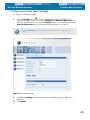
Setting the Initial Configuration
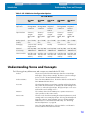
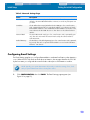
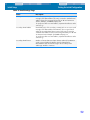
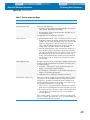
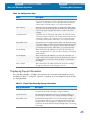
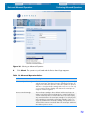
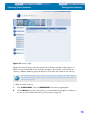
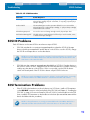
Table 6. Email Settings Page
Value
Description
Primary Email Address
Email address(es) of the primary contacts who are to receive email
messages from RemoteAdmin. This entry is entered in standard email
address format of a text string followed by an “@” and an Internet
domain. Example: [email protected]
To specify more than one email address, separate the addresses with a
semicolon (;).
Secondary Email Address
Email address(es) of the secondary contact(s) who are to receive email
messages from RemoteAdmin if the Attention does not get cleared
within the Secondary Email Timeout period. This entry is entered in
standard email address format of a text string followed by an “@” and
an Internet domain. Example: [email protected]
To specify more than one email address, separate the addresses with a
semicolon (;).
Secondary Email Timeout
Number of minutes that must elapse between when the first Attention
email is sent and when the Attention must be cleared before
RemoteAdmin sends an email message to the secondary email
address(es). Default is 5 minutes.
52