1
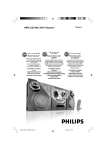
FWM575
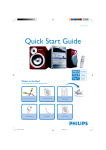
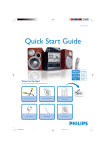
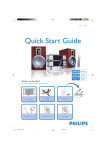
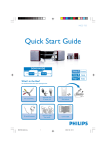
Quick start guide
What’s in the Box?
You should find these items upon opening the box.
y
CD1/2/3
REPEAT
TUNER
AUX
PROGRAM
MUTE
SHUFFLE
VOL
TITLE
FM antenna
AM antenna
Remote Control
ALBUM
DISPLAY
SLEEP
DIM
TIMER
ON/OFF
DSC
DBB
2
User Man
ual
1
Quick Star
t Guide
Quick Start Guide
FWM575 QUG_Eng
1
User manual
2006.2.8, 10:35
1
Connect the speaker cables.
2
Connect the AM and FM antennas.
3
Tip
See the User Manual for how to
connect other equipment to this
system.
Connect the power cable of the system.
Setup
Setting the clock
IMPORTANT!
– To set clock in the Eco Power mode, press and hold STANDBY-ON/ECO
POWER 2 on the set for 3 seconds or more to switch to normal standby mode
first before proceeding with the procedures below.
1
In standby or view clock mode, press CLOCK•TIMER once. In other
source mode, press CLOCK•TIMER twice.
2
Press à or á repeatedly to set the hour.
3
Press í or ë repeatedly to set the minute.
4
Press CLOCK•TIMER again to store the setting.
FWM575 QUG_Eng
2
2006.2.8, 10:35
C
Enjoy
Playing a disc
2
Press OPEN•CLOSE to open the disc tray and load up to two
discs on the individual disc trays. To load the third disc, press DISC
CHANGE.
➜ Make sure the label side of each loaded disc is facing up.
1
1
2
2
Press OPEN•CLOSE again to close the disc tray.
3
Use DSC 1/2/3 (or CD 1/2/3 on the remote control) to select a
disc for playback and then press ÉÅ to start playback.
4
To stop playback, press STOP9 .
Programming and tuning to
radio stations
1
Press TUNER to select the tuner source.
2
Press PROGRAM for more than two seconds to program all
available stations in order of waveband.
3
Press í or ë until the desired preset station is displayed.
FWM575 QUG_Eng
3
2006.2.8, 10:35
1
C
Enjoy
Playing a USB mass storage device
With the Hi-Fi system, you can use USB flash memory (USB 2.0 or USB1.1),
USB flash players (USB 2.0 or USB1.1), memory cards (requires an additional card reader to
work with this Hi-Fi system).
1
Insert the USB device’s USB plug into the socket
on the set ‘s foldable control panel
2
Press CD/USB once or more to select USB (or USB DIRECT on the remote control)
3
Play the USB’s audio files as you do with the albums/tracks on a CD
Tip
Detailed playback features and additional functions are described in the
accompany owner's manual.
2005 C Koninklijie Philips Electronics N.V. All rights reserved.
PHILIPS CONSUMER ELECTRONICS NORTH AMERICA
P.O. Box 671539, Marietta, GA. 30006-0026
http://www.philips.com
PDCC-JS/JW-0606
FWM575 QUG_Eng
4
2006.2.8, 10:35