1
TABLE OF CONTENTS
SAFETY INSTRUCTIONS ................................................................................................................................................................................. 1
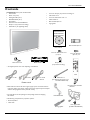
Contents ................................................................................................................................................................................................................ 7
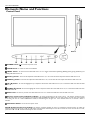
Elements Name and Functions ......................................................................................................................................................................... 8
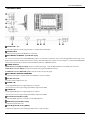
Terminal Panel ............................................................................................................................................................................................. 9
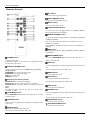
Remote Control........................................................................................................................................................................................ 10
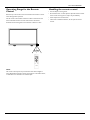
Operating Range for the Remote Control ......................................................................................................................................... 11
Handling the remote control ................................................................................................................................................................. 11
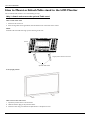
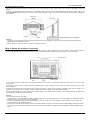
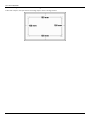
How to Mount or Attach Table stand to the LCD Monitor.................................................................................................................... 12
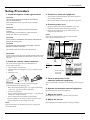
Setup Procedure ................................................................................................................................................................................................. 15
Install the LCD Monitor in Portrait Mode ................................................................................................................................................... 17
Connectivity ........................................................................................................................................................................................................ 18
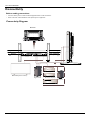
Connectivity Diagram .............................................................................................................................................................................. 18
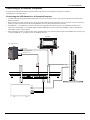
Connecting to a Personal Computer................................................................................................................................................... 19
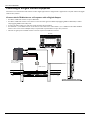
Connecting to a Digital Interface Equipment..................................................................................................................................... 20
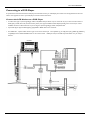
Connecting to a DVD Player ................................................................................................................................................................. 21
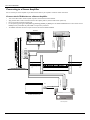
Connecting to a Stereo Amplifier ......................................................................................................................................................... 22
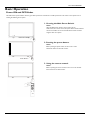
Basic Operation.................................................................................................................................................................................................. 23
Power ON and OFF Modes .................................................................................................................................................................. 23
Power Indicator......................................................................................................................................................................................... 24
Using Power Management ...................................................................................................................................................................... 24
Display Signal of Video Source Setting to [VIDEO] .......................................................................................................................... 24
Picture Size ................................................................................................................................................................................................. 24
Smart Picture Mode ................................................................................................................................................................................. 25
Audio Source Switching .......................................................................................................................................................................... 25
Control Lock Mode ................................................................................................................................................................................. 25
OSD Information ...................................................................................................................................................................................... 25
OSD (On-Screen-Display) Controls.............................................................................................................................................................. 26
PICTURE..................................................................................................................................................................................................... 27
SCREEN ...................................................................................................................................................................................................... 29
AUDIO ........................................................................................................................................................................................................ 31
PIP (PICTURE IN PICTURE) ................................................................................................................................................................. 32
CONFIGURATION 1 .............................................................................................................................................................................. 33
CONFIGURATION 2 .............................................................................................................................................................................. 35
ADVANCED OPTION ........................................................................................................................................................................... 37
NOTE .......................................................................................................................................................................................................... 40
Pixel defect policy ................................................................................................................................................................................... 42
Features ................................................................................................................................................................................................................ 44
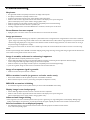
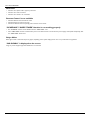
Troubleshooting ................................................................................................................................................................................................. 45
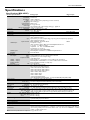
Specifications ....................................................................................................................................................................................................... 47
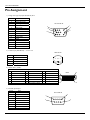
Pin Assignment .................................................................................................................................................................................................... 48