1
User Manual BDL4635E Main-Menu
ADVANCED OPTION
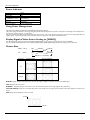
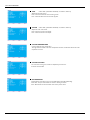
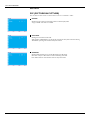
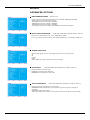
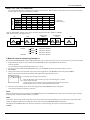
INPUT RESOLUTION
* : INPUT PC-A only
Selects to decision of input signal about below timings, 1024x768, 1280x768 and 1360x768.
AUTO: Determines the resolution automatically.
1024x768: Determines the resolution as 1024x768
1280x768: Determines the resolution as 1280x768
1360x768: Determines the resolution as 1360x768
The setting you select becomes effective when POWER is turned OFF and ON again.
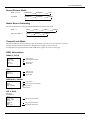
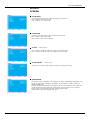
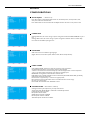
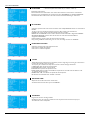
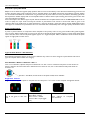
BLACK LEVEL EXPANSION
* : INPUT HDMI1,2(HDMI INPUT MODE-HD), VIDEO<S>, VIDEO only
Selects a level of black expansion from “OFF”, “MIDDLE” and “HIGH.”
In case of go under the black cut-off level, please adjust the “Black level” in moderation on OSD menu.
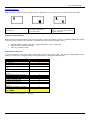
GAMMA SELECTION
Selects a display gamma, It’s refer to the brightness performance curve of signal input.
2.2
2.4
S gamma
Native
NOTE: sRGB picture mode is standard and cannot be changed.
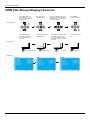
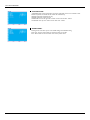
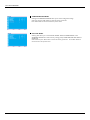
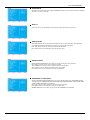
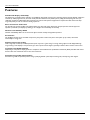
SCAN MODE
* : INPUT HDMI1,2(HDMI INPUT MODE-HD), CVI, VIDEO<S>, VIDEO only
Changes the display area of the image.
OVERSCAN: Set to display area about 95%
UNDERSCAN: Set to display area about 100%
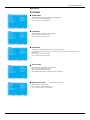
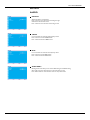
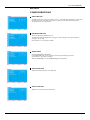
SCAN CONVERSION
* : INPUT HDMI1,2(HDMI INPUT MODE-HD), CVI, VIDEO<S>, VIDEO only
Selects IP (Interlace to Progressive) converter function.
PROGRESSIVE: Enable the IP function, to convert interlace signal to progressive. Normally use
this setting.
INTERLACE*: Disable the IP function.
*NOTE: This mode is better suited for motion pictures, but it increases chance of image retention.
37