1
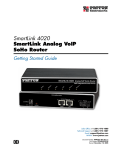
SL4020
SmartLink Analog VoIP
SoHo Router
Getting Started Guide
Sales Office: +1 (301) 975-1000
Technical Support: +1 (301) 975-1007
E-mail: [email protected]
åWWW: www.patton.com
Document Number: 09402U1-001 Rev. A
Part Number: 07MSL4020-GS
Revised: June 24, 2005
Patton Electronics Company, Inc.
7622 Rickenbacker Drive
Gaithersburg, MD 20879 USA
Tel: +1 (301) 975-1000
Fax: +1 (301) 869-9293
Support: +1 (301) 975-1007
Web: www.patton.com
E-mail: [email protected]
Trademark Statement
The terms SmartLink, SmartLink, SmartWare, and SmartView are trademarks of Patton
Electronics Company. All other trademarks presented in this document are the property of their respective owners.
Copyright © 2005, Patton Electronics Company. All rights reserved.
The information in this document is subject to change without notice. Patton Electronics assumes no liability for errors that may appear in this document.
Warranty Information
Patton Electronics warrants all SmartLink router components to be free from defects,
and will—at our option—repair or replace the product should it fail within one year
from the first date of the shipment.
This warranty is limited to defects in workmanship or materials, and does not cover
customer damage, abuse or unauthorized modification. If the product fails to perform
as warranted, your sole recourse shall be repair or replacement as described above.
Under no condition shall Patton Electronics be liable for any damages incurred by the
use of this product. These damages include, but are not limited to, the following: lost
profits, lost savings and incidental or consequential damages arising from the use of or
inability to use this product. Patton Electronics specifically disclaims all other warranties, expressed or implied, and the installation or use of this product shall be deemed
an acceptance of these terms by the user.
Summary Table of Contents
1 General information...................................................................................................................................... 20
2 SmartLink installation................................................................................................................................... 22
3 Home............................................................................................................................................................. 26
4 Network—WAN............................................................................................................................................ 29
5 Network—LAN ............................................................................................................................................. 41
6 Telephony ..................................................................................................................................................... 48
7 System ........................................................................................................................................................... 64
8 Documentation ............................................................................................................................................. 79
9 Logout ........................................................................................................................................................... 81
10 Contacting Patton for assistance ................................................................................................................... 83
A Compliance information .............................................................................................................................. 86
B Specifications ................................................................................................................................................ 88
C Dial plans ..................................................................................................................................................... 91
D Calling Features ............................................................................................................................................ 94
E Ring Cadence Configuration ........................................................................................................................ 96
3
Table of Contents
Summary Table of Contents ........................................................................................................................... 3
Table of Contents ........................................................................................................................................... 4
List of Figures ............................................................................................................................................... 13
List of Tables ................................................................................................................................................ 15
About this guide ........................................................................................................................................... 16
Audience............................................................................................................................................................... 16
Structure............................................................................................................................................................... 16
Precautions ........................................................................................................................................................... 17
Safety when working with electricity ...............................................................................................................17
General observations .......................................................................................................................................18
Typographical conventions used in this document................................................................................................ 18
General conventions .......................................................................................................................................18
1 General information...................................................................................................................................... 20
SmartLink 4020 overview......................................................................................................................................21
2 SmartLink installation................................................................................................................................... 22
Installing the router ...............................................................................................................................................23
Connecting the SmartLink to the network ............................................................................................................25
3 Home............................................................................................................................................................. 26
System information ...............................................................................................................................................27
System Uptime ...............................................................................................................................................27
LAN IP Address ..............................................................................................................................................27
MAC address ..................................................................................................................................................27
Application Version ........................................................................................................................................27
Config Date ....................................................................................................................................................27
Security ...........................................................................................................................................................27
Application Code Version ...............................................................................................................................27
Download Code Version .................................................................................................................................27
System Status.........................................................................................................................................................28
SIP Messages Sent ...........................................................................................................................................28
SIP Messages Received ....................................................................................................................................28
SIP Bytes Sent .................................................................................................................................................28
SIP Bytes Received ..........................................................................................................................................28
RTP Packets Sent ............................................................................................................................................28
RTP Packets Received .....................................................................................................................................28
RTP Bytes Sent ...............................................................................................................................................28
RTP Bytes Received ........................................................................................................................................28
4 Network—WAN............................................................................................................................................ 29
Status.....................................................................................................................................................................31
Interface Status ...............................................................................................................................................31
4
SmartLink 4020 Getting Started Guide
Table of Contents
Enabled .....................................................................................................................................................31
Service .......................................................................................................................................................31
Protocol ....................................................................................................................................................31
Interface Status ..........................................................................................................................................31
Network Settings ............................................................................................................................................31
Dynamic IP Assignment ............................................................................................................................31
IP address ..................................................................................................................................................31
MAC address ............................................................................................................................................31
Subnet Mask .............................................................................................................................................32
Default Gateway .......................................................................................................................................32
Domain name ...........................................................................................................................................32
DNS address .............................................................................................................................................32
VLAN .......................................................................................................................................................32
Priority Tag ...............................................................................................................................................32
Settings..................................................................................................................................................................32
Internet Configuration ....................................................................................................................................33
Device Operating Mode ............................................................................................................................33
Obtain WAN configuration dynamically ..................................................................................................33
Specify fixed WAN configuration ..............................................................................................................33
WAN PPPoE Configuration ...........................................................................................................................34
Enable PPPoE ...........................................................................................................................................34
Authentication ..........................................................................................................................................34
Settings .....................................................................................................................................................34
Idle Timeout .......................................................................................................................................34
Echo Timeout .....................................................................................................................................34
Echo Count ........................................................................................................................................34
Service Name ......................................................................................................................................34
AC Name ...........................................................................................................................................34
MAC Spoofing Configuration ........................................................................................................................35
WAN MAC Address (Spoofed) .................................................................................................................35
MTU Size .......................................................................................................................................................35
MTU (Maximum Transfer Unit) Size .......................................................................................................35
Internet VLAN Configuration ........................................................................................................................35
Internet VLAN Tag ..................................................................................................................................35
Internet Priority Tag .................................................................................................................................35
Saving your work ............................................................................................................................................36
QoS (Quality of Service)........................................................................................................................................36
Enable Voice QoS ...........................................................................................................................................36
Assured Bandwidth for Voice ..........................................................................................................................36
Maximum Uplink Bandwidth Allowed ...........................................................................................................36
Saving your work ............................................................................................................................................36
ToS/DiffServ .........................................................................................................................................................37
Saving your work ............................................................................................................................................37
IPSec Configuration ..............................................................................................................................................38
5
SmartLink 4020 Getting Started Guide
Table of Contents
Select Tunnel to view/modify .........................................................................................................................38
Enable tunnel 1 ...............................................................................................................................................38
Remote IP Address range ................................................................................................................................38
Remote security gateway .................................................................................................................................38
Security Mode .................................................................................................................................................38
Outbound AH SPI (DEC) ..............................................................................................................................38
Outbound AH Authentication Algorithm .......................................................................................................39
Outbound AH Authentication Key (HEX) .....................................................................................................39
Outbound ESP SPI (DEC) .............................................................................................................................39
Outbound ESP Encryption Algorithm ............................................................................................................39
Outbound ESP Authentication Algorithm ......................................................................................................39
Outbound ESP Encryption Key (HEX) ..........................................................................................................39
Outbound ESP Authentication Key (HEX) ....................................................................................................39
Inbound AH SPI (DEC) .................................................................................................................................39
Inbound AH Authentication Algorithm ..........................................................................................................39
Inbound AH Authentication Key (HEX) ........................................................................................................39
Inbound ESP SPI (DEC) ................................................................................................................................39
Inbound ESP Encryption Algorithm ...............................................................................................................39
Inbound ESP Authentication Algorithm .........................................................................................................39
Inbound ESP Encryption Key (HEX) .............................................................................................................39
Inbound ESP Authentication Key (HEX) .......................................................................................................40
Saving your work ............................................................................................................................................40
5 Network—LAN ............................................................................................................................................. 41
Settings..................................................................................................................................................................42
Network Settings ............................................................................................................................................42
Saving your work ............................................................................................................................................42
DHCP...................................................................................................................................................................42
Server Settings .................................................................................................................................................43
Client IP Address Range ............................................................................................................................43
Client Network Information ...........................................................................................................................43
Domain Name ..........................................................................................................................................43
DNS Server ...............................................................................................................................................43
Static Address Assignment ...............................................................................................................................43
Viewing the DCHP Client Table ....................................................................................................................43
Saving your work ............................................................................................................................................43
Routing .................................................................................................................................................................44
Dynamic Routing ...........................................................................................................................................44
Static Routing .................................................................................................................................................44
Viewing the Routing Table .............................................................................................................................44
Saving your work ............................................................................................................................................44
Port Forwarding ....................................................................................................................................................45
Reserved Ports .................................................................................................................................................45
Port Forwarding to LAN .................................................................................................................................45
6
SmartLink 4020 Getting Started Guide
Table of Contents
De-Militarized Zone .......................................................................................................................................45
Saving your work ............................................................................................................................................45
IP Filtering ............................................................................................................................................................46
Filter IP Range ................................................................................................................................................46
Saving your work ............................................................................................................................................46
Service Access ........................................................................................................................................................46
HTTP .............................................................................................................................................................46
Ping Reply ......................................................................................................................................................47
Saving your work ............................................................................................................................................47
6 Telephony ..................................................................................................................................................... 48
VoIP Status ...........................................................................................................................................................51
VoIP Server Registration Status .......................................................................................................................51
Current Server ...........................................................................................................................................51
Domain .....................................................................................................................................................51
Base RTP Port ...........................................................................................................................................51
Phone Line Status ...........................................................................................................................................51
SIP ........................................................................................................................................................................51
SIP Configuration ...........................................................................................................................................52
SIP Server Settings ....................................................................................................................................52
Gateway Settings .......................................................................................................................................52
Dial Plan ............................................................................................................................................52
SIP Extensions ................................................................................................................................................53
Support PRACK method ..........................................................................................................................53
Encode SIP URI with user parameter ........................................................................................................53
Send INVITE with Timer header .............................................................................................................53
Call Hold using C=0.0.0.0 ........................................................................................................................53
Send NOTIFY ..........................................................................................................................................53
RTP Telephone Event Configuration .............................................................................................................53
VoIP VLAN Configuration ............................................................................................................................54
SIP Parameters ................................................................................................................................................54
Hook Flash MIME Type ..........................................................................................................................54
SIP Timer Values (sec) ..............................................................................................................................54
SIP T1 ................................................................................................................................................54
SIP T2 ................................................................................................................................................54
SIP T4 ................................................................................................................................................54
RTP Parameters ........................................................................................................................................54
NAT Traversal ................................................................................................................................................55
Outbound Proxy IP ..................................................................................................................................55
Outbound Proxy Port ...............................................................................................................................55
Stun Server IP ...........................................................................................................................................55
Stun Server Port ........................................................................................................................................55
UPnP ........................................................................................................................................................55
NONE ......................................................................................................................................................55
7
SmartLink 4020 Getting Started Guide
Table of Contents
Saving your work ............................................................................................................................................55
Audio/CODEC Configuration..............................................................................................................................56
CODECS .......................................................................................................................................................56
Packetization ...................................................................................................................................................56
Jitter Buffer .....................................................................................................................................................56
Saving your work ............................................................................................................................................56
Phone 1 & Phone 2...............................................................................................................................................57
User Information ............................................................................................................................................57
Phone Number .........................................................................................................................................57
User Name ................................................................................................................................................57
Port ...........................................................................................................................................................58
CallerID Name .........................................................................................................................................58
Password ...................................................................................................................................................58
Supplementary Service Settings .......................................................................................................................58
Cfwd All Serv ............................................................................................................................................58
Cfwd No Ans Serv ....................................................................................................................................58
Three Way Conf Serv ................................................................................................................................58
Incoming Call Block Serv ..........................................................................................................................58
Dist Ring Serv ...........................................................................................................................................58
Call Transfer Serv ......................................................................................................................................59
IP Dialing Serv ..........................................................................................................................................59
MWI Serv .................................................................................................................................................59
Speed Dial Serv .........................................................................................................................................59
Cfwd Busy Serv .........................................................................................................................................59
Cfwd Sel Serv ............................................................................................................................................59
Call Waiting Serv ......................................................................................................................................59
Block ANC Serv ........................................................................................................................................59
CID Serv ...................................................................................................................................................59
Call Return Serv ........................................................................................................................................59
DND Serv .................................................................................................................................................59
Self CID Block Serv ..................................................................................................................................59
Dial Out Type ................................................................................................................................................60
Dial Out Type ..........................................................................................................................................60
Hot Line Number .....................................................................................................................................60
Warm Line Number .................................................................................................................................60
Call Forward Settings ......................................................................................................................................60
Cfwd All Dest ...........................................................................................................................................60
Cfwd Busy Dest ........................................................................................................................................60
Selective Call Forward Settings .......................................................................................................................61
Incoming caller #1–8 ................................................................................................................................61
Forward destination #1–8 .........................................................................................................................61
Incoming Call Block .......................................................................................................................................61
Block Caller ID .........................................................................................................................................61
Distinctive Ring Settings .................................................................................................................................61
8
SmartLink 4020 Getting Started Guide
Table of Contents
Ring #1–8 Caller .......................................................................................................................................61
HTTP Digest Setting ......................................................................................................................................61
Saving your work ............................................................................................................................................62
Speed Dial .............................................................................................................................................................62
Line 1 Speed Dial Settings ..............................................................................................................................62
Speed Dial Serv .........................................................................................................................................62
Speed Dial 1–8 Phone Number/IP Dialing ...............................................................................................62
Line 2 Speed Dial Settings ..............................................................................................................................63
Speed Dial Serv .........................................................................................................................................63
Speed Dial 1–8 Phone Number/IP Dialing ...............................................................................................63
Saving your work ............................................................................................................................................63
7 System ........................................................................................................................................................... 64
Set Security Password ............................................................................................................................................67
Web Page Protect ............................................................................................................................................67
New Root Password ........................................................................................................................................67
New User Password ........................................................................................................................................67
Confirm new password ...................................................................................................................................67
Saving your work ............................................................................................................................................67
Configuration........................................................................................................................................................68
Logging ...........................................................................................................................................................68
Enable Syslog ............................................................................................................................................68
Syslog Server .............................................................................................................................................68
Enable Debug ...........................................................................................................................................68
Debug Server .............................................................................................................................................68
Debug Connect Port .................................................................................................................................68
Saving your work ......................................................................................................................................68
Manual Upgrade....................................................................................................................................................69
Auto Upgrade........................................................................................................................................................69
Enable Auto Upgrade ......................................................................................................................................69
Auto Upgrade Protocol ...................................................................................................................................70
Upgrade Server ...............................................................................................................................................70
Auto Upgrade URL ........................................................................................................................................70
Localization ...........................................................................................................................................................70
Call Progress Tones .........................................................................................................................................70
Dial Tone ..................................................................................................................................................71
Prompt Tone ............................................................................................................................................71
Confirm Tone ...........................................................................................................................................71
Holding Tone ...........................................................................................................................................71
Busy Tone .................................................................................................................................................71
Ring Back Tone ........................................................................................................................................71
Off Hook Warning ...................................................................................................................................71
Distinctive Ring Setting 1–8 ...........................................................................................................................71
Supplementary Service Keys ............................................................................................................................72
9
SmartLink 4020 Getting Started Guide
Table of Contents
Cfwd All Serv Act Keys .............................................................................................................................72
Cfwd Busy Act Keys ..................................................................................................................................72
Cfwd Sel Act Keys .....................................................................................................................................72
Call Waiting Act Keys ...............................................................................................................................72
Incoming Call Block Act Keys ...................................................................................................................72
Block ANC Act Keys .................................................................................................................................72
Dist Ring Act Keys ....................................................................................................................................73
Warm Line Act Keys .................................................................................................................................73
DND Act Keys ..........................................................................................................................................73
IP Dialing Act Keys ...................................................................................................................................73
Speed Dialing Act Keys .............................................................................................................................73
Income CID Act Keys ...............................................................................................................................73
Self CID Block Keys .................................................................................................................................73
Deact Keys ................................................................................................................................................73
Call Return Keys .......................................................................................................................................73
W–L Num Keys ........................................................................................................................................73
SP–D Num Keys .......................................................................................................................................73
IP–D Num Keys .......................................................................................................................................73
CFWALL Num Keys ................................................................................................................................73
Call Hold Keys ..........................................................................................................................................73
Call Alternative Keys .................................................................................................................................73
Conference Keys .......................................................................................................................................74
Conference Drop Keys ..............................................................................................................................74
Transfer Keys ............................................................................................................................................74
Control Timer Values .....................................................................................................................................74
Hook Flash Timer .....................................................................................................................................74
SIP Session Timer value ............................................................................................................................74
Conditional Call Forwarding Timer ..........................................................................................................74
Warm Line Delay ......................................................................................................................................74
Interdigit Timer ........................................................................................................................................74
Offhook Idle Time ....................................................................................................................................74
Offhook Warning tone time ......................................................................................................................74
Ring Setting ....................................................................................................................................................75
Ring Waveform .........................................................................................................................................75
Ring Frequency .........................................................................................................................................75
Ring Voltage .............................................................................................................................................75
Miscellaneous ..................................................................................................................................................75
Time Zone ................................................................................................................................................75
NTP Server ...............................................................................................................................................75
FXS port Input Gain .................................................................................................................................75
FXS port Output Gain ..............................................................................................................................75
Caller ID Method .....................................................................................................................................75
FXS Port Polarity Configuration .....................................................................................................................76
Idle Polarity ...............................................................................................................................................76
10
SmartLink 4020 Getting Started Guide
Table of Contents
Caller Conn Polarity .................................................................................................................................76
Saving your work ............................................................................................................................................76
SNMP Configuration............................................................................................................................................76
SNMP Trap Configuration .............................................................................................................................76
IP address ..................................................................................................................................................76
Trap Community ......................................................................................................................................76
SNMP Community Configuration .................................................................................................................77
Read Community ......................................................................................................................................77
Write Community ....................................................................................................................................77
SNMP System Configuration .........................................................................................................................77
System Description ...................................................................................................................................77
System Object Id .......................................................................................................................................77
Saving your work ............................................................................................................................................77
Reload ...................................................................................................................................................................78
8 Documentation ............................................................................................................................................. 79
Introduction ..........................................................................................................................................................80
9 Logout ........................................................................................................................................................... 81
Introduction ..........................................................................................................................................................82
10 Contacting Patton for assistance ................................................................................................................... 83
Introduction ..........................................................................................................................................................84
Contact information..............................................................................................................................................84
Patton support headquarters in the USA .........................................................................................................84
Alternate Patton support for Europe, Middle East, and Africa (EMEA) ..........................................................84
Warranty Service and Returned Merchandise Authorizations (RMAs)...................................................................84
Warranty coverage ..........................................................................................................................................84
Out-of-warranty service .............................................................................................................................85
Returns for credit ......................................................................................................................................85
Return for credit policy .............................................................................................................................85
RMA numbers ................................................................................................................................................85
Shipping instructions ................................................................................................................................85
A Compliance information .............................................................................................................................. 86
Compliance ...........................................................................................................................................................87
EMC Compliance: ..........................................................................................................................................87
Safety Compliance ..........................................................................................................................................87
FCC Warning .......................................................................................................................................................87
Radio and TV Interference ....................................................................................................................................87
CE-Mark Warning ................................................................................................................................................87
CE notice (Declaration of Conformity) ..........................................................................................................87
B Specifications ................................................................................................................................................ 88
Voice Connectivity ................................................................................................................................................89
Connectivity..........................................................................................................................................................89
Voice Processing (signalling dependent) ................................................................................................................89
11
SmartLink 4020 Getting Started Guide
Table of Contents
Fax and Modem Support.......................................................................................................................................89
Voice Services/Features..........................................................................................................................................90
IP Services .............................................................................................................................................................90
Management .........................................................................................................................................................90
Operating Environment ........................................................................................................................................90
System ...................................................................................................................................................................90
C Dial plans ..................................................................................................................................................... 91
Introduction ..........................................................................................................................................................92
Sample Dial Plans..................................................................................................................................................92
Simple Dial Plan .............................................................................................................................................92
Non-dialed Line Dial Plan ..............................................................................................................................92
Complex Dial Plan .........................................................................................................................................92
D Calling Features ............................................................................................................................................ 94
Introduction ..........................................................................................................................................................95
E Ring Cadence Configuration ........................................................................................................................ 96
Introduction ..........................................................................................................................................................97
12
List of Figures
1
2
3
4
5
6
7
8
9
10
11
12
13
14
15
16
17
18
19
20
21
22
23
24
25
26
27
28
29
30
31
32
33
34
35
36
37
38
39
40
41
42
43
44
45
46
47
SmartLink 4020 . . . . . . . . . . . . . . . . . . . . . . . . . . . . . . . . . . . . . . . . . . . . . . . . . . . . . . . . . . . . . . . . . . . . . . . . 21
SmartLink 4020 installation diagram . . . . . . . . . . . . . . . . . . . . . . . . . . . . . . . . . . . . . . . . . . . . . . . . . . . . . . . . 23
Router front panel LEDs . . . . . . . . . . . . . . . . . . . . . . . . . . . . . . . . . . . . . . . . . . . . . . . . . . . . . . . . . . . . . . . . . 24
SmartLink VoIP download and configuration Home page . . . . . . . . . . . . . . . . . . . . . . . . . . . . . . . . . . . . . . . . 27
Internet Status window . . . . . . . . . . . . . . . . . . . . . . . . . . . . . . . . . . . . . . . . . . . . . . . . . . . . . . . . . . . . . . . . . . . 31
Internet Configuration section of the Settings window . . . . . . . . . . . . . . . . . . . . . . . . . . . . . . . . . . . . . . . . . . . 33
WAN PPPoE Configuration section of the Settings window . . . . . . . . . . . . . . . . . . . . . . . . . . . . . . . . . . . . . . 34
MAC Spoofing Configuration section of the Settings window . . . . . . . . . . . . . . . . . . . . . . . . . . . . . . . . . . . . . 35
MTU section of the Settings window . . . . . . . . . . . . . . . . . . . . . . . . . . . . . . . . . . . . . . . . . . . . . . . . . . . . . . . . 35
Internet VLAN Configuration section of the Settings window . . . . . . . . . . . . . . . . . . . . . . . . . . . . . . . . . . . . . 35
QoS window . . . . . . . . . . . . . . . . . . . . . . . . . . . . . . . . . . . . . . . . . . . . . . . . . . . . . . . . . . . . . . . . . . . . . . . . . . . 36
TOS/DiffServ window . . . . . . . . . . . . . . . . . . . . . . . . . . . . . . . . . . . . . . . . . . . . . . . . . . . . . . . . . . . . . . . . . . . 37
IPSec Configuration window . . . . . . . . . . . . . . . . . . . . . . . . . . . . . . . . . . . . . . . . . . . . . . . . . . . . . . . . . . . . . . 38
Network Settings window . . . . . . . . . . . . . . . . . . . . . . . . . . . . . . . . . . . . . . . . . . . . . . . . . . . . . . . . . . . . . . . . . 42
DHCP Server Configuration window . . . . . . . . . . . . . . . . . . . . . . . . . . . . . . . . . . . . . . . . . . . . . . . . . . . . . . . . 42
DHCP Client Table window . . . . . . . . . . . . . . . . . . . . . . . . . . . . . . . . . . . . . . . . . . . . . . . . . . . . . . . . . . . . . . 43
Router Configuration window . . . . . . . . . . . . . . . . . . . . . . . . . . . . . . . . . . . . . . . . . . . . . . . . . . . . . . . . . . . . . 44
Routing Table window . . . . . . . . . . . . . . . . . . . . . . . . . . . . . . . . . . . . . . . . . . . . . . . . . . . . . . . . . . . . . . . . . . . 44
Port Forwarding Configuration window . . . . . . . . . . . . . . . . . . . . . . . . . . . . . . . . . . . . . . . . . . . . . . . . . . . . . . 45
IP Filtering window . . . . . . . . . . . . . . . . . . . . . . . . . . . . . . . . . . . . . . . . . . . . . . . . . . . . . . . . . . . . . . . . . . . . . 46
Service Access window . . . . . . . . . . . . . . . . . . . . . . . . . . . . . . . . . . . . . . . . . . . . . . . . . . . . . . . . . . . . . . . . . . . 46
VoIP Status window . . . . . . . . . . . . . . . . . . . . . . . . . . . . . . . . . . . . . . . . . . . . . . . . . . . . . . . . . . . . . . . . . . . . . 51
SIP Configuration section of the SIP window . . . . . . . . . . . . . . . . . . . . . . . . . . . . . . . . . . . . . . . . . . . . . . . . . . 52
SIP Extensions section of the SIP window . . . . . . . . . . . . . . . . . . . . . . . . . . . . . . . . . . . . . . . . . . . . . . . . . . . . 53
RTP Telephone Event Configuration section of the SIP window . . . . . . . . . . . . . . . . . . . . . . . . . . . . . . . . . . . 53
VoIP VLAN Configuration section of the SIP window . . . . . . . . . . . . . . . . . . . . . . . . . . . . . . . . . . . . . . . . . . . 54
SIP Parameters section of the SIP window . . . . . . . . . . . . . . . . . . . . . . . . . . . . . . . . . . . . . . . . . . . . . . . . . . . . 54
NAT Traversal section of the SIP window . . . . . . . . . . . . . . . . . . . . . . . . . . . . . . . . . . . . . . . . . . . . . . . . . . . . 55
Audio/CODEC Configuration window . . . . . . . . . . . . . . . . . . . . . . . . . . . . . . . . . . . . . . . . . . . . . . . . . . . . . . 56
User Information section of Phone 1 or Phone 2 window . . . . . . . . . . . . . . . . . . . . . . . . . . . . . . . . . . . . . . . . . 57
Supplementary Service Settings section of Phone 1 or Phone 2 window . . . . . . . . . . . . . . . . . . . . . . . . . . . . . . 58
Dial Out Type section of Phone 1 or Phone 2 window . . . . . . . . . . . . . . . . . . . . . . . . . . . . . . . . . . . . . . . . . . . 60
Call Forward Settings section of Phone 1 or Phone 2 window . . . . . . . . . . . . . . . . . . . . . . . . . . . . . . . . . . . . . 60
Selective Call Forward Settings section of Phone 1 or Phone 2 window . . . . . . . . . . . . . . . . . . . . . . . . . . . . . . 61
Incoming Call Block section of Phone 1 or Phone 2 window . . . . . . . . . . . . . . . . . . . . . . . . . . . . . . . . . . . . . . 61
Distinctive Ring Settings section of Phone 1 or Phone 2 window . . . . . . . . . . . . . . . . . . . . . . . . . . . . . . . . . . . 61
HTTP Digest Setting section of Phone 1 or Phone 2 window . . . . . . . . . . . . . . . . . . . . . . . . . . . . . . . . . . . . . 62
Speed Dial window . . . . . . . . . . . . . . . . . . . . . . . . . . . . . . . . . . . . . . . . . . . . . . . . . . . . . . . . . . . . . . . . . . . . . . 62
Set Security Password window . . . . . . . . . . . . . . . . . . . . . . . . . . . . . . . . . . . . . . . . . . . . . . . . . . . . . . . . . . . . . 67
Configuration window . . . . . . . . . . . . . . . . . . . . . . . . . . . . . . . . . . . . . . . . . . . . . . . . . . . . . . . . . . . . . . . . . . . 68
Manual Upgrade window . . . . . . . . . . . . . . . . . . . . . . . . . . . . . . . . . . . . . . . . . . . . . . . . . . . . . . . . . . . . . . . . . 69
AutoUpgrade window . . . . . . . . . . . . . . . . . . . . . . . . . . . . . . . . . . . . . . . . . . . . . . . . . . . . . . . . . . . . . . . . . . . . 69
Call Progress Tones section of Localization window . . . . . . . . . . . . . . . . . . . . . . . . . . . . . . . . . . . . . . . . . . . . . 70
Distinctive Ring Setting section of Localization window . . . . . . . . . . . . . . . . . . . . . . . . . . . . . . . . . . . . . . . . . . 71
Supplementary Service Keys section of Localization Window . . . . . . . . . . . . . . . . . . . . . . . . . . . . . . . . . . . . . . 72
Control Timer Values section of Localization window . . . . . . . . . . . . . . . . . . . . . . . . . . . . . . . . . . . . . . . . . . . 74
Ring Setting section of Localization window . . . . . . . . . . . . . . . . . . . . . . . . . . . . . . . . . . . . . . . . . . . . . . . . . . . 75
13
SmartLink 4020 Getting Started Guide
48
49
50
51
52
53
54
List of Figures
Miscellaneous section of Localization window . . . . . . . . . . . . . . . . . . . . . . . . . . . . . . . . . . . . . . . . . . . . . . . . . 75
FXS Port Polarity section of Localization window . . . . . . . . . . . . . . . . . . . . . . . . . . . . . . . . . . . . . . . . . . . . . . . 76
SNMP Configuration window . . . . . . . . . . . . . . . . . . . . . . . . . . . . . . . . . . . . . . . . . . . . . . . . . . . . . . . . . . . . . 76
Reset window . . . . . . . . . . . . . . . . . . . . . . . . . . . . . . . . . . . . . . . . . . . . . . . . . . . . . . . . . . . . . . . . . . . . . . . . . . 78
Documentation link . . . . . . . . . . . . . . . . . . . . . . . . . . . . . . . . . . . . . . . . . . . . . . . . . . . . . . . . . . . . . . . . . . . . . 80
Logout window . . . . . . . . . . . . . . . . . . . . . . . . . . . . . . . . . . . . . . . . . . . . . . . . . . . . . . . . . . . . . . . . . . . . . . . . . 82
Password verification page . . . . . . . . . . . . . . . . . . . . . . . . . . . . . . . . . . . . . . . . . . . . . . . . . . . . . . . . . . . . . . . . 82
14
List of Tables
1
2
3
General conventions . . . . . . . . . . . . . . . . . . . . . . . . . . . . . . . . . . . . . . . . . . . . . . . . . . . . . . . . . . . . . . . . . . . . . 18
Calling features . . . . . . . . . . . . . . . . . . . . . . . . . . . . . . . . . . . . . . . . . . . . . . . . . . . . . . . . . . . . . . . . . . . . . . . . . 95
Bellcore standard ring cadence patterns . . . . . . . . . . . . . . . . . . . . . . . . . . . . . . . . . . . . . . . . . . . . . . . . . . . . . . . 97
15
About this guide
This guide describes using the SmartLink 4020 router.
Audience
This guide is intended for the following users:
• Operators
• Installers
• Maintenance technicians
Structure
This guide contains the following chapters and appendices:
• Chapter 1 on page 20 provides information about router features and capabilities
• Chapter 2 on page 22 provides hardware installation procedures
• Chapter 3 on page 25 provides quick-start procedures for configuring the SmartLink router
• Chapter 3 on page 26 describes the Home section settings
• Chapter 4 on page 29 describes the WAN section settings
• Chapter 5 on page 41 describes the LAN section settings
• Chapter 6 on page 48 describes the Telephony section settings
• Chapter 7 on page 64 describes the System section settings
• Chapter 8 on page 79 describes how to download and display the SmartLink 4020 router user guide
• Chapter 9 on page 81 describes how to log out of the router management system
• Chapter 10 on page 83 contains information on contacting Patton technical support for assistance
• Appendix A on page 86 contains compliance information for the router
• Appendix B on page 88 contains specifications for the router
• Appendix C on page 91 describes dialing plans and contains sample plans
For best results, read the contents of this guide before you install the router.
16
SmartLink 4020 Getting Started Guide
About this guide
Precautions
Notes, cautions, and warnings, which have the following meanings, are used throughout this guide to help you
become aware of potential problems. Warnings are intended to prevent safety hazards that could result in personal injury. Cautions are intended to prevent situations that could result in property damage or
impaired functioning.
Note
A note presents additional information or interesting sidelights.
The alert symbol and IMPORTANT heading calls attention to
important information.
IMPORTANT
The alert symbol and CAUTION heading indicate a potential hazard. Strictly follow the instructions to avoid property damage.
CAUTION
CAUTION
The shock hazard symbol and CAUTION heading indicate a
potential electric shock hazard. Strictly follow the instructions to
avoid property damage caused by electric shock.
The alert symbol and WARNING heading indicate a potential safety hazard.
Strictly follow the warning instructions to avoid personal injury.
WARNING
WARNING
The shock hazard symbol and WARNING heading indicate a potential electric
shock hazard. Strictly follow the warning instructions to avoid injury caused
by electric shock.
Safety when working with electricity
WARNING
WARNING
The SmartLink contains no user serviceable parts. The equipment shall
be returned to Patton Electronics for repairs, or repaired by qualified
service personnel.
Mains Voltage: Do not open the case when the power cord is attached. For
systems without a power switch, line voltages are present within the power
supply when the power cords are connected. The mains outlet that is utilized
to power the SmartLink shall be within 10 feet (3 meters) of the device, shall
be easily accessible, and protected by a circuit breaker.
17
SmartLink 4020 Getting Started Guide
About this guide
WARNING
The SmartLink is not shipped with power cables. For AC powered units,
ensure that the power cable used meets all applicable standards for the country in which it is to be installed, and that it is connected to a wall outlet which
has earth ground.
WARNING
Hazardous network voltages are present in WAN ports regardless of whether
power to the SmartLink is ON or OFF. To avoid electric shock, use caution
when near WAN ports. When detaching cables, detach the end away from the
SmartLink first.
Do not work on the system or connect or disconnect cables during periods of
lightning activity.
WARNING
WARNING
Before opening the chassis, disconnect the telephone network cables to avoid
contact with telephone line voltages. When detaching the cables, detach the
end away from the SmartLink first.
Ultimate disposal of this equipment must be handled according
to all applicable national laws and regulations.
CAUTION
General observations
• Clean the case with a soft slightly moist anti-static cloth
• Place the unit on a flat surface and ensure free air circulation
• Avoid exposing the unit to direct sunlight and other heat sources
• Protect the unit from moisture, vapors, and corrosive liquids
Typographical conventions used in this document
This section describes the typographical conventions and terms used in this guide.
General conventions
The procedures described in this manual use the following text conventions:
Table 1. General conventions
Convention
Garamond blue type
Meaning
Indicates a cross-reference hyperlink that points to a figure, graphic, table, or section heading. Clicking on the hyperlink jumps you to the reference. When you
have finished reviewing the reference, click on the Go to Previous View
button
Garamond bold type
in the Adobe® Acrobat® Reader toolbar to return to your starting point.
Indicates the names of command buttons that execute an action.
18
SmartLink 4020 Getting Started Guide
About this guide
Table 1. General conventions
Convention
<>
Meaning
Angle brackets indicate function and keyboard keys, such as <SHIFT>, <CTRL>,
<C>, and so on.
19
Chapter 1
General information
Chapter contents
SmartLink 4020 overview......................................................................................................................................20
20
SmartLink 4020 Getting Started Guide
1 • General information
SmartLink 4020 overview
The SmartLink VoIP SoHo Router (see figure 1) provides transparent connectivity for analog phones and faxes
to the world of Internet voice. Connecting to any analog phone, fax or PBX, the SmartLink product is an
effective and flexible solution for small offices and telecommuters to access Internet-based telephone services
and corporate intranet systems across established LAN and Internet connections like xDSL and cable modems.
Figure 1. SmartLink 4020
The SmartLink Model 4021 provides two RJ-45 Ethernet ports and one FXS (RJ-11) analog phone port. The
SmartLink Model 4022 provides two RJ-45 Ethernet ports and two FXS (RJ-11) analog phone ports. Front
panel LEDs quickly show at-a-glance the status of the system, LAN, WAN, and phone ports.
A full suite of IP features (DHCP, NAT/PAT, NTP and VPN) are available to LAN devices attached downstream. VLAN tagging and prioritization enables voice traffic to be handled before data traffic. Support for
PPPoE and IPSEC tunneling simplifies extending corporate intranet services to remote teleworkers.
The web interface offers two levels of configuration access for the network operator and end user. The friendly
web interface and product labeling (Phone, LAN, WAN etc.) to help ensure a trouble-free installation for the
end user. Configuration and firmware can be downloaded from a TFTP server or HTTP server.
SmartLink 4020 overview
21
Chapter 2
SmartLink installation
Chapter contents
Installing the router ...............................................................................................................................................22
Connecting the SmartLink to the network ............................................................................................................24
22
SmartLink 4020 Getting Started Guide
2 • SmartLink installation
Installing the router
Do the following:
Power adapter
Internet Service
Provider
6
PC or
LAN
5
LAN
--or-- Hub/Switch
4
Phone
3
www.patton.com
10/100 Ethernet
Phone
Power
12V, 1A
Power jack
WAN
Reset button
WAN port
LAN
1
LAN port
Phone jack 1
2
Phone jack 2
Figure 2. SmartLink 4020 installation diagram
1
Place the unit on a desktop or similar sturdy, flat surface that offers easy access to the cables. The unit
should be installed in a dry environment with sufficient space to allow air circulation for cooling.
Note
2
For proper ventilation, leave at least 2 inches (5 cm) of clearance at the sides,
front, and rear of the unit.
Set your LAN Local Area Connection Properties for Internet Protocol (TCP/IP) to Obtain an IP address
automatically and to Obtain DNS server address automatically.
Do not work on the system or connect or disconnect cables during periods of
lightning activity.
WARNING
CAUTION
The Interconnecting cables shall be acceptable for external use
and shall be rated for the proper application with respect to voltage, current, anticipated temperature, flammability, and mechanical serviceability
3
Plug in the telephone or telephones (see figure 2).
4
Plug in the PC or LAN, or a LAN hub/switch.
Installing the router
23
SmartLink 4020 Getting Started Guide
Note
5
2 • SmartLink installation
The SmartLink has automatic MDX (auto-crossover) detection and configuration on all Ethernet ports. Any of the ports can be connected to a host or
hub/switch with a straight-through wired cable.
Connect to the Internet service provider.
The external router power supply automatically adjusts to accept
an input voltage from 100 to 240 VAC (50/60 Hz).
CAUTION
Verify that the proper voltage is present before plugging the
power cord into the receptacle. Failure to do so could result in
equipment damage.
6
Verify that the AC power cord included with your router is compatible with local standards. If it is not,
refer to “Contacting Patton for assistance” on page 83 to find out how to replace it with a compatible
power cord. Plug the power adapter into the 12V DC, 1.0A port on the SmartLink 4020. Connect the
other end of the power cord to an appropriate AC power outlet.
7
Wait 30 seconds after powering the SmartLink 4020 on, then verify that the green Power LED is lit (see
figure 3). At this point, you should be able to use your browser to surf the Internet.
Note
Follow the directions of your voice service provider to set up voice services.
Figure 3. Router front panel LEDs
Installing the router
24
SmartLink 4020 Getting Started Guide
2 • SmartLink installation
Connecting the SmartLink to the network
You can check the connection with the ping command from the SmartLink to another host on the network.
172.16.1.99(if-ip)[eth0]#ping <IP Address of the host>
Respectively from the host: ping 172.16.1.99
Connecting the SmartLink to the network
25
Chapter 3
Home
Chapter contents
System information ...............................................................................................................................................26
System Uptime ...............................................................................................................................................26
LAN IP Address ..............................................................................................................................................26
MAC address ..................................................................................................................................................26
Application Version ........................................................................................................................................26
Config Date ....................................................................................................................................................26
Security ...........................................................................................................................................................26
Application Code Version ...............................................................................................................................26
Download Code Version .................................................................................................................................26
System Status.........................................................................................................................................................27
SIP Messages Sent ...........................................................................................................................................27
SIP Messages Received ....................................................................................................................................27
SIP Bytes Sent .................................................................................................................................................27
SIP Bytes Received ..........................................................................................................................................27
RTP Packets Sent ............................................................................................................................................27
RTP Packets Received .....................................................................................................................................27
RTP Bytes Sent ...............................................................................................................................................27
RTP Bytes Received ........................................................................................................................................27
26
SmartLink 4020 Getting Started Guide
3 • Home
System information
Figure 4. SmartLink VoIP download and configuration Home page
System Uptime
Shows how long the SmartLink has been operating since the last time it was reset.
LAN IP Address
The IP address of your LAN.
MAC address
The media access control (MAC) address of the LAN Ethernet interface in the SmartLink.
Application Version
The SmartLink firmware version number.
Config Date
The date of the configuration file that was downloaded from an auto-upgrade server.
Security
Indicates that the SmartLink utility has been secured with a password. To configure a password, see section “Set
Security Password” on page 67.
Application Code Version
Shows the application code version being used.
Download Code Version
Shows the download code version being used.
System information
27
SmartLink 4020 Getting Started Guide
3 • Home
System Status
SIP Messages Sent
Total number of VoIP SIP messages sent (including retransmissions)
SIP Messages Received
Total number of VoIP SIP messages received (including retransmissions)
SIP Bytes Sent
Total number of bytes of VoIP SIP messages sent (including retransmissions)
SIP Bytes Received
Total number of bytes of VoIP SIP messages received (including retransmissions)
RTP Packets Sent
Total number of VoIP RTP packets sent (including redundant packets)
RTP Packets Received
Total number of VoIP RTP packets received (including redundant packets)
RTP Bytes Sent
Total number of VoIP RTP bytes sent
RTP Bytes Received
Total number of VoIP RTP bytes received
System Status
28
Chapter 4
Network—WAN
Chapter contents
Status.....................................................................................................................................................................30
Interface Status ...............................................................................................................................................30
Enabled .....................................................................................................................................................30
Service .......................................................................................................................................................30
Protocol ....................................................................................................................................................30
Interface Status ..........................................................................................................................................30
Network Settings ............................................................................................................................................30
Dynamic IP Assignment ............................................................................................................................30
IP address ..................................................................................................................................................30
MAC address ............................................................................................................................................30
Subnet Mask .............................................................................................................................................31
Default Gateway .......................................................................................................................................31
Domain name ...........................................................................................................................................31
DNS address .............................................................................................................................................31
VLAN .......................................................................................................................................................31
Priority Tag ...............................................................................................................................................31
Settings..................................................................................................................................................................31
Internet Configuration ....................................................................................................................................32
Device Operating Mode ............................................................................................................................32
Obtain WAN configuration dynamically ..................................................................................................32
Specify fixed WAN configuration ..............................................................................................................32
WAN PPPoE Configuration ...........................................................................................................................33
Enable PPPoE ...........................................................................................................................................33
Authentication ..........................................................................................................................................33
Settings .....................................................................................................................................................33
Idle Timeout ....................................................................................................................................... 33
Echo Timeout ..................................................................................................................................... 33
Echo Count......................................................................................................................................... 33
Service Name ...................................................................................................................................... 33
AC Name ............................................................................................................................................ 33
MAC Spoofing Configuration ........................................................................................................................34
WAN MAC Address (Spoofed) .................................................................................................................34
MTU Size .......................................................................................................................................................34
MTU (Maximum Transfer Unit) Size .......................................................................................................34
Internet VLAN Configuration ........................................................................................................................34
Internet VLAN Tag ..................................................................................................................................34
Internet Priority Tag .................................................................................................................................34
Saving your work ............................................................................................................................................35
QoS (Quality of Service)........................................................................................................................................35
29
SmartLink 4020 Getting Started Guide
4 • Network—WAN
Enable Voice QoS ...........................................................................................................................................35
Assured Bandwidth for Voice ..........................................................................................................................35
Maximum Uplink Bandwidth Allowed ...........................................................................................................35
Saving your work ............................................................................................................................................35
ToS/DiffServ .........................................................................................................................................................36
Saving your work ............................................................................................................................................36
IPSec Configuration ..............................................................................................................................................37
Select Tunnel to view/modify .........................................................................................................................37
Enable tunnel 1 ...............................................................................................................................................37
Remote IP Address range ................................................................................................................................37
Remote security gateway .................................................................................................................................37
Security Mode .................................................................................................................................................37
Outbound AH SPI (DEC) ..............................................................................................................................37
Outbound AH Authentication Algorithm .......................................................................................................38
Outbound AH Authentication Key (HEX) .....................................................................................................38
Outbound ESP SPI (DEC) .............................................................................................................................38
Outbound ESP Encryption Algorithm ............................................................................................................38
Outbound ESP Authentication Algorithm ......................................................................................................38
Outbound ESP Encryption Key (HEX) ..........................................................................................................38
Outbound ESP Authentication Key (HEX) ....................................................................................................38
Inbound AH SPI (DEC) .................................................................................................................................38
Inbound AH Authentication Algorithm ..........................................................................................................38
Inbound AH Authentication Key (HEX) ........................................................................................................38
Inbound ESP SPI (DEC) ................................................................................................................................38
Inbound ESP Encryption Algorithm ...............................................................................................................38
Inbound ESP Authentication Algorithm .........................................................................................................38
Inbound ESP Encryption Key (HEX) .............................................................................................................38
Inbound ESP Authentication Key (HEX) .......................................................................................................39
Saving your work ............................................................................................................................................39
30
SmartLink 4020 Getting Started Guide
4 • Network—WAN
Status
Interface Status
Figure 5. Internet Status window
Enabled
Yes indicates the WAN interface is enabled and ready to be used.
Service
Either Routed or Bridged, displays the level of your WAN interface’s connection.
Protocol
Indicates that the Ethernet protocol is being used to transfer data.
Interface Status
Either Up or Down.
Network Settings
These are the details of your WAN network settings.
Dynamic IP Assignment
Displays Yes (via DHCP) if you are using a dynamic IP address or No if a dynamic IP address is not being used.
IP address
The IP address of the SmartLink on the WAN.
MAC address
The MAC address of the WAN Ethernet interface in the SmartLink.
Status
31
SmartLink 4020 Getting Started Guide
4 • Network—WAN
Subnet Mask
The subnet mask is 32-bit number that filters a destination IP address to determine to which subnet it belongs.
For example, a subnet mask of 255.255.0.0 for a network ID of 192.5.0.0 tells the switch to accept traffic destined for IP addresses that begin with 192.5—all other packets are ignored.
Default Gateway
The IP address of the gateway. The gateway IP address can be retrieved automatically in DHCP mode or be set
up manually with a fixed IP address.
Domain name
The network domain of the SmartLink.
DNS address
Refers to the address of your domain name server, if applicable.
VLAN
VLAN tag value encoded in the WAN Ethernet header in all outgoing packets
Priority Tag
Priority tag value encoded in the WAN Ethernet header in outgoing packets.
Settings
The Settings window contains the following sections:
• Internet Configuration (see figure 6 on page 33)
• WAN PPPoE Configuration (see figure 7 on page 34)
• MAC Spoofing Configuration (see figure 8 on page 35)
• MTU (see figure 9 on page 35)
• Internet VLAN Configuration (see figure 8 on page 35)
Note
Settings
After configuring the sections, click the Save Internet Settings button (see
figure 5 on page 31) to save the new configuration.
32
SmartLink 4020 Getting Started Guide
4 • Network—WAN
Internet Configuration
Figure 6. Internet Configuration section of the Settings window
Device Operating Mode
Choose Router or Bridged depending on your operation.
Obtain WAN configuration dynamically
Select this option if appropriate. If you choose Obtain WAN configuration dynamically, the information is
detected automatically through DHCP.
Specify fixed WAN configuration
Select this option if you will not be using DHCP. If you choose Specify fixed WAN configuration, you will have
to enter the following information:
• IP address.
• IP of the netmask.
• IP of the gateway.
• IP of the DNS Server, if applicable.
• Host name (the name will identify the computer on the Internet, such as www.patton.com.
• Domain name (the name that will identify one or more IP addresses). For example, the patton.com domain
is used by Patton Electronics Company. That domain can include multiple hostnames (such as
www.patton.com, ftp.patton.com, and so on) that point to individual computers on the Patton network. In
short, for the hostname URL http://www.patton.com, the domain name is patton.com.
Settings
33
SmartLink 4020 Getting Started Guide
4 • Network—WAN
WAN PPPoE Configuration
Figure 7. WAN PPPoE Configuration section of the Settings window
Enable PPPoE
Select Yes to enable PPPoE or No to disable PPPoE.
Authentication
Enter the username and password provided by your ISP.
Settings
Idle Timeout. Idle timeout before PPP connection is closed due to inactivity
Echo Timeout. The duration between PPP echo requests sending to server.
Echo Count. The number of unanswered PPP echo requests before PPP connection is closed.
Service Name. PPPoE Service name
AC Name. PPPoE AC name
Settings
34
SmartLink 4020 Getting Started Guide
4 • Network—WAN
MAC Spoofing Configuration
Figure 8. MAC Spoofing Configuration section of the Settings window
WAN MAC Address (Spoofed)
Only available when the unit is under the router mode. The spoofed MAC address to be used by the device’s
WAN interfaces, the Ethernet address of the outgoing packets from the WAN interface would be replaced with
this address. If blank, the WAN interfaces will use the value of MAC
MTU Size
Figure 9. MTU section of the Settings window
MTU (Maximum Transfer Unit) Size
The size limit (bytes) of the packet for all outgoing packets.
Internet VLAN Configuration
Figure 10. Internet VLAN Configuration section of the Settings window
Internet VLAN Tag
VLAN tag for all outgoing packets on WAN interface. The value should be between 0 and 4094.
Internet Priority Tag
Priority tag for all outgoing packets on WAN interface. The value should be between 0 and 7.
Settings
35
SmartLink 4020 Getting Started Guide
4 • Network—WAN
Saving your work
When you are finished configuring the VLAN settings, click the Save Internet Settings button (see figure 8 on
page 35) to save all changes.
QoS (Quality of Service)
Figure 11. QoS window
Enable Voice QoS
Enable or disable the voice quality of service function.
Assured Bandwidth for Voice
Bandwidth allocated for voice.
Maximum Uplink Bandwidth Allowed
Specify a maximum uplink bandwidth.
Saving your work
When you are finished configuring settings, click the Save Settings button to save the changes.
QoS (Quality of Service)
36
SmartLink 4020 Getting Started Guide
4 • Network—WAN
ToS/DiffServ
This sub-page is used to configure the Type-of-Service/Diffserv byte values which are to be used in the IP
header of all transmitted SIP signaling packets and RTP packets. The ToS/DiffServ byte values are entered as
two-digit hexadecimal values. If no special ToS/DiffServ value is to be used for a particular traffic type, enter 00
or leave the setting empty.
Figure 12. TOS/DiffServ window
Saving your work
When you are finished configuring ToS/DiffServ settings, click the Save ToS/DiffServ Settings button to save
the changes.
ToS/DiffServ
37
SmartLink 4020 Getting Started Guide
4 • Network—WAN
IPSec Configuration
This page allows configuration of the device’s IPSec (IP security) settings.
Figure 13. IPSec Configuration window
Select Tunnel to view/modify
Select the desired tunnel from the pop-up menu. The following sections and examples assume Tunnel 1
was selected.
Enable tunnel 1
Enable/disable tunnel 1 IP sec
Remote IP Address range
Start and end of remote IP address range.
Remote security gateway
Remote security gateway IP address
Security Mode
IPSec mode (tunneling/transport)
Outbound AH SPI (DEC)
Outbound AH security parameter index number.
IPSec Configuration
38
SmartLink 4020 Getting Started Guide
4 • Network—WAN
Outbound AH Authentication Algorithm
HMAC-MD5 or HMAC-SHA1
Outbound AH Authentication Key (HEX)
Hex number up to 40 nibbles
Outbound ESP SPI (DEC)
Outbound ESP security parameter index number
Outbound ESP Encryption Algorithm
3DES-CBC or DES-CBC
Outbound ESP Authentication Algorithm
HMAC-MD5 or HMAC-SHA1
Outbound ESP Encryption Key (HEX)
Hex number up to 48 nibbles
Outbound ESP Authentication Key (HEX)
Hex number up to 40 nibbles
Inbound AH SPI (DEC)
Inbound AH security parameter index number
Inbound AH Authentication Algorithm
HMAC-MD5 or HMAC-SHA1
Inbound AH Authentication Key (HEX)
Hex number up to 40 nibbles
Inbound ESP SPI (DEC)
Inbound ESP security parameter index number
Inbound ESP Encryption Algorithm
3DES-CBC or DES-CBC
Inbound ESP Authentication Algorithm
HMAC-MD5 or HMAC-SHA1
Inbound ESP Encryption Key (HEX)
Hex number up to 48 nibbles
IPSec Configuration
39
SmartLink 4020 Getting Started Guide
4 • Network—WAN
Inbound ESP Authentication Key (HEX)
Hex number up to 40 nibbles
Saving your work
When you are finished configuring tunnel settings, click the Save Tunnel Settings button to save the changes.
IPSec Configuration
40
Chapter 5
Network—LAN
Chapter contents
Settings..................................................................................................................................................................41
Network Settings ............................................................................................................................................41
Saving your work ............................................................................................................................................41
DHCP...................................................................................................................................................................41
Server Settings .................................................................................................................................................42
Client IP Address Range ............................................................................................................................42
Client Network Information ...........................................................................................................................42
Domain Name ..........................................................................................................................................42
DNS Server ...............................................................................................................................................42
Static Address Assignment ...............................................................................................................................42
Viewing the DCHP Client Table ....................................................................................................................42
Saving your work ............................................................................................................................................42
Routing .................................................................................................................................................................43
Dynamic Routing ...........................................................................................................................................43
Static Routing .................................................................................................................................................43
Viewing the Routing Table .............................................................................................................................43
Saving your work ............................................................................................................................................43
Port Forwarding ....................................................................................................................................................44
Reserved Ports .................................................................................................................................................44
Port Forwarding to LAN .................................................................................................................................44
De-Militarized Zone .......................................................................................................................................44
Saving your work ............................................................................................................................................44
IP Filtering ............................................................................................................................................................45
Filter IP Range ................................................................................................................................................45
Saving your work ............................................................................................................................................45
Service Access ........................................................................................................................................................45
HTTP .............................................................................................................................................................45
Ping Reply ......................................................................................................................................................46
Saving your work ............................................................................................................................................46
41
SmartLink 4020 Getting Started Guide
5 • Network—LAN
Settings
Figure 14. Network Settings window
Network Settings
Enter the IP address and subnet mask of your LAN network.
Saving your work
When you are finished, click the Save Settings button to save the changes.
DHCP
These configuration parameters are for the internal DHCP server that will provide IP network information to
LAN attached devices.
Figure 15. DHCP Server Configuration window
Settings
42
SmartLink 4020 Getting Started Guide
5 • Network—LAN
Server Settings
Select Yes to enable or No disable DHCP.
Client IP Address Range
Minimum and Maximum limit on the DHCP IP address pool
Client Network Information
Domain Name
LAN domain name provided to DHCP clients during the DHCP OFFER process.
DNS Server
This statically assigned DNS server IP address will be provided to clients during the DHCP OFFER process.
Static Address Assignment
Up to eight static DHCP address assignments can be configured. To add a static IP assignment, enter the LAN
device’s host name (must be unique in the private network) and/or MAC address. Specify the Internal address
to be assigned and press the Add button.
Viewing the DCHP Client Table
Click the View DHCP Table button to display the DHCP Client Table (see figure 16).
Figure 16. DHCP Client Table window
Saving your work
When you are finished configuring DHCP server settings, click the Save DHCP Settings button (see figure 15
on page 42) to save the changes.
DHCP
43
SmartLink 4020 Getting Started Guide
5 • Network—LAN
Routing
These configuration parameters are for the internal router.
Figure 17. Router Configuration window
Dynamic Routing
Whether or not dynamic routing on the interfaces is enabled/disabled.
Static Routing
Under Static Routing, you can specify the routing paths of your internal network.
Viewing the Routing Table
Click the View Routing Table button to display the Routing Table (see figure 18).
Figure 18. Routing Table window
Saving your work
When you are finished configuring Router settings, click the Save Router Settings button (see figure 17 on
page 44) to save the changes.
Routing
44
SmartLink 4020 Getting Started Guide
5 • Network—LAN
Port Forwarding
Figure 19. Port Forwarding Configuration window
Reserved Ports
Specifies reserved ports that cannot be forwarded to the LAN.
Port Forwarding to LAN
In this section, you enter the specifications, which you will be forwarding to the LAN, including port range,
protocol (Both, TCP or UDP), and destination IP address.
De-Militarized Zone
Packets which are not listed above will be forwarded to the DMZ host you specify.
Saving your work
When you are finished configuring Port Forwarding settings, click the Save NAPT Settings button to save
the changes.
Port Forwarding
45
SmartLink 4020 Getting Started Guide
5 • Network—LAN
IP Filtering
Figure 20. IP Filtering window
Filter IP Range
A computer having an IP address that falls within the specified IP address range will not be allowed to
access the Internet.
Saving your work
When you are finished configuring settings, click the Save Settings button to save the changes.
Service Access
Figure 21. Service Access window
HTTP
Enable/disable WAN access by HTTP.
IP Filtering
46
SmartLink 4020 Getting Started Guide
5 • Network—LAN
Ping Reply
Enable/disable PING echo.
Saving your work
When you are finished configuring settings, click the Save Service Access Settings button to save the changes.
Service Access
47
Chapter 6
Telephony
Chapter contents
VoIP Status ...........................................................................................................................................................50
VoIP Server Registration Status .......................................................................................................................50
Current Server ...........................................................................................................................................50
Domain .....................................................................................................................................................50
Base RTP Port ...........................................................................................................................................50
Phone Line Status ...........................................................................................................................................50
SIP ........................................................................................................................................................................50
SIP Configuration ...........................................................................................................................................51
SIP Server Settings ....................................................................................................................................51
Gateway Settings .......................................................................................................................................51
Dial Plan ............................................................................................................................................. 51
SIP Extensions ................................................................................................................................................52
Support PRACK method ..........................................................................................................................52
Encode SIP URI with user parameter ........................................................................................................52
Send INVITE with Timer header .............................................................................................................52
Call Hold using C=0.0.0.0 ........................................................................................................................52
Send NOTIFY ..........................................................................................................................................52
RTP Telephone Event Configuration .............................................................................................................52
VoIP VLAN Configuration ............................................................................................................................53
SIP Parameters ................................................................................................................................................53
Hook Flash MIME Type ..........................................................................................................................53
SIP Timer Values (sec) ..............................................................................................................................53
SIP T1................................................................................................................................................. 53
SIP T2................................................................................................................................................. 53
SIP T4................................................................................................................................................. 53
RTP Parameters ........................................................................................................................................53
NAT Traversal ................................................................................................................................................54
Outbound Proxy IP ..................................................................................................................................54
Outbound Proxy Port ...............................................................................................................................54
Stun Server IP ...........................................................................................................................................54
Stun Server Port ........................................................................................................................................54
UPnP ........................................................................................................................................................54
NONE ......................................................................................................................................................54
Saving your work ............................................................................................................................................54
Audio/CODEC Configuration..............................................................................................................................55
CODECS .......................................................................................................................................................55
Packetization ...................................................................................................................................................55
Jitter Buffer .....................................................................................................................................................55
Saving your work ............................................................................................................................................55
48
SmartLink 4020 Getting Started Guide
6 • Telephony
Phone 1 & Phone 2...............................................................................................................................................56
User Information ............................................................................................................................................56
Phone Number .........................................................................................................................................56
User Name ................................................................................................................................................56
Port ...........................................................................................................................................................57
CallerID Name .........................................................................................................................................57
Password ...................................................................................................................................................57
Supplementary Service Settings .......................................................................................................................57
Cfwd All Serv ............................................................................................................................................57
Cfwd No Ans Serv ....................................................................................................................................57
Three Way Conf Serv ................................................................................................................................57
Incoming Call Block Serv ..........................................................................................................................57
Dist Ring Serv ...........................................................................................................................................57
Call Transfer Serv ......................................................................................................................................58
IP Dialing Serv ..........................................................................................................................................58
MWI Serv .................................................................................................................................................58
Speed Dial Serv .........................................................................................................................................58
Cfwd Busy Serv .........................................................................................................................................58
Cfwd Sel Serv ............................................................................................................................................58
Call Waiting Serv ......................................................................................................................................58
Block ANC Serv ........................................................................................................................................58
CID Serv ...................................................................................................................................................58
Call Return Serv ........................................................................................................................................58
DND Serv .................................................................................................................................................58
Self CID Block Serv ..................................................................................................................................58
Dial Out Type ................................................................................................................................................59
Dial Out Type ..........................................................................................................................................59
Hot Line Number .....................................................................................................................................59
Warm Line Number .................................................................................................................................59
Call Forward Settings ......................................................................................................................................59
Cfwd All Dest ...........................................................................................................................................59
Cfwd Busy Dest ........................................................................................................................................59
Selective Call Forward Settings .......................................................................................................................60
Incoming caller #1–8 ................................................................................................................................60
Forward destination #1–8 .........................................................................................................................60
Incoming Call Block .......................................................................................................................................60
Block Caller ID .........................................................................................................................................60
Distinctive Ring Settings .................................................................................................................................60
Ring #1–8 Caller .......................................................................................................................................60
HTTP Digest Setting ......................................................................................................................................60
Saving your work ............................................................................................................................................61
Speed Dial .............................................................................................................................................................61
Line 1 Speed Dial Settings ..............................................................................................................................61
Speed Dial Serv .........................................................................................................................................61
49
SmartLink 4020 Getting Started Guide
6 • Telephony
Speed Dial 1–8 Phone Number/IP Dialing ...............................................................................................61
Line 2 Speed Dial Settings ..............................................................................................................................62
Speed Dial Serv .........................................................................................................................................62
Speed Dial 1–8 Phone Number/IP Dialing ...............................................................................................62
Saving your work ............................................................................................................................................62
50
SmartLink 4020 Getting Started Guide
6 • Telephony
VoIP Status
Figure 22. VoIP Status window
VoIP Server Registration Status
Current Server
Shows the current VoIP server.
Domain
The VoIP domain name is the domain name that is hosting the VoIP server..
Base RTP Port
Displays the base RTP port number for the RTP-RTCP port pair.
Phone Line Status
The Phone Line Status table shows the current operational status of phones 1 and 2. It displays the VoIP registration status, the configured VoIP usernames, whether they are subscribed to voicemail or have messages waiting, and the caller ID setting.
SIP
The SIP window contains the following sections:
• SIP Configuration (see figure 23 on page 52)
• SIP Extensions (see figure 24 on page 53)
• RTP Telephone Event Configuration (see figure 25 on page 53)
• VoIP VLAN Configuration (see figure 26 on page 54)
• SIP Parameters (see figure 27 on page 54)
• NAT Traversal (see figure 28 on page 55)
VoIP Status
51
SmartLink 4020 Getting Started Guide
Note
6 • Telephony
After configuring the sections, click the Save SIP Settings button (see
figure 28 on page 55) to save the new configuration.
SIP Configuration
Figure 23. SIP Configuration section of the SIP window
SIP Server Settings
The SmartLink 4020 will automatically attempt to locate the VoIP server by using the domain name specified
in the WAN interface or the server will be discovered via DHCP on the WAN interface. When found, the discovered server will be listed as the Current Server.
Enter the following information:
• Server address—The IP address or domain name hosting the VoIP SIP server
• Port—The UDP port of the VoIP SIP server. The default is 5060.
• Domain name—The VoIP domain name (realm) is used for validation of each phone’s username
• Expiration time unit (if you choose to send registration request with an expiration time)
• Unregistration—If checked, the SmartLink will send a SIP unregistered at system reload before sending a
SIP registration request.
Gateway Settings
Dial Plan. Refer to appendix C, Dial plans on page 91
SIP
52
SmartLink 4020 Getting Started Guide
6 • Telephony
SIP Extensions
Figure 24. SIP Extensions section of the SIP window
Support PRACK method
Select to enable SIP PRACK support.
Encode SIP URI with user parameter
Select to encode user=phone parameter in SIP URI.
Send INVITE with Timer header
Select to encode Timer header in all INVITE requests for ringing timeout.
Call Hold using C=0.0.0.0
Using the call hold method described in RFC 2543. If unchecked, the call hold would follow the
RFC 3263 method.
Send NOTIFY
Send out NOTIFY request to transferer for unattended and attended call transfer.
RTP Telephone Event Configuration
This sub-page allows configuration of the out-of-band signaling options for SIP. Select whether OOB telephone event signaling is to be done using the SIP INFO message, or to be done via RFC2833 RTP signaling.
For additional information please refer RFC2833.
Figure 25. RTP Telephone Event Configuration section of the SIP window
SIP
53
SmartLink 4020 Getting Started Guide
6 • Telephony
VoIP VLAN Configuration
This sub-page allows configuration of specific VLAN tags that are to be applied to all SIP signalling and RTP
packets used for VoIP calls. These VLAN settings will override any general VLAN settings applied to
the interface.
Figure 26. VoIP VLAN Configuration section of the SIP window
SIP Parameters
Figure 27. SIP Parameters section of the SIP window
Hook Flash MIME Type
This is the MIME Type to be used in a SIP INFO message used to signal hook flash event.
SIP Timer Values (sec)
SIP T1. RFC 3261 T1 value (RTT estimate). Range: 0–64 seconds.
SIP T2. RFC 3261 T2 value (maximum retransmit interval for non-INVITE requests and INVITE
responses). Range: 0–64 seconds.
SIP T4. RFC 3261 T4 value (maximum duration a message will remain in the network). Range: 0–64 seconds.
RTP Parameters
RTP Port Min and RTP Port Max define a range that contains at least four even-numbered ports (100–106,
for example).
SIP
54
SmartLink 4020 Getting Started Guide
6 • Telephony
NAT Traversal
Figure 28. NAT Traversal section of the SIP window
Outbound Proxy IP
Type the outbound proxy IP address provided by your service provider.
Outbound Proxy Port
Type the outbound proxy IP port number provided by your service provider.
Stun Server IP
Type the stun server IP IP address provided by your service provider.
Stun Server Port
Type the stun server port number provided by your service provider.
UPnP
Univeral plug-and-play method. This method works with NAT routers that support UPnP gateway.
NONE
Select this if you will not be using NAT traversal methods.
Saving your work
When you are finished configuring SIP settings, click the Save SIP Settings button (see figure 28) to save
the changes.
SIP
55
SmartLink 4020 Getting Started Guide
6 • Telephony
Audio/CODEC Configuration
Figure 29. Audio/CODEC Configuration window
CODECS
• Selected column: Check the codecs that are acceptable to use
• Silence Suppression column: Configure as appropriate
• Preferred-Codec column: Select the codec to be used as the first choice when encoding voice
Packetization
Configure the packet sending increments.
Jitter Buffer
Configure the timing of the voice buffering:
• Selection between adaptive or fixed jitter buffer. Default = ADAPTIVE .
• Set the adaptive jitter buffer maximum playout delay. Default = 100ms or Fixed jitter buffer playout delay.
Default = 40ms
• Whether or not to automatically switch from an adaptive jitter buffer to a fixed jitter buffer upon fax/
modem tone detection
Saving your work
When you are finished configuring CODEC settings, click the Save CODECS Configuration button to save
the changes.
Audio/CODEC Configuration
56
SmartLink 4020 Getting Started Guide
6 • Telephony
Phone 1 & Phone 2
The Phone 1 and Phone 2 windows contains the following sections:
• User Information (see figure 30)
• Supplementary Service Settings (see figure 31 on page 58)
• Dial Out Type (see figure 32 on page 60)
• Call Forward Settings (see figure 26 on page 54)
• Selective Call Forward Settings (see figure 27 on page 54)
• Incoming Call Block (see figure 28 on page 55)
• Distinctive Ring Settings (see figure 28 on page 55)
• HTTP Digest Setting (see figure 28 on page 55)
Note
After configuring the sections, click the Save button (see figure 37 on
page 62) to save the new configuration.
User Information
Figure 30. User Information section of Phone 1 or Phone 2 window
Phone Number
Type the telephone number or the user part of the SIP registration.
User Name
Type the user name that will be used for validation of the VoIP SIP registration or call invitation.
Phone 1 & Phone 2
57
SmartLink 4020 Getting Started Guide
6 • Telephony
Port
Specify the signaling port.
CallerID Name
Input the caller ID name.
Password
Input the password.
Supplementary Service Settings
These settings enable or disable each of following calling features. Most features can also be enabled or disabled
by using the telephone handset (see section “Supplementary Service Keys” on page 72 for details).
Figure 31. Supplementary Service Settings section of Phone 1 or Phone 2 window
Cfwd All Serv
Enable call forward all service—All received calls will be forwarded to the destination specified under the call
forwarding settings.
Cfwd No Ans Serv
Enable call forward no answer service—All received calls that are not answered will be forwarded to the destination specified under the call forwarding settings.
Three Way Conf Serv
Enable three way conference service—This service enables you to add a third party to an existing two-way conversation, and hold a three-party conference call.
Incoming Call Block Serv
Enable incoming call block service—Allows for selected inbound caller IDs to be blocked.
Dist Ring Serv
Enable distinctive ringing service—This service allows additional telephone numbers to be added to an existing telephone line and when a caller dials one of these “distinctive ringing” numbers, the telephone will ring in
a unique pattern to indicate which number is being dialed.
Phone 1 & Phone 2
58
SmartLink 4020 Getting Started Guide
6 • Telephony
Call Transfer Serv
Enable call transfer service—This service allows you to transfer calls to another number.
IP Dialing Serv
Enable IP dialing service—This service allows user addresses formatted as aliases or e-mail addresses to be used
to make calls.
MWI Serv
Enable MWI service—The message-waiting indicator (MWI) is a common feature of telephone networks and
uses an audible indication (such as a special dial tone) to indicate that a voice mail message is waiting.
Speed Dial Serv
Enable speed dial service.
Cfwd Busy Serv
Enable call forward on busy service.
Cfwd Sel Serv
Enable call forward selective service.
Call Waiting Serv
Enable call waiting service.
Block ANC Serv
Enable block anonymous calls service—When enabled, blocks calls from anonymous callers.
CID Serv
Enable caller ID service.
Call Return Serv
Enable call return service—When enabled, allows you to return a call to the last incoming call, whether
answered or not.
DND Serv
Enable do not disturb service.
Self CID Block Serv
Enable blocking self caller ID shown in the outgoing message.
Phone 1 & Phone 2
59
SmartLink 4020 Getting Started Guide
6 • Telephony
Dial Out Type
Figure 32. Dial Out Type section of Phone 1 or Phone 2 window
Dial Out Type
This syntax allows for the implementation of Hot-Line and Warm-Line services. To achieve this, one sequence
in the plan must start with a pause, with a 0 delay for a Hot Line, and a non-zero delay for a Warm Line.
Hot Line Number
Input the number for Hot Line function—This number will be called immediately when the telephone goes
off-hook.
Warm Line Number
Input the number for Warm Line function—The warm line function provides a 6-second period after the telephone goes off-hook for the user to dial a number different than that specified for the warm line. If the 6 seconds have expired with no other number being dialed, the warm line number will be dialed.
Call Forward Settings
Figure 33. Call Forward Settings section of Phone 1 or Phone 2 window
Cfwd All Dest
Input the destination for all call forwarding.
Cfwd Busy Dest
Input the destination for all busy call forwarding.
Phone 1 & Phone 2
60
SmartLink 4020 Getting Started Guide
6 • Telephony
Selective Call Forward Settings
Figure 34. Selective Call Forward Settings section of Phone 1 or Phone 2 window
Incoming caller #1–8
Up to 8 incoming calls can be selected for call forwarding.
Forward destination #1–8
Up to 8 destinations to which incoming calls can be forwarded.
Incoming Call Block
Figure 35. Incoming Call Block section of Phone 1 or Phone 2 window
Block Caller ID
Specify a Caller ID for call block.
Distinctive Ring Settings
Figure 36. Distinctive Ring Settings section of Phone 1 or Phone 2 window
Ring #1–8 Caller
Up to 8 callers can be assigned a specific ring tone.
HTTP Digest Setting
SIP INVITE must contain a valid Authorization header that is based on an Auth ID and a password using
MD5 digest algorithm. The Auth ID must be specified in the username parameter in the Authorization header.
Phone 1 & Phone 2
61
SmartLink 4020 Getting Started Guide
6 • Telephony
Figure 37. HTTP Digest Setting section of Phone 1 or Phone 2 window
Saving your work
When you are finished configuring settings, click the Save button (see figure 37) to save the changes.
Speed Dial
Figure 38. Speed Dial window
Line 1 Speed Dial Settings
Speed Dial Serv
Enable Speed Dial Service.
Speed Dial 1–8 Phone Number/IP Dialing
Target 1–8 phone number (or URL) assigned to speed dial.
Speed Dial
62
SmartLink 4020 Getting Started Guide
6 • Telephony
Line 2 Speed Dial Settings
Speed Dial Serv
Enable Speed Dial Service.
Speed Dial 1–8 Phone Number/IP Dialing
Target 1–8 phone number (or URL) assigned to speed dial.
Saving your work
When you are finished configuring settings, click the Save Settings button (see figure 38) to save the changes.
Speed Dial
63
Chapter 7
System
Chapter contents
Set Security Password ............................................................................................................................................66
Web Page Protect ............................................................................................................................................66
New Root Password ........................................................................................................................................66
New User Password ........................................................................................................................................66
Confirm new password ...................................................................................................................................66
Saving your work ............................................................................................................................................66
Configuration........................................................................................................................................................67
Logging ...........................................................................................................................................................67
Enable Syslog ............................................................................................................................................67
Syslog Server .............................................................................................................................................67
Enable Debug ...........................................................................................................................................67
Debug Server .............................................................................................................................................67
Debug Connect Port .................................................................................................................................67
Saving your work ......................................................................................................................................67
Manual Upgrade....................................................................................................................................................68
Auto Upgrade........................................................................................................................................................68
Enable Auto Upgrade ......................................................................................................................................68
Auto Upgrade Protocol ...................................................................................................................................69
Upgrade Server ...............................................................................................................................................69
Auto Upgrade URL ........................................................................................................................................69
Localization ...........................................................................................................................................................69
Call Progress Tones .........................................................................................................................................69
Dial Tone ..................................................................................................................................................70
Prompt Tone ............................................................................................................................................70
Confirm Tone ...........................................................................................................................................70
Holding Tone ...........................................................................................................................................70
Busy Tone .................................................................................................................................................70
Ring Back Tone ........................................................................................................................................70
Off Hook Warning ...................................................................................................................................70
Distinctive Ring Setting 1–8 ...........................................................................................................................70
Supplementary Service Keys ............................................................................................................................71
Cfwd All Serv Act Keys .............................................................................................................................71
Cfwd Busy Act Keys ..................................................................................................................................71
Cfwd Sel Act Keys .....................................................................................................................................71
Call Waiting Act Keys ...............................................................................................................................71
Incoming Call Block Act Keys ...................................................................................................................71
Block ANC Act Keys .................................................................................................................................71
Dist Ring Act Keys ....................................................................................................................................72
Warm Line Act Keys .................................................................................................................................72
64
SmartLink 4020 Getting Started Guide
7 • System
DND Act Keys ..........................................................................................................................................72
IP Dialing Act Keys ...................................................................................................................................72
Speed Dialing Act Keys .............................................................................................................................72
Income CID Act Keys ...............................................................................................................................72
Self CID Block Keys .................................................................................................................................72
Deact Keys ................................................................................................................................................72
Call Return Keys .......................................................................................................................................72
W–L Num Keys ........................................................................................................................................72
SP–D Num Keys .......................................................................................................................................72
IP–D Num Keys .......................................................................................................................................72
CFWALL Num Keys ................................................................................................................................72
Call Hold Keys ..........................................................................................................................................72
Call Alternative Keys .................................................................................................................................72
Conference Keys .......................................................................................................................................73
Conference Drop Keys ..............................................................................................................................73
Transfer Keys ............................................................................................................................................73
Control Timer Values .....................................................................................................................................73
Hook Flash Timer .....................................................................................................................................73
SIP Session Timer value ............................................................................................................................73
Conditional Call Forwarding Timer ..........................................................................................................73
Warm Line Delay ......................................................................................................................................73
Interdigit Timer ........................................................................................................................................73
Offhook Idle Time ....................................................................................................................................73
Offhook Warning tone time ......................................................................................................................73
Ring Setting ....................................................................................................................................................74
Ring Waveform .........................................................................................................................................74
Ring Frequency .........................................................................................................................................74
Ring Voltage .............................................................................................................................................74
Miscellaneous ..................................................................................................................................................74
Time Zone ................................................................................................................................................74
NTP Server ...............................................................................................................................................74
FXS port Input Gain .................................................................................................................................74
FXS port Output Gain ..............................................................................................................................74
Caller ID Method .....................................................................................................................................74
FXS Port Polarity Configuration .....................................................................................................................75
Idle Polarity ...............................................................................................................................................75
Caller Conn Polarity .................................................................................................................................75
Saving your work ............................................................................................................................................75
SNMP Configuration............................................................................................................................................75
SNMP Trap Configuration .............................................................................................................................75
IP address ..................................................................................................................................................75
Trap Community ......................................................................................................................................75
SNMP Community Configuration .................................................................................................................76
Read Community ......................................................................................................................................76
65
SmartLink 4020 Getting Started Guide
7 • System
Write Community ....................................................................................................................................76
SNMP System Configuration .........................................................................................................................76
System Description ...................................................................................................................................76
System Object Id .......................................................................................................................................76
Saving your work ............................................................................................................................................76
Reload ...................................................................................................................................................................77
66
SmartLink 4020 Getting Started Guide
7 • System
Set Security Password
Figure 39. Set Security Password window
Web Page Protect
Enable or disable web access protection.
New Root Password
Type the password for administrator.
New User Password
Type the password for User.
Confirm new password
Re-enter the password for confirmation.
Saving your work
When you are finished configuring security settings, click the Save Settings button to save the changes.
Set Security Password
67
SmartLink 4020 Getting Started Guide
7 • System
Configuration
Figure 40. Configuration window
Logging
Enable Syslog
Enable or disable system logging.
Syslog Server
Specify the syslog server IP address. This feature specifies the server for logging IAD system information and
critical events.
Enable Debug
Enable or disable System Debug.
Debug Server
The debug server IP address and port. This feature specifies the server for logging IAD debug information. The
level of detailed output depends on the debug level parameter setting.
Debug Connect Port
The port number of the debug server to be used for receiving debug messages from the IAD.
Saving your work
When you are finished configuring settings, click the Save button to save the changes.
Configuration
68
SmartLink 4020 Getting Started Guide
7 • System
Manual Upgrade
For both HTTP and TFTP methods, the device will reboot itself into the downloader mode if the main application is executing, and proceed with the ROM file download and permanent write of the application to the
device’s flash memory. After the download is completed, the download status page will be displayed.
Figure 41. Manual Upgrade window
Auto Upgrade
Figure 42. AutoUpgrade window
Enable Auto Upgrade
Enable or disable auto upgrade—If enabled, the SmartLink 4020 will automatically check the upgrade server
for new system firmware and software upon reload or power cycle.
Manual Upgrade
69
SmartLink 4020 Getting Started Guide
7 • System
Auto Upgrade Protocol
Select the protocol for auto upgrade
Upgrade Server
Specify the auto upgrade server IP address
Auto Upgrade URL
Specify the auto upgrade server by URL. This field is dependent on the auto upgrade service package installation. The default value is iadmgr.
Localization
The Localization window contains the following sections:
• Call Progress Tones (see figure 43)
• Distictive Ring Setting (see figure 44 on page 71)
• Supplementary Service Keys (see figure 45 on page 72)
• Control Timer Values (see figure 46 on page 74)
• Ring Setting (see figure 47 on page 75)
• Miscellaneous (see figure 48 on page 75)
• FXS Port Polarity (see figure 49 on page 76)
Note
After configuring the sections, click the Save button (see figure 49 on
page 76) to save the new configuration.
Call Progress Tones
Choose the correct country for a proper impedance match, as well as the NTP Server, and Time Zone. Select
Adjust clock for daylight savings if applicable.
Figure 43. Call Progress Tones section of Localization window
Localization
70
SmartLink 4020 Getting Started Guide
7 • System
Dial Tone
Played when prompting the user to enter a phone number.
Prompt Tone
Played when prompting the user to enter a call forward phone number.
Confirm Tone
This should be a brief tone to notify the user that the last input value has been accepted.
Holding Tone
Indicate to the local user that the far end has placed the call on hold.
Busy Tone
Played when a 486 RSC is received for an outbound call.
Ring Back Tone
Played for an outbound call when the far end is ringing.
Off Hook Warning
Played when the subscriber does not place the handset on the cradle properly.
Distinctive Ring Setting 1–8
Specify up to 8 sets of distinctive ring cadence (refer the Appendix 2).
Figure 44. Distinctive Ring Setting section of Localization window
Localization
71
SmartLink 4020 Getting Started Guide
7 • System
Supplementary Service Keys
Note
Following function key must be start by ‘*’,’#’ character, or f(flash hook) and
follow a 1 or 2 numeric digit(s).
Figure 45. Supplementary Service Keys section of Localization Window
Cfwd All Serv Act Keys
Forward all calls to the target specified after the activation key.
Cfwd Busy Act Keys
Forward busy calls to the target specified after the activation key.
Cfwd Sel Act Keys
Specified after the activation key.
Call Waiting Act Keys
Call wait specified after the activation key.
Incoming Call Block Act Keys
Incoming call specified after the activation key.
Block ANC Act Keys
Block Anonymous Calls specified after the activation key.
Localization
72
SmartLink 4020 Getting Started Guide
7 • System
Dist Ring Act Keys
Dist Ring specified after the activation key.
Warm Line Act Keys
Warm Line specified after the activation key.
DND Act Keys
DND Act specified after the activation key.
IP Dialing Act Keys
IP Dialing specified after the activation key.
Speed Dialing Act Keys
Speed Dialing specified after the activation key.
Income CID Act Keys
Activate incoming caller ID display.
Self CID Block Keys
Blocking self CID shown in the outgoing message after the activation key.
Deact Keys
The key for deactivate all above settings.
Call Return Keys
Start Call Return Function key.
W–L Num Keys
Start to config Warm Line number function key (i.e., *xx+ warm line number).
SP–D Num Keys
Start to config Speeding Dialing function key.
IP–D Num Keys
Start to config IP Dialing function key.
CFWALL Num Keys
Start to config Call forward all number function key.
Call Hold Keys
Call hold function key.
Call Alternative Keys
Call alternatice function key.
Localization
73
SmartLink 4020 Getting Started Guide
7 • System
Conference Keys
Conference function key.
Conference Drop Keys
Drop conference call function key.
Transfer Keys
Call Transfer function key.
Control Timer Values
Figure 46. Control Timer Values section of Localization window
Hook Flash Timer
Maximum on-hook time before off-hook to qualify as hookflash. More than this the on-hook event is treated
as on-hook.
Minimum on-hook time before off-hook to qualify as hookflash.Less than this the on-hook event is ignored.
SIP Session Timer value
SIP Session Timer.
Conditional Call Forwarding Timer
Specified a time period as a call forward condition.
Warm Line Delay
Specify a time period as a delay time for warm line dialing.
Interdigit Timer
Specify a time period between entering digits when dialing.
Offhook Idle Time
Specify a time period for offhook dialing.
Offhook Warning tone time
Specify a time period as a delay time to play a warning tone.
Localization
74
SmartLink 4020 Getting Started Guide
7 • System
Ring Setting
Figure 47. Ring Setting section of Localization window
Ring Waveform
Specify the ring tone waveform.
Ring Frequency
Specify the ring tone frequency.
Ring Voltage
Specify the ring tone voltage.
Miscellaneous
Choose the correct country for a proper impedance match, as well as the NTP Server, and Time Zone. Select
Adjust clock for daylight savings if applicable.
Figure 48. Miscellaneous section of Localization window
Time Zone
Specify your time zone.
NTP Server
Specify the NTP server if available
FXS port Input Gain
Adjust the input gain level for FXS port.
FXS port Output Gain
Adjust the output gain level for FXS port.
Caller ID Method
Specify the Caller ID format.
Localization
75
SmartLink 4020 Getting Started Guide
7 • System
FXS Port Polarity Configuration
Figure 49. FXS Port Polarity section of Localization window
Idle Polarity
Polarity before call connected.
Caller Conn Polarity
Polarity after outbound call connected.
Saving your work
When you are finished configuring settings, click the Save button (see figure 49) to save the changes.
SNMP Configuration
Figure 50. SNMP Configuration window
SNMP Trap Configuration
IP address
Trap host IP address.
Trap Community
The community name used by the SNMP manager to verify traps. The default value is public.
SNMP Configuration
76
SmartLink 4020 Getting Started Guide
7 • System
SNMP Community Configuration
Read Community
The community name used by the SNMP manager when reading SNMP data items from a client MIB. The
default value is public.
Write Community
The community name used by the SNMP manager when setting SNMP data items in a client’s MIB. The
default value is public.
SNMP System Configuration
System Description
Description of the unit (e.g. “John’s phone”)
System Object Id
A vendor’s enterprise ID
Saving your work
When you are finished configuring settings, click the Save SNMP Settings button to save the changes.
SNMP Configuration
77
SmartLink 4020 Getting Started Guide
7 • System
Reload
Figure 51. Reset window
Resetting the system will terminate all network connections and
reset your browser connection.
Chose the Reset and execute Main Application option, for execution of the main application which you have
configure, once you reset the system.
Chose the Reset and execute Downloader Application option, to being downloading, once you reset the system.
Reload
78
Chapter 8
Documentation
Chapter contents
Introduction ..........................................................................................................................................................79
79
SmartLink 4020 Getting Started Guide
8 • Documentation
Introduction
Clicking the Documentation link (see figure 52) connects to the Patton website to display the most current version of the SmartLink 4020 Getting Started Guide in portable document format (PDF).
Figure 52. Documentation link
Introduction
80
Chapter 9
Logout
Chapter contents
Introduction ..........................................................................................................................................................81
81
SmartLink 4020 Getting Started Guide
9 • Logout
Introduction
Clicking the Logout button (see figure 53) exits you from the SmartLink management utility and returns you
to the password verification page (see figure 54).
Figure 53. Logout window
Figure 54. Password verification page
Introduction
82
Chapter 10 Contacting Patton for assistance
Chapter contents
Introduction ..........................................................................................................................................................83
Contact information..............................................................................................................................................83
Patton support headquarters in the USA .........................................................................................................83
Alternate Patton support for Europe, Middle East, and Africa (EMEA) ..........................................................83
Warranty Service and Returned Merchandise Authorizations (RMAs)...................................................................83
Warranty coverage ..........................................................................................................................................83
Out-of-warranty service .............................................................................................................................84
Returns for credit ......................................................................................................................................84
Return for credit policy .............................................................................................................................84
RMA numbers ................................................................................................................................................84
Shipping instructions ................................................................................................................................84
83
SmartLink 4020 Getting Started Guide
10 • Contacting Patton for assistance
Introduction
This chapter contains the following information:
• “Contact information”—describes how to contact Patton technical support for assistance.
• “Warranty Service and Returned Merchandise Authorizations (RMAs)”—contains information about the
RAS warranty and obtaining a return merchandise authorization (RMA).
Contact information
Patton Electronics offers a wide array of free technical services. If you have questions about any of our other
products we recommend you begin your search for answers by using our technical knowledge base. Here, we
have gathered together many of the more commonly asked questions and compiled them into a searchable
database to help you quickly solve your problems.
Patton support headquarters in the USA
• Online support: available at www.patton.com
• E-mail support: e-mail sent to [email protected] will be answered within 1 business day
• Telephone support: standard telephone support is available five days a week—from 8:00 am to
5:00 pm EST (1300 to 2200 UTC/GMT)—by calling +1 (301) 975-1007
• Fax: +1 (253) 663-5693
Alternate Patton support for Europe, Middle East, and Africa (EMEA)
• Online support: available at www.patton-inalp.com
• E-mail support: e-mail sent to [email protected] will be answered within 1 business day
• Telephone support: standard telephone support is available five days a week—from 8:00 am to
5:00 pm CET (0900 to 1800 UTC/GMT)—by calling +41 (0)31 985 25 55
• Fax: +41 (0)31 985 25 26
Warranty Service and Returned Merchandise Authorizations (RMAs)
Patton Electronics is an ISO-9001 certified manufacturer and our products are carefully tested before shipment. All of our products are backed by a comprehensive warranty program.
Note
If you purchased your equipment from a Patton Electronics reseller, ask your
reseller how you should proceed with warranty service. It is often more convenient for you to work with your local reseller to obtain a replacement.
Patton services our products no matter how you acquired them.
Warranty coverage
Our products are under warranty to be free from defects, and we will, at our option, repair or replace the product should it fail within one year from the first date of shipment. Our warranty is limited to defects in workmanship or materials, and does not cover customer damage, lightning or power surge damage, abuse, or
unauthorized modification.
Introduction
84
SmartLink 4020 Getting Started Guide
10 • Contacting Patton for assistance
Out-of-warranty service
Patton services what we sell, no matter how you acquired it, including malfunctioning products that are no
longer under warranty. Our products have a flat fee for repairs. Units damaged by lightning or other catastrophes may require replacement.
Returns for credit
Customer satisfaction is important to us, therefore any product may be returned with authorization within 30
days from the shipment date for a full credit of the purchase price. If you have ordered the wrong equipment or
you are dissatisfied in any way, please contact us to request an RMA number to accept your return. Patton is
not responsible for equipment returned without a Return Authorization.
Return for credit policy
• Less than 30 days: No Charge. Your credit will be issued upon receipt and inspection of the equipment.
• 30 to 60 days: We will add a 20% restocking charge (crediting your account with 80% of the purchase price).
• Over 60 days: Products will be accepted for repairs only.
RMA numbers
RMA numbers are required for all product returns. You can obtain an RMA by doing one of the following:
• Completing a request on the RMA Request page in the Support section at www.patton.com
• By calling +1 (301) 975-1007 and speaking to a Technical Support Engineer
• By sending an e-mail to [email protected]
All returned units must have the RMA number clearly visible on the outside of the shipping container. Please use
the original packing material that the device came in or pack the unit securely to avoid damage during shipping.
Shipping instructions
The RMA number should be clearly visible on the address label. Our shipping address is as follows:
Patton Electronics Company
RMA#: xxxx
7622 Rickenbacker Dr.
Gaithersburg, MD 20879-4773 USA
Patton will ship the equipment back to you in the same manner you ship it to us. Patton will pay the return
shipping costs.
Warranty Service and Returned Merchandise Authorizations (RMAs)
85
Appendix A Compliance information
Chapter contents
FCC Warning .......................................................................................................................................................86
CE-Mark Warning ................................................................................................................................................86
Radio and TV Interference ....................................................................................................................................86
CE notice ........................................................................................................................................................86
ISDN compliance ...........................................................................................................................................87
86
SmartLink 4020 Getting Started Guide
A • Compliance information
Compliance
EMC Compliance:
FCC Part 15, Class B
EN55022, Class B
EN55024
Safety Compliance
EN60950-1
FCC Warning
This equipment has been tested and found to comply with the limits for a Class B digital device, pursuant to
Part 15 of the FCC Rules. These limits are designed to provide reasonable protection against harmful interference when the equipment is operated in a commercial environment. This equipment generates, uses, and can
radiate radio frequency energy and, if not installed and used in accordance with the Instruction manual, may
cause harmful interference to radio communications. Operation of this equipment in a residential area is likely
to cause radio interference in which case the user will be required to correct the interference at his or her
own expense.
Radio and TV Interference
The SmartLink router generates and uses radio frequency energy, and if not installed and used properly-that is,
in strict accordance with the manufacturer’s instructions-may cause interference to radio and television reception. The SmartLink router have been tested and found to comply with the limits for a Class B computing
device in accordance with specifications in Subpart B of Part 15 of FCC rules, which are designed to provide
reasonable protection from such interference in a commercial installation. However, there is no guarantee that
interference will not occur in a particular installation. If the SmartLink router does cause interference to radio
or television reception, which can be determined by disconnecting the unit, the user is encouraged to try to
correct the interference by one or more of the following measures: moving the computing equipment away
from the receiver, re-orienting the receiving antenna and/or plugging the receiving equipment into a different
AC outlet (such that the computing equipment and receiver are on different branches).
CE-Mark Warning
This is a Class B product. In a domestic environment, this product may cause radio interference, in which case
the user may be required to take adequate measures.
CE notice (Declaration of Conformity)
We certify that the apparatus identified in this document conforms to the requirements of Council Directive
1999/5/EC on the approximation of the laws of the member states relating to Radio and Telecommunication
Terminal Equipment and the mutual recognition of their conformity.
The safety advice in the documentation accompanying this product shall be obeyed. The conformity to the
above directive is indicated by the CE sign on the device.
Compliance
87
Appendix B Specifications
Chapter contents
Voice Connectivity ................................................................................................................................................89
Connectivity..........................................................................................................................................................89
Voice Processing (signalling dependent) ................................................................................................................89
Fax and Modem Support.......................................................................................................................................89
Voice Services/Features..........................................................................................................................................90
IP Services .............................................................................................................................................................90
Management .........................................................................................................................................................90
Operating Environment ........................................................................................................................................90
System ...................................................................................................................................................................90
Compliance ...........................................................................................................................................................91
88
SmartLink 4020 Getting Started Guide
B • Specifications
Voice Connectivity
2-wire Loopstart, RJ-11/12
Short haul loop 1.1 km @3REN
Caller-ID Type-1/2 FSK and ITU V.23/Bell 202 generation
Connectivity
2 10/100 Full Duplex/Autosensing Ethernet RJ-45
Voice Processing (signalling dependent)
SIP
MGCP
• Packet Cable NCS 1.0
• IETF MGCP 1.0
Voice codes
• G.711 A-Law/µ-Law (64 kbps)
• G.726 (ADPCM 40, 32, 24, 16 kbps)
• G.723.1 (5.3 or 6.3 kbps)
• G.729ab (8 kbps)
G.168 echo cancellation
4 parallel voice connections
DTMF detection and generation
Carrier tone detection and generation
Silence suppression and comfort noise
Configurable dejitter buffer
DTFM in-band & out-of-band
Configurable transmit packet length
RTP/RTCP (RFC 1889)
Fax and Modem Support
G.711 transparent FAX
T.38 Fax relay (9.6 k, 14.4 k)
Voice Connectivity
89
SmartLink 4020 Getting Started Guide
B • Specifications
Voice Services/Features
Call forwarding
Call transfer
Call hold
Call waiting
3-way calling
IP Services
IPv4 router; RIPv1, v2 (RFC 1058 and 2453)
IP filtering
NAPT
NTP
DHCP client & server
PPPoE
IPSEC VPN
Programmable static routes
ICMP redirect (RFC 792); Packet fragmentation
DiffServe/ToS set or queue per header bits
VLAN support 802.1p/q
AES/DES/3DES Encryption
Management
Browser configuration interface
TFTP configuration & firmware loading
SNMP v2 agent (MIB II and private MIB)
Operating Environment
Operating temperature: 0–40°C (32–104°F)
Operating humidity: 5–80% (non condensing)
System
Power: 100–240 VAC (50/60 Hz)
Voice Services/Features
90
Appendix C Dial plans
Chapter contents
Introduction ..........................................................................................................................................................93
Sample Dial Plans..................................................................................................................................................93
Simple Dial Plan .............................................................................................................................................93
Non-dialed Line Dial Plan ..............................................................................................................................93
Complex Dial Plan .........................................................................................................................................93
91
SmartLink 4020 Getting Started Guide
C • Dial plans
Introduction
The H.323 and SIP code will allow provisioning (via web browser) of the dial plan. A dial plan gives the unit a
map to determine when a complete number has been entered and should be passed to the gatekeeper for resolution into an IP address. Dial plans are expressed using the same syntax as used by MGCP NCS specification.
The formal syntax of the dial plan is described by the following notation:
Digit ::= "0" | "1" | "2" | "3" | "4" | "5" | "6" | "7" | "8" | "9"
Timer ::= "T" | "t"
Letter ::= Digit | Timer | "#" | "*" | "A" | "a" | "B" | "b" | "C" | "c"| "D" | "d"
Range ::= "X" | "x" -- matches any digit
| "[" Letters "]" -- matches any of the specified letters
Letters::= Subrange | Subrange Letters
Subrange::= Letter -- matches the specified letter
| Digit "-" Digit -- matches any digit between first and last
Position::= Letter | Range
StringElement::= Position -- matches any occurrence of the position
| Position "." -- matches an arbitrary number of occurrences
including 0
String ::= StringElement | StringElement String
StringList::= String | String "|" StringList
DialPlan::= String | "(" StringList ")"
A dial plan, according to this syntax, is defined either by a (case insensitive) string or by a list of strings. Regardless of the above syntax a timer is only allowed if it appears in the last position in a string (12T3 is not valid).
Each string is an alternate numbering scheme. The unit will process the dial plan by comparing the current dial
string against the dial plan, if the result is underqualified (partial matches at least one entry) then it will do
nothing further. If the result matches or is over-qualified (no further digits could possibly produce a match)
then send the string to the gatekeeper and clear the dial string. The Timer T is activated when it is all that is
required to produce a match. The period of timer T is 4 seconds. For example a dial plan of (xxxT|xxxxx) will
match immediately if 5 digits are entered, it will also match after a 4 second pause when 3 digits are entered.
Sample Dial Plans
Simple Dial Plan
Allows dialing of 7-digit numbers (e.g. 5551234) or an operator on 0. Dial plan is (0T|xxxxxxx)
Non-dialed Line Dial Plan
As soon as handset is lifted the unit contacts the gatekeeper (used for systems where DTMF detection is done
in-call). Dial plan is (x.) i.e. match against 0 (or more) digits. Note: the dot ‘.’
Complex Dial Plan
• Local operator on 0, long distance operator on 00
• 4-digit local extension number starting with 3, 4, or 5
• 7-digit local numbers are prefixed by an 8
Introduction
92
SmartLink 4020 Getting Started Guide
C • Dial plans
• 2-digit star services (e.g. 69)
• 10-digit long distance prefixed by 91
• International numbers starting with 9011+variable number of digits.
Dial plan for this is:
(0T|00T|[3-5]xxx|8xxxxxxx|*xx|91xxxxxxxxxx|9011x.T)
Sample Dial Plans
93
Appendix D Calling Features
Chapter contents
Introduction ..........................................................................................................................................................96
94
SmartLink 4020 Getting Started Guide
D • Calling Features
Introduction
The SL4020 family supports advanced calling features that can be turned on and off from phones attached to
the SL4020 (see table 2).
Note
Your telephony service provider must enable your service for these calling
features to work.
Note
F in table 2 refers to the hook flash event.
Table 2. Calling features
Feature
Call Hold
Conference
Call Transfer
Do not Disturb ON
Distinctive ON
Call Waiting ON
Incoming Caller ID Display ON
Self Caller ID Block Service ON
Anonymous Call Reject ON
Incoming Call Block ON
Call Forward Selective ON
Call Forward All ON
Call Forward Busy ON
Warm Line ON
IP Dialing ON
Speed Dialing ON
Call Return
Config Warm Line Number
(*70yyyyy where yyyyy = number to call)
Config Speed Dialing Number
(*71xyyyyy where x = speed dial key
and yyyyy = number to call)
Config IP Dialing
(*72xxx*xxx*xxx*xxx*yyyy where xxx = IP
address and yyyy = optional port number)
Set Call Forward Number
(Wait for 3 short confirmation tones
before hanging up)
Access Voicemail
Introduction
Keypad
F1
F7
F4
*82
*90
*91
*92
*93
*94
*95
*96
*97
*98
*99
*80
*81
*60
*70
Feature
Keypad
Call Retrieve
F*
Conference Drop
F8
Do not Disturb OFF
Distinctive OFF
Call Waiting OFF
Incoming Caller ID Display OFF
Self Caller ID Block Service OFF
Anonymous Call Reject OFF
Incoming Call Block OFF
Call Forward Selective OFF
Call Forward All OFF
Call Forward Busy OFF
Warm Line OFF
IP Dialing OFF
Speed Dialing OFF
#82
#90
#91
#92
#93
#94
#95
#96
#97
#98
#99
#80
#81
*71
*72
*73
*86
95
Appendix E Ring Cadence Configuration
Chapter contents
Introduction ..........................................................................................................................................................96
96
SmartLink 4020 Getting Started Guide
E • Ring Cadence Configuration
Introduction
The following is a sample ring cadence patter configuration:
Timeval ::= time in milliseconds
Repeatval ::= # of cycles to repeat
Tonename ::= "RING_0" | "RING_1" | "RING_2" | "RING_3" | "RING_4"
| "RING_5" | "RING_6" | "RING_7" | "RING_8" | "RING_9"
Idle ::= "IDLE"
Active ::= "ON" | "OFF"
Inactive ::= Idle "(" Timeval ")"
Active ::= Active "(" Timeval ")"
Sequence ::= Active | Active "," Sequence
Repetition ::= "[" Sequence "]" Repeatval
Repeat ::= "R"
Cycle ::= Sequence | Repetition
Fullsequence ::= Cycle | Cycle "," Fullsequence
Cadence ::= Fullsequence | Fullsequence "," Repeat | Fullsequence
"," Inactive "," Repeat
Ring ::= Cadence
For the ring cadence pattern above, the configuration would be:
RING_0 ON(200),OFF(300),ON(100),OFF(400),ON(200),OFF(4000),R
Note
The Bellcore standard ring cadence patterns are shown in table 3.
Table 3. Bellcore standard ring cadence patterns
Name
RING_0
RING_1
RING_2
RING_3
RING_4
RING_5
Introduction
Value
ON(2000), IDLE(4000), R
ON(800), OFF(400), ON(800), IDLE(4000), R
ON(400),OFF(200)]2,ON(800),IDLE(4000),R
ON(300), OFF(200), ON(1000), OFF(200), ON(300), IDLE(4000), R
ON(500)
97