1
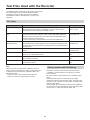
Administrator Setup (continued)
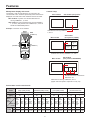
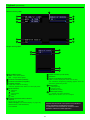
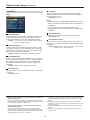
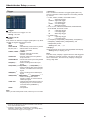
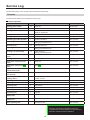
Registration
Page 2
Page 1
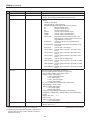
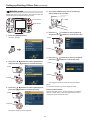
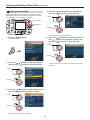
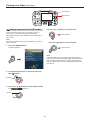
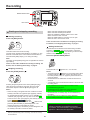
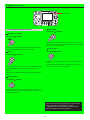
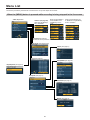
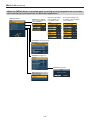
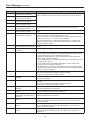
Load Source
Use this function to load source data from a USB memory
device, overwriting any existing source data.
Load Admin
Note:
No source data is registered when shipping from the factory.
Use this function to load administrator data from a USB
memory device, overwriting any existing administrator data.
Note:
No administrator data is registered when shipped from the
factory.
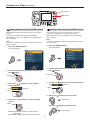
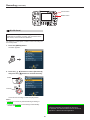
List Source
Use this function to display source data already registered in
the recorder. Use the [ , ] button to go between pages.
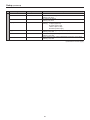
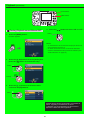
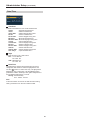
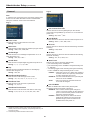
List Admin
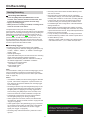
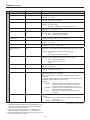
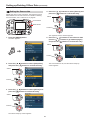
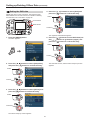
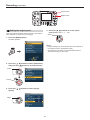
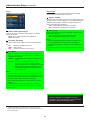
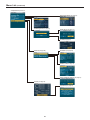
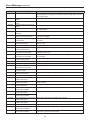
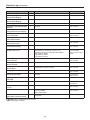
Load Area
Use this function to view the IDs of administrators and officer
names already registered in the recorder. Use the [ , ]
buttons to go between pages.
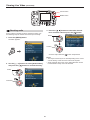
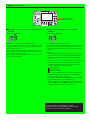
Use this function to load area data from a USB memory
device, overwriting any existing area data.
Note:
No area data is registered when shipping from the factory.
Load Officer
Use this function to load officer data from a USB memory
device, overwriting any existing officer data.
List Area
Use this function to display area data already registered in
the recorder. Use the [ , ] button to go between pages.
Note:
No officer data is registered when shipped from the factory.
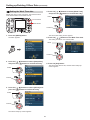
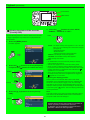
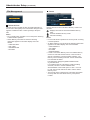
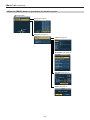
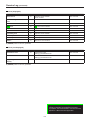
Load Shift
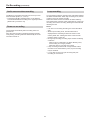
List Officer
Use this function to view the IDs of officers and officer
names already registered in the recorder. Use the [ ,
buttons to go between pages.
Use this function to load shift data from a USB memory
device, overwriting any existing shift data.
]
Note:
No shift data is registered when shipping from the factory.
Note:
Long IDs and officer names may not be displayed in full.
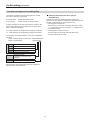
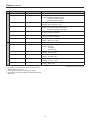
List Shift
Use this function to display shift data already registered in
the recorder. Use the [ , ] button to go between pages.
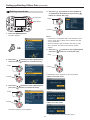
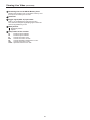
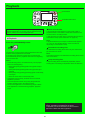
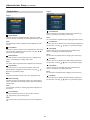
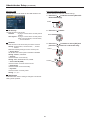
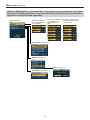
Load Classify
Use this function to load classify tags from a USB memory
device, and delete any existing classify tags and update all
classify tags.
Note:
The recorder contains no classify tags when shipped from
the factory.
List Classify
Displays classify tags stored on the recorder. Use the
[ , ] buttons to go between pages.
Note:
Long classify tag character strings may not be displayed in
full.
85