1
Connecting Camera to the Recorder
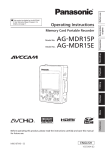
Insert the SD Memory Card into the card slot
and close the door.
Note : POVCAM supports up to 32GB SDHC card.
Preparation #2
Note : Watch the angle of connector which has a key slot.
Connect the AG-MDC10 Camera with AG-C20003 (3m) or AG-C20020 (20m) Cable.
Note : Connect camera before turning the power. AG-MDR15 needs to detect camera
connection to select the camera input.