1
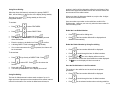
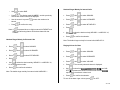
Delete All Records
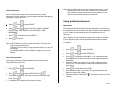
User can delete the records of the private phonebook, shared
phonebook, call log, redial list, services number and SMS messages by
resetting the respective menu.
Note: Factory default settings can’t be restored on the base or on the
handset alone. Also, if you want to restore factory settings on
other handset currently connected to the same base, you will
need to restore factory setting on that handset.
Using Additional Handsets
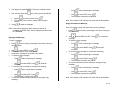
•
Press
•
. Use
to select from PRIV PBOOK, SHARED
Press
PBOOK, CALL LOG, REDIAL LIST, SERVICES or SMS
MESSAGES.
•
Press
. The display will show RESET?.
•
Press
to confirm.
. Use
to select RESET.
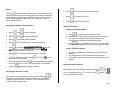
Registration
Each additional S6050 handset purchased separately must go through
the registration process with the base. Each handset can be registered
to up to 4 base units and each base can be registered to up to 5
handsets.
When registering, each handset can select base number for the base
to be registered so that it can be identified at base selection setting.
Note: If PRIV PBOOK is reset, the quick dial feature of all quick dial
keys will be automatically off.
If SERVICE is reset, factory pre-programmed services, if any, will
be restored.
If SMS MESSAGES is reset, all SMS messages, if any, will be
deleted.
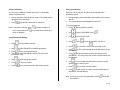
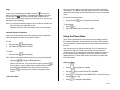
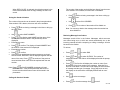
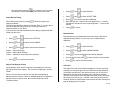
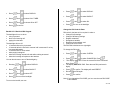
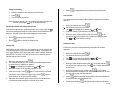
To register:
•
Press
. Use
to select SYSTEM.
•
Press
. Use
to select REGISTER.
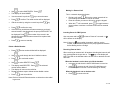
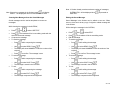
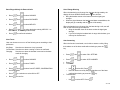
Reset Factory Default
•
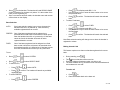
All settings for both the handset and base can be restored to the
factory defaults by this menu.
•
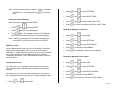
. The display will read BS 1 2 3 4. If the handset has
Press
been registered to a base, the number of the registered base will
be flashing.
Enter the number of the base unit you wish to register using the
numeric key. The entered base number will be displayed on the
second line.
•
Press
to select RESET.
•
•
•
•
. Use
to select SETTINGS. Press
.
Press
The display reads PIN?. Enter the correct PIN of the connected
. The handset will read PIN?.
Press
Enter the PIN number of the base to be registered (maximum 8
digits, the default PIN is 0000).
•
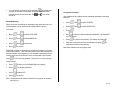
Press and hold the PAGE button
2 beeps.
•
.
base. Press
All settings will be restored to the factory defaults.
. Use
on the base unit until you hear
36 of 42