1
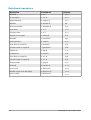
Below is a short list of common equations and their corresponding markup.
Display
Command
Display
Command
a=b
a=b
a
sqrt {a}
a2
a^2
an
a_n
∫ f x dx
int f(x) dx
∑ an
sum a_n
a≤b
a <= b
∞
infinity
a×b
a times b
x⋅y
x cdot y
Greek characters
Greek characters ( , , , , etc) are common in mathematical formulas. These
characters are not available in the Elements window or the right-click menu.
Fortunately, the markup for Greek characters is simple: Type a % sign followed by the
name of the character, in English.
• To write a lowercase character, type the name of the character in lowercase.
• To write an uppercase character, type the name of the character in uppercase.
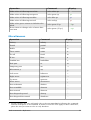
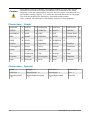
A complete table of Greek characters is provided on page 26. See the table below for
some examples.
Lowercase
Uppercase
%alpha
%ALPHA
A
%beta
%BETA
B
%gamma
%GAMMA
%psi
%PSI
%phi
%PHI
%theta
%THETA
Another way to enter Greek characters is by using the Symbols catalog window.
Choose Tools > Catalog. This window is shown in Figure 7. Under Symbol set, select
Greek and double-click on a Greek letter from the list. The markup name of the
character is shown below the list window.
8
OpenOffice.org 3 Math Guide