1
3100euGB.book Page 62 Friday, March 16, 2001 1:18 PM
6.
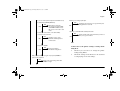
If the bottom column of the LCD is DISABLE*,
press left arrow button or right arrow button to
have ENABLE displayed in the LCD bottom
column. Then press the ENTER button to have
ENABLE* displayed. Then press ON-LINE
button to exit the menu. EtherTalk is now
enabled.
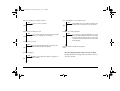
4.
TCP/IP is displayed. Press MENU1 button
repeatedly to move to NETBEUI.
5.
When you see that the bottom column of the LCD
of the NETBEUI is ENALBE* (* indicates that
that value is set), press ON-LINE button without
doing anything and exit the menu.
6.
If the bottom column of the LCD is DISABLE*,
press left arrow button or right arrow button to
have ENABLE displayed in the LCD bottom
column. Then press the ENTER button to have
ENABLE* displayed. Then, press ON-LINE
button to exit the menu. NetBEUI is now enabled.
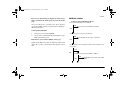
Setting NetBEUI (NetBIOS)
To use this network card in the NetBEUI (NetBIOS)
environment, NetBEUI must be set to ENABLE on the
printer’s operator panel.
Note:
Please use utilities described “Using
administrative tools” on page 39 to set the
Workgroup name and the Host name.
1.
Confirm that the printer is in the idle state from
the LCD panel and the indicator.
2.
Press ON-LINE button to set the printer OFFLINE and hold MENU1 button for 2 seconds or
longer to display PRINT MODE.
3.
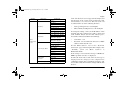
Press MENU1 button repeatedly to display
NETWORK. After NETWORK is displayed,
press ENTER button.
62
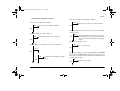
Resetting network card to default
The network card can be reset to the factory default
settings by following operation on the printer’s operator
panel.
1.
Confirm that the printer is in the idle state from
the LCD panel and the indicator.
2.
Press ON-LINE button to set the printer OFFLINE and hold MENU1 button for 2 seconds or
longer to display PRINT MODE.
OkiLAN 3100e Network Card