1
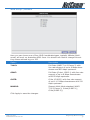
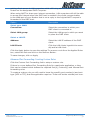
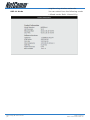
Default Settings
LAN (Management)
Field
Setting Details
Static IP Address: 192.168.1.1 *
Subnet Mask: 255.255.255.0 *
Default Gateway: blank
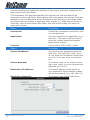
WAN (Internet)
Field
Setting Details
User Name:
username@isp
Password:
****
Protocol: PPPoE
VPI: 8*
VCI: 35 *
IP Address: 192.168.1.1 *
Subnet Mask: 255.255.255.0 *
Default Gateway: 0.0.0.0 *
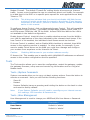
Modem Access
Field
Setting Details
User Name:
admin
Password:
admin
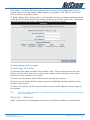
* Default Setting. Although in most cases you will not be required to alter
these default settings for your NB5Plus4/W, your ISP may identify specific
settings to enable connection to their service. Please refer to your ISP or
Network Administrator for further information.
NB5Plus4/W User Guide
12
YML754Rev1
www.netcomm.com.au