1
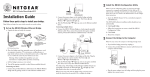
Connecting One Device
Default
Ethernet
DC in 5V
Antenna
ME101 Wireless
Ethernet Bridge
Gaming console or other
Ethernet-enabled device
Note: If you want to connect multiple devices, see the procedure on page 6.
1.
Turn off the gaming console or other Ethernet-enabled device.
2.
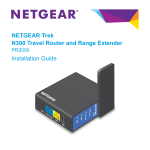
Connect the provided Ethernet cable between the ME101 Wireless Bridge and the gaming
console or other Ethernet-enabled device.
3.
Connect the power adapter to the wireless bridge and plug the power adapter in to a
power outlet. The Power
and Wireless LAN
lights should light up.
4.
After you see the Wireless LAN light
Ethernet-enabled device.
light up, turn on the gaming console or other
If the bridge and the Ethernet-enabled device are successfully connected, the Network
light
will light up. This light flashes when there is network activity.
Note: If your setup works with the default settings, you don’t need to install the software
from the provided CD to configure the bridge unless you need to change the
Country/Region setting from the default setting (U.S.A.) or you have more than one
ME101 bridge on your network.
5