1
5.6 SYSTEM
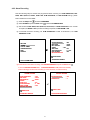
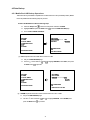
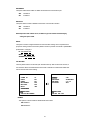
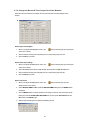
This page is used for accessing the history of the operation status, setting the password,
resuming factory default, and determining the menu display background.
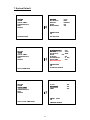
SYSTEM
MAIN MENU
OPERATION LOG
MENU BACKGND
BUZZER
PASSWORD
SETUP PWD
DEFAULT
SD SETUP
VERSION
RECORD
ALARM
CLOCK / TIMER
COMMUNICATION
DISK
SYSTEM
: ENTER
:2
: ON
: SET
: OFF
: LOAD
: SAVE
: ENTER
MAIN PAGE
VIEW OPERATION LOG
GOTO SYSTEM SETTING
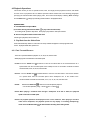
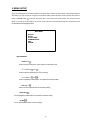
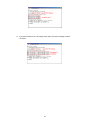
OPERATION LOG:
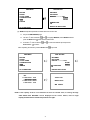
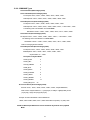
This log shows the history of the operation status in chronological order. What the following
entries represent is detailed below.
ON: Powers up the device.
OFF: Powers off the device.
05/15/03
05/15/03
05/15/03
05/15/03
05/15/03
05/15/03
05/15/03
05/15/03
REC: Starts recording.
STOP:Ceases recording.
PLAY: Shows recorded video.
V-IN: Video input is connected.
V-LOSS: Video loss occurs.
18:19:32 ON
18:19:32 OFF
18:19:32 REC
18:19:32 STOP
18:19:32 PLAY
18:19:32 V-IN
18:19:32 V-LOSS
18:19:32 P-LOSS
P-LOSS: Power interruption occurs.
A-IN: Detects an alarm input.
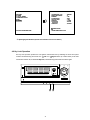
LOCK: Disables the entire front panel controls.
UNLOCK: Releases the key lock.
UPDATE: Updates system software.
Note: The log keeps an operation history on a revolving basis because of a limit of 3,000
records. When the log is full, the newly registered record of an operation will replace
the existing records from the oldest one.
40