1
Converting 2.6-Gb-Drive Jukeboxes to 5.2-Gb-Drive Jukeboxes
Converting From Jukeboxes Using 2.6-Gbyte Drives to Jukeboxes
Using 5.2-GByte Drives
Step 3: Replace the Upper Interposer PCA
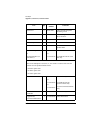
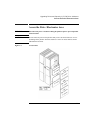
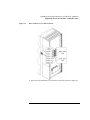
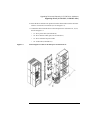
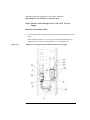
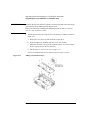
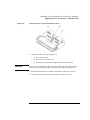
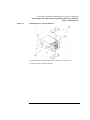
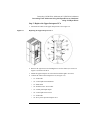
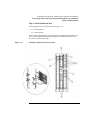
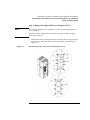
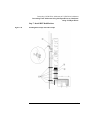
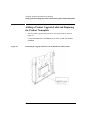
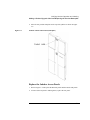
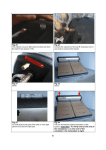
1. Disconnect all cables to the upper interposer PCA. See Figure 3-6.
Figure 3-6
Replacing the Upper Interposer PCA
2. Remove the eight T-20 screws holding the PCA to the chassis (see arrows on
Figure 3-6). Remove the PCA.
3. Mount the upper interposer PCA from the kit with the eight T-20 screws.
4. Connect the cables to the interposer PCA (see Figure 3-6).
•
#1 - SCSI cable
•
#2 - vertical-path-clear transmitter
•
#3 - GPIO cable
•
#4 - mailslot sensor / motor cable
•
#5 - control panel input/output
•
#6 - vertical-path-clear receiver
•
#7 - SCSI cable
•
#8 - drive power input to interposer PCA
3-11