1
UNIX File System Management
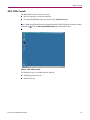
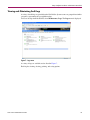
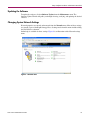
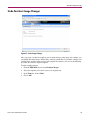
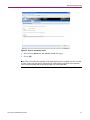
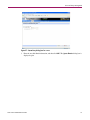
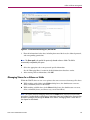
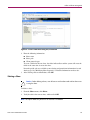
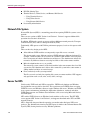
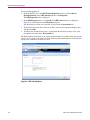
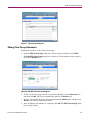
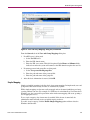
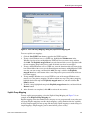
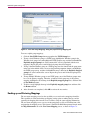
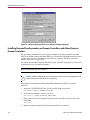
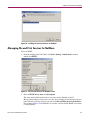
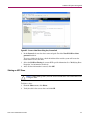
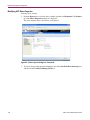
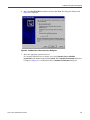
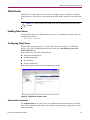
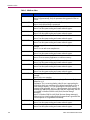
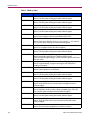
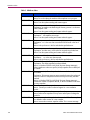
Figure 76: Password Synchronization screen, Advanced Settings dialog box
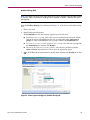
Installing Password Synchronization on Domain Controllers and Active Directory
Domain Controllers
The password synchronization service must be installed on all primary domain controllers
(PDCs) and backup domain controllers (BDCs) in a domain that will implement the password
synchronization service. This includes Active Directory domains. The PDCs contain the
primary copy of the user passwords.
Password synchronization should be installed by itself. Core SFU components are not needed
to install the service on a domain controller.
Note: This procedure does not install SFU.
Caution: Before installing password synchronization, be sure to close all applications and
notify connected users that the server is rebooting.
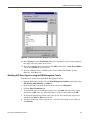
To install Password Synchronization without NFS Authentication Tools on a domain
controller:
1. Allow the C:\WINNT\bin\SFU directory of the NAS 1000s to be shared:
net share SFU=C:\WINNT\bin\SFU
2. On the domain controller, connect to the share:
net use Z: \\NAS_machine_name\SFU
3. Change directories from the domain controller to the root of the connected share of the
NAS 1000s:
cd /d Z:\
4. Run the installation program on the domain controller (case sensitive):
132
NAS 1000s Administration Guide