1
Automatic Configuration of the SA9200
Services are the virtual
resources that the load
balancer provides to
network clients. Services
are defined by their
Virtual Internet Protocol
(VIP) address and virtual
port number.
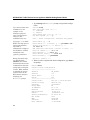
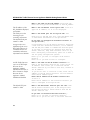
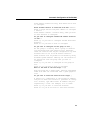
Enter a Service to associate with lb1? 10.54.67.5:80
A Service is a combination of the virtual IP address
and port on which this Service provided. To configure
a Service type ONE virtual IP address and port
separated by a colon. For example, 10.1.2.7:4455.
Type a single Service and press <Enter>.
Press <Enter> without an entry, when there are no more
to configure.
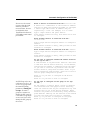
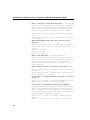
Enter another Service to associate with lb1?
10.54.67.6:80
Type a single Service and press <Enter> to configure a
Service.
Press <Enter> without an entry, when you have no more
Services to configure.
Enter another Service to associate with lb1? <Enter>
Type a single Service and press <Enter> to configure a
Service.
Press <Enter> without an entry, when you have no more
Services to configure.
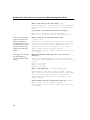
Do you want to configure another HP Traffic Director
in ns1.xyz-ex.com? n
A load balancer is any HP Traffic Director. Associate
a name with this HP Traffic Director, its IP address,
and the TCP port number to communicate with the agent.
If you want to associate any Services with this HP
Traffic Director, keep them available. Note: If you
have a third-party load balancer, press "n" to move to
the ISV group configuration options.
Enter <y> if you want to configure an HP Traffic
Director
Enter <n> if you have no more to configure.
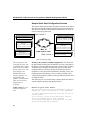
An ISV Group refers to a
collection of services. All
services in a group share
the same ISV polling
parameters. Naming ISV
Groups: To name a
group on a remote site,
identify the ISV group by
a site name. If a group of
services are across sites,
identify the ISV group by
the service.
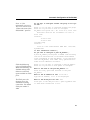
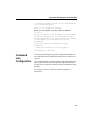
Do you want to configure an ISV group in ns1.xyzex.com? y
An ISV group is a name by which a group of Services
are associated with this physical site. Generally,
these are Services that may be configured in any load
balancer that is not an HP Traffic Director. These
Services are probed for availability using different
probe methods. Identify all the services to be created
for each ISV group that you want to configure.
Enter <y> if you want to configure an ISV group
Enter <n> if you have no more to configure.
19