1
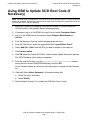
Updating Service Processor (SP) Firmware
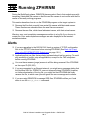
Alerts
Alerts
•
•
•
•
•
•
•
•
•
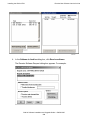
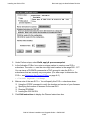
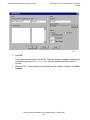
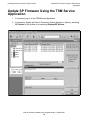
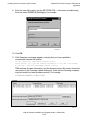
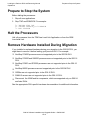
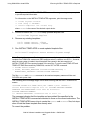
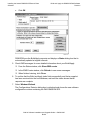
When using the TSM Service Application to update the service processor firmware,
use the Firmware Update dialog box. Do not use the Single SP Firmware dialog
box unless instructed to do so to recover from a failed service processor update.
Check that no other service processor firmware updates are in progress before
updating service processor firmware.
Depending on your current RVU, you might have to reset all service processors in
each ServerNet fabric (X and Y) before you begin updating service processor
firmware. Failure to do so could result in the loss of certain critical system
resources.
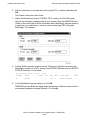
Update first the service processor firmware in the fabric (X or Y) containing the
secondary master service processor (MSP).
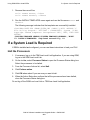
If the TSM service connection is lost, reconnect by using the TSM Service
Application. If the OSM service connection is lost, reconnect using the OSM
Service Application.
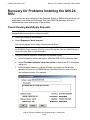
If you have problems updating your SP firmware or resetting the SPs, see
Recovery for Problems Updating SP Firmware (Using TSM) on page 7-15.
Yellow caution symbols might appear on enclosure icons, both in the physical view
and in the tree pane, during the SP firmware update. These caution symbols
should disappear after the system is loaded with the G06.24 RVU.
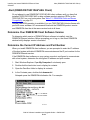
As a precaution, download the SP firmware file (spntcde9), as described under
Download the SP Firmware File to the System Console on page 7-6. If you have
trouble updating your service processor and you cannot obtain a TSM service
connection, you can use the spntcde9 file with the TSM Low-Level Link Application
to update your SP, as described under Updating Firmware Using the TSM LowLevel Link Application on page 7-17. If OSM is installed, you can also download
the SP firmware file (spntcde9) to the c:\osm\bin directory. You then use the OSM
Low-Level Link. See Using OSM and Downloading the SP Firmware File to the
System Console (Optional) on page 7-28.
Always check with Scout for the latest SP firmware SPRs.
G06.24 Software Installation and Upgrade Guide—528593-005
7 -2