1
250090-001 Thin Clients Book.book Page 1 Tuesday, July 17, 2001 9:52 AM
8
Getting Help
Getting help provides solutions to problems that may occur while
you are using your terminal.
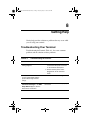
Troubleshooting Your Terminal
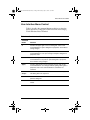
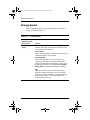
Troubleshooting theTerminal, Table 8–1, lists some common
problems and the solutions to those problems.
Table 8–1:
Troubleshooting the Terminal
Problem
When you turn on the terminal
nothing happens.
Solution
1. Ensure that the power cord is
connected to the power connector
on the terminal’s back panel.
2. Ensure that the power cord is
plugged into an AC outlet that
works.
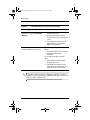
When you turn on the terminal the
screen remains blank and the
power indicator light remains
orange.
Turn the terminal off, then on again.
When you turn on the terminal, the
Connection Manager or the WBT
Setup Wizard appears, but the
mouse does not function.
Ensure that the mouse cord is properly
connected.
User’s Guide
8–1