1
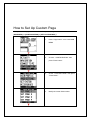
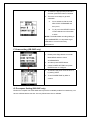
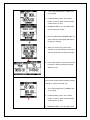
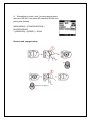
4. To define the appropriated parameters
and then press ESC button if finished.
5. There are some ways to get well
calibration:
A.
Go to website to find the local
SEA LEVEL PRESSURE and
then put in;
B.
Try to put in the OFFSET base on
current altitude from information
or GPS.
NOTE: The default data recording setting is
upon BAROMETER, it is important to get
calibration to come out accuracy
performance.
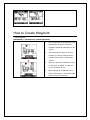
F. Power setting (GB-580P only)
1. Please press Page button 2s to enter
Main MENU and then chose
ACCESSORIES
2. And then press ENTER button.
3. Chose POWER SETTING and press
ENTER button to configure.
4. To describe the power scale as W or %
by setting VIEW.
5. To set POWER ZONE by MAX or
custom.
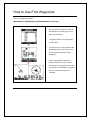
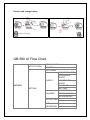
G. E-compass Setting (GB-580P only)
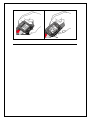
Electronics compass can assist GPS and improve the unreliable problem from stationary. You
have to calibrate before use that. You may follow instruction to calibrate.