1
Nav/Com/
XPDR/Audio
EIS
Flight
Instruments
Appendix
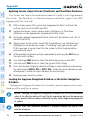
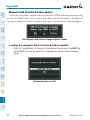
Loading the Jeppesen Navigation Database as the Standby Navigation
Database
The purpose of the Standby Navigation Database is to allow the loading of the
next cycle of the Jeppesen Navigation Database to the bottom SD card, prior to its
effective date. (The Jeppesen Navigation Database is available from Jeppesen seven
days prior to its effective date.)
NOTE: After the navigation database is loaded or copied, the top SD card
may be removed.
AFCS
GPS Nav
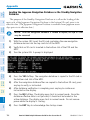
1) With the system OFF, insert the SD card containing the new navigation
database version into the top card slot of the MFD.
Flight
Planning
2) Verify that an SD card is inserted in the bottom slot of the PFD and the
MFD.
Additional
Features
Hazard
Avoidance
Procedures
3) Turn the system ON. A prompt is displayed.
4) Press the YES Softkey. The navigation database is copied to the SD card in
the bottom card slot of the MFD.
Abnormal
Operation
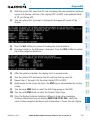
5) After the navigation database files are copied to the bottom SD card, press
any key to verify, as instructed.
Annun/
Alerts
6) After database verification is complete, press any key to continue as
instructed on the display.
Appendix
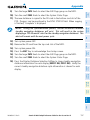
7) Press the NO Softkey. The display now starts in normal mode. Since the
database effective date is not yet valid, it should not be loaded as the
active database. The display now starts in normal mode. Do not remove
power while the display is starting.
Index
8) Press the ENT Key to acknowledge the startup screen.
156
Garmin G1000 Cockpit Reference Guide for the Cessna Nav III
190-00384-13 Rev. B