1
E6720UD_ENSP.qx3
05.2.21 7:39 PM
Page 74
Others
Troubleshooting (cont’d)
Symptom
Remedy
Others
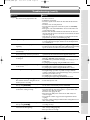
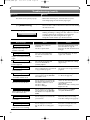
The unit does not operate properly.
• When static electricity, etc., causes the unit to operate
abnormally, unplug the unit and then plug it again.
The disc tray does not open when you
press [OPEN/CLOSE A].
• It may take a few seconds for the disc tray to open after you
have recorded or edited a disc. This is because the unit is adding
disc data to the disc.
"Repairing" appears on the display.
• If there is a power failure or unplugging during recording,
finalizing, formatting or editing (even after “Wait for a moment.”
message is disappeared), a Repairing process will begin
automatically soon after turning the unit on again.
It may take several minutes up to about four hours.
Repairing
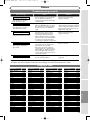
Error message
Disc Error
--- Please eject the disc. --Playback feature may not be
available on this Disc.
Cause
Solution
Unplayable disc is inserted
in the unit.
The disc is upside down.
Insert the standardized disc which
bears the marks on page 37.
Insert the disc with the labeled side
facing up.
Region Error
--- Please eject the disc. --Playback is not authorized in your
region.
The region of the DVD-Video
disc does not match the ones
on the unit.
Insert the DVD-Video disc with
region code 1 or ALL.
Parental Lock On
The current selected parental level
Prohibits playback.
The current selected parental
level in the SETUP Menu
prohibits playback.
Check the “Parental Lock” setting
(pages 70-71).
The recording function encountered
a copy prohibited program.
You cannot record copy prohibited
programs.
Recording Error
This program is not
recordable in Video mode.
You are trying to record a copyonce program onto the DVD-RW
disc in Video mode.
Set “DVD-RW Recording Format”
to “VR mode”(page 26).
Recording Error
You are trying to record onto the
disc which is unrecordable, or the
disc status is unable to record.
The disc is dirty.
The disc is damaged.
Insert a recordable disc, and
ensure the disc status satisfies the
recording requirements
(pages 24-25).
Clean the disc with a cleaning cloth.
Replace the disc.
You are trying to record a copyonce program onto the DVD-RW
disc which is not compatible with
CPRM.
Insert a ver.1.1 or 1.2 CPRM
compatible DVD-RW disc.
You are trying to record onto the
protected disc.
Cancel the disc protect setting
in the Disc Setting menu (page 34).
You are trying to record onto
the disc with no recording space
left.
Insert the recordable disc with
enough recording space.
Recording Error
This program is not allowed
to be recorded.
Can not record on this disc.
Recording Error
This program is not allowed to
be recorded on this disc.
Recording Error
This disc is protected and not
recordable.
Recording Error
Disc is full.
(No area for new recording)
74
90%