1
quickrefset.book Page 18 Thursday, April 20, 2000 3:36 PM
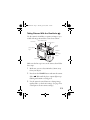
3 You see a confirmation screen. Press the button next
to Yes to delete the image.
You can also delete multiple photos or lock and unlock
photos for deletion; see your User’s Guide.
Capturing Video Clips
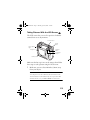
Make sure the lens cap is not on the camera, then follow
these steps to capture 25-second video clips:
1 Press the POWER button down to turn on your
camera and turn the camera dial to
.
NOTE
If you want to adjust any camera settings, such as white
balance, sensitivity, or macro mode, turn the camera dial to
to see the View menu and adjust the settings, then turn the
camera dial back to
. (See your User’s Guide for instructions
on using camera settings.)
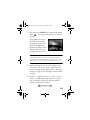
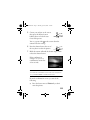
You see the video clip
capture screen:
2 Press the button next to
Sound to turn the setting
to On or Off.
18