1
SP5000_Supplement.book Page 12 Thursday, September 2, 1999 2:49 PM
Configuring for a Network
This section contains information not provided in your Setup
Guide or Reference Guide. Before you can use your printer on
a network, you must configure your computer as described in
this section.
Macintosh Users
To set up the printer so that you can use it on an AppleTalk
network, you need an optional EPSON Ethernet interface card
for your printer.
You’ll first need to install the printer software on all the
computers (see page 9). Then follow these steps:
1. Turn on your printer.
2. Open the AppleTalk Control Panel and choose Ethernet
or a specific Ethernet slot.
3. If prompted, click Save.
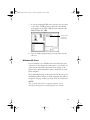
4. Open the Chooser from the Apple menu and click
the
icon.
12