1
OPERATION (CONTINUED)
TO LISTEN TO THE RADIO
1
Main Menu
2
Music
Main Menu
3
1
2
FM Tuner
Main Menu
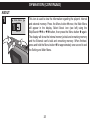
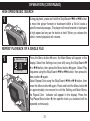
Plug the headphones into the Headphones
jack. With the power on, press the Menu button;
the Main menu will appear.
3
1
2
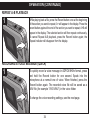
Select the FM Tuner icon (see above) using the
Voice
Skip/Search o 1 or n 2 button, then press the
Menu button 3 again.
4
3
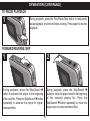
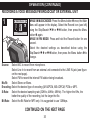
Press the Menu button 1 until Search appears
in the display. Select a station by pressing and
releasing the Skip/Search o 2 or n 3 button to
increase/decrease the frequency by 0.1MHZ.
1
2
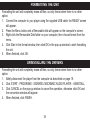
Press and hold the Skip/Search o 1 or n 2
button and the unit will search and stop at the
next strong broadcasting station.
26