1
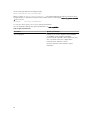
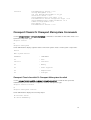
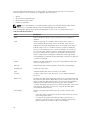
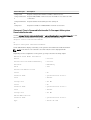
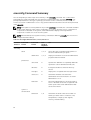
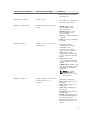
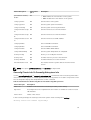
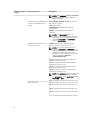
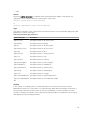
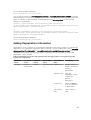
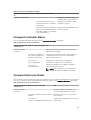
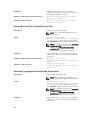
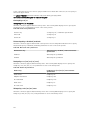
name=value pair 1
Description
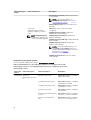
advanced ECC (advecc): Enables the two DRAM
controllers to combine in 128-bit mode and
provide optimized reliability. Memory that are not
teamed by the controllers is not reported to the
operating system.
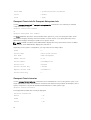
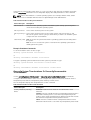
Omconfig Chassis Pwrmanagement Or Omconfig Mainsystem
Pwrmanagement
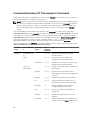
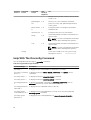
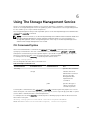
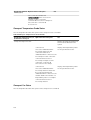
Use the omconfig chassis pwrmanagement or omconfig mainsystem pwrmanagement command to
configure power cap and manage profiles that control power utilization.
NOTE: This command is valid only on systems prior to PowerEdge 12G systems.
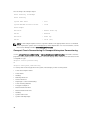
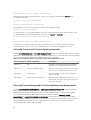
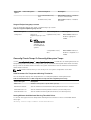
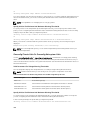
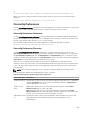
The following table displays the valid parameters for the command:
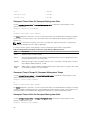
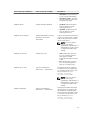
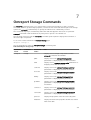
Table 28. Valid Parameters Of Omconfig Chassis Pwrmanagement Or Omconfig Mainsystem
Pwrmanagement
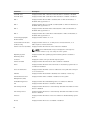
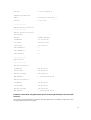
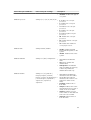
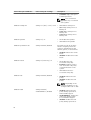
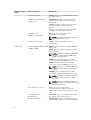
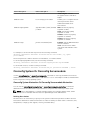
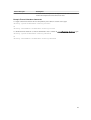
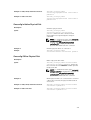
name=value pair 1
name=value pair 2
Description
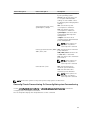
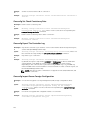
config=budget
cap=<value>
Sets the threshold value for
power budget.
NOTE: From PowerEdge
12G system onwards, power
budget requires license to
configure power cap. If the
appropriate license is not
installed or has expired, the
system displays an error
message. For more
information, see Dell License
Manager at dell.com/
support/manuals.
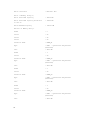
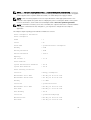
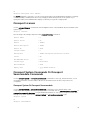
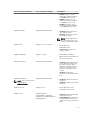
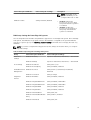
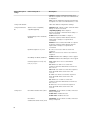
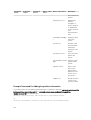
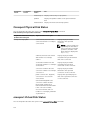
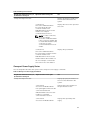
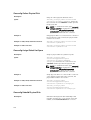
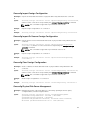
config=profile
NOTE: This option is
supported on systems prior
to PowerEdge 12G systems.
88
setting=enable | disable
enable: Enables powercap
settings.
disable: Disables powercap
settings.
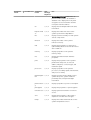
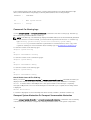
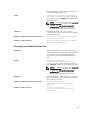
unit=watt | btuphr | percent
watt: Configure the unit in Watts.
btuphr: Configure the unit in
BTU/hr.
percent: Configure the unit in
percentage.
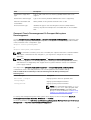
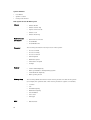
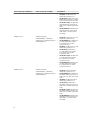
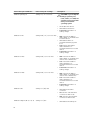
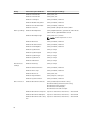
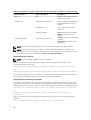
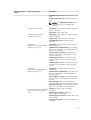
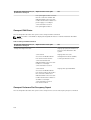
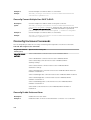
profile=maxperformance | apc |
osctrl | custom
maxperformance: Sets the
processor to the highest
supported processor state. It
offers maximum performance
mode with minimal power
economy.
apc: Active Power Control (apc)
enables the demand-based
power management controlled
by BIOS.
osctrl: OS Control (osctrl)
enables the demand-based