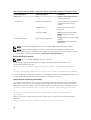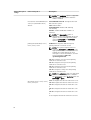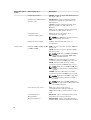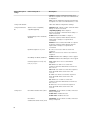
1
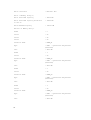
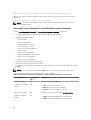
•
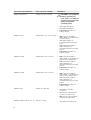
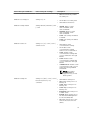
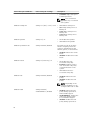
Physical Disk Warning
•
Physical Disk Failure
•
Virtual Disk Warning
•
Virtual Disk Failure
•
Enclosure Warning
•
Enclosure Failure
•
Storage Controller Battery Warning
•
Storage Controller Battery Failure
•
Removable Flash Media Present
•
Removable Flash Media Removed
•
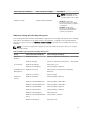
Removable Flash Media Failure
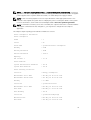
NOTE: Storage Controller Battery Warning and Storage Controller Battery Failure events are not
available on blade systems.
NOTE: System Power Probe Warning is not applicable to blade systems.
Omreport System Assetinfo Or Omreport Servermodule Assetinfo
Use the omreport system assetinfo or omreport servermodule assetinfo command to see cost of
ownership data for the system, such as acquisition, depreciation, and warranty information. To set any of
these fields, use the omconfig system assetinfo or omconfig servermodule assetinfo command. For more
information, see Omconfig System Or Servermodule Assetinfo Editing Cost Of Ownership Values.
Omreport System Events Or Omreport Servermodule Events
Use the omreport system events or omreport servermodule events command to view the currently
enabled or disabled SNMP traps. Type:
omreport system events
or
omreport servermodule events
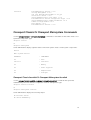
This command displays a summary of each component in the system for which events are generated. For
each component, the report shows which severities are set to report and which severities are set not to
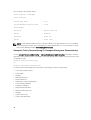
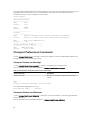
report. The following is an example output for a few components:
Current SNMP Trap Configuration
----------System
----------Settings
Enable: Informational, Warning and Critical
Disable: None
--------------Power Supplies
---------------Settings
Enable: Informational, Warning and Critical
Disable: None
----------Fans
----------Settings
Enable: Critical
48