1
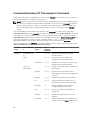
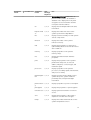
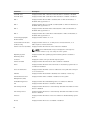
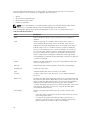
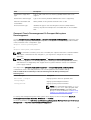
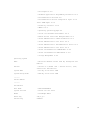
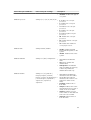
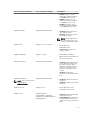
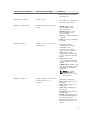
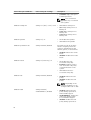
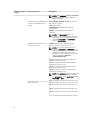
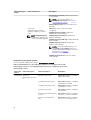
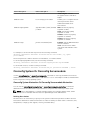
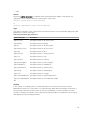
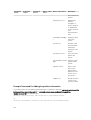
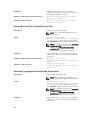
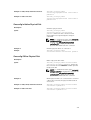
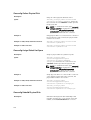
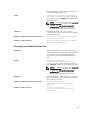
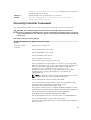
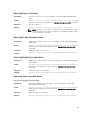
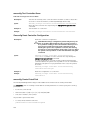
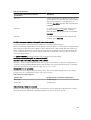
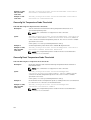
Table 29. Valid Parameters Of Omconfig Chassis Pwrmonitoring Or Omconfig Mainsystem Pwrmonitoring
name=value pair 1
name=value pair 2
Description
index=<n>
NA
Number of the probe or probe
index (must specify).
config=probe
warnthresh=settodefault
Sets the minimum and maximum
warning thresholds values to
default.
warnthresh=<n >
Sets a value for the warning
threshold.
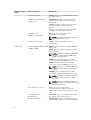
unit=watt | btuphr
watt: Displays the unit in Watts.
btuphr: Displays the unit in
BTU/hr.
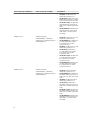
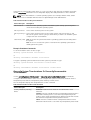
type=energy | peakpower
energy: Resets the system energy
reading.
peakpower: Resets the system
peak power.
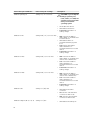
config=resetreading
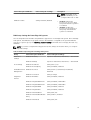
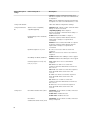
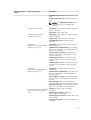
NOTE: This command is applicable only on selected Dell 10G systems that support PMBus.
NOTE: Power monitoring requires license to configure the power budget information. If the
appropriate license is not installed or has expired, the system displays an error message. For more
information, see Dell License Manager at dell.com/openmanagemanuals.
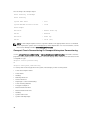
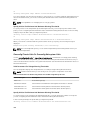
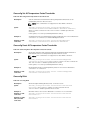
Default Warning Thresholds
NOTE: Sensor managing capabilities vary across systems.
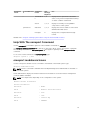
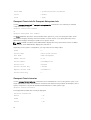
To set both the upper and lower power consumption probe warning threshold values to the
recommended default value, type:
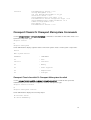
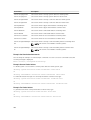
omconfig chassis pwrmonitoring config=probe index=0 warnthresh=settodefault
or
omconfig mainsystem pwrmonitoring config=probe index=0 warnthresh=settodefault
You cannot default one value and set another. If you default the minimum warning threshold value, you
are also selecting the default value for the maximum warning threshold value.
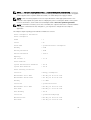
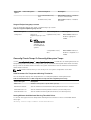
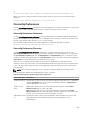
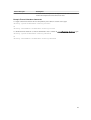
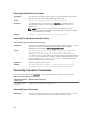
Specify A Value For Warning Thresholds
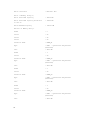
If you prefer to specify values for the power consumption probe warning thresholds, you must specify
the number of the probe you are configuring and the warning threshold value. Configure the values to
display either in BTU/hr or Watts. In the following example, the probe that is being configured is probe 4:
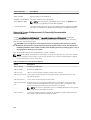
omconfig chassis pwrmonitoring config=probe index=4 warnthresh=325 unit=watt
or
omconfig mainsystem pwrmonitoring config=probe index=4 warnthresh=325
unit=btuphr
When you issue the command and the system sets the values you specify, the following message is
displayed:
Power consumption probe warning threshold(s) set successfully.
90