1
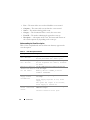
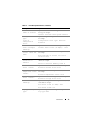
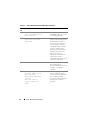
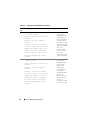
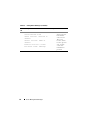
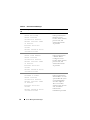
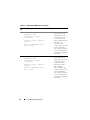
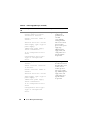
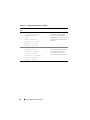
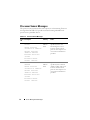
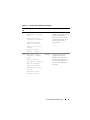
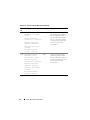
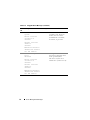
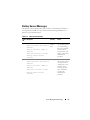
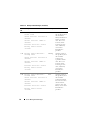
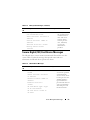
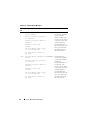
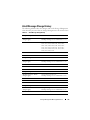
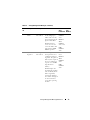
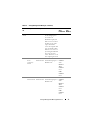
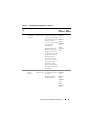
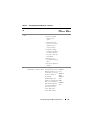
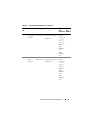
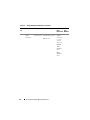
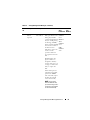
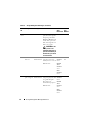
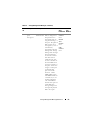
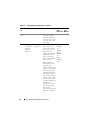
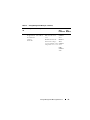
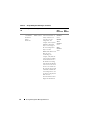
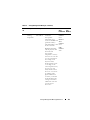
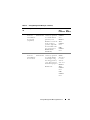
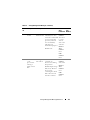
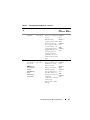
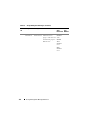
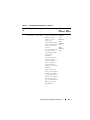
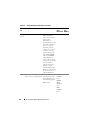
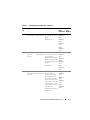
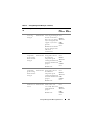
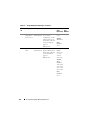
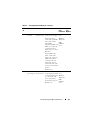
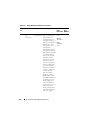
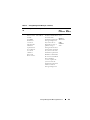
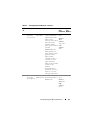
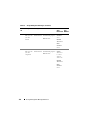
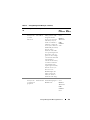
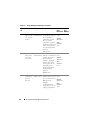
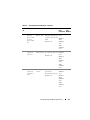
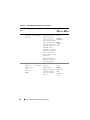
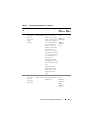
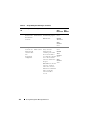
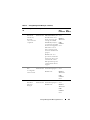
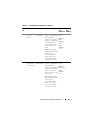
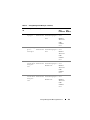
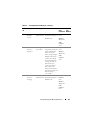
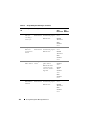
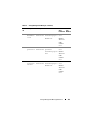
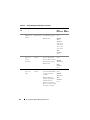
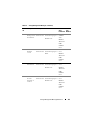
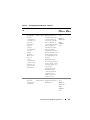
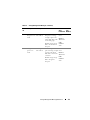
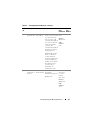
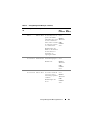
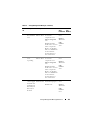
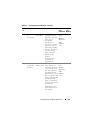
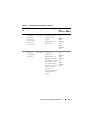
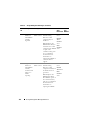
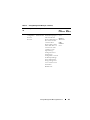
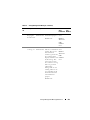
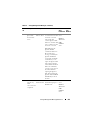
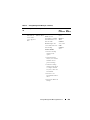
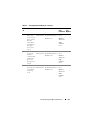
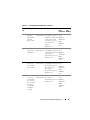
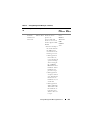
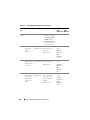
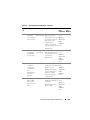
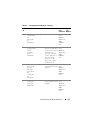
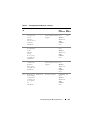
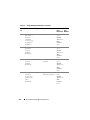
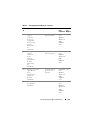
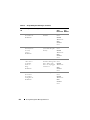
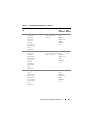
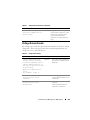
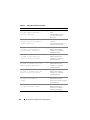
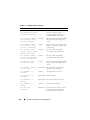
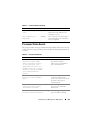
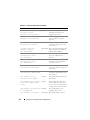
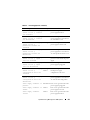
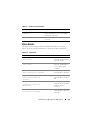
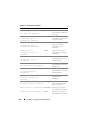
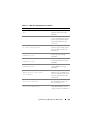
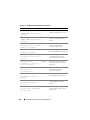
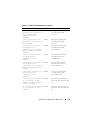
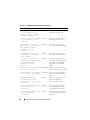
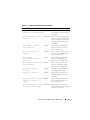
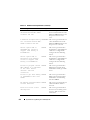
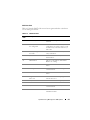
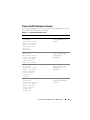
Table 4-3. Fan Sensor Events (continued)
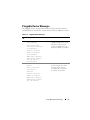
Event Message
Severity
Cause
<Sensor Name/Location> Information The fan specified by <Sensor Name/
Fan Redundancy sensor
Location> may have started
redundancy regained
functioning again and hence, the
redundancy has been regained.
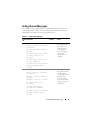
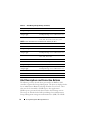
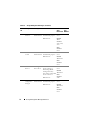
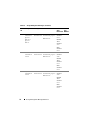
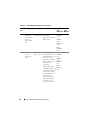
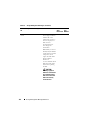
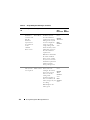
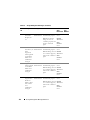
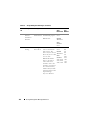
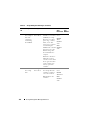
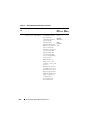
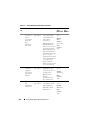
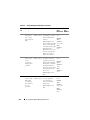
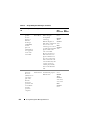
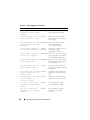
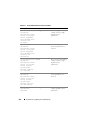
Fan <number> RPM is
less than the lower
warning threshold.
Warning
The speed of the specified fan might
not provide enough cooling to the
system.
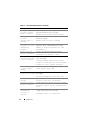
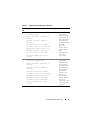
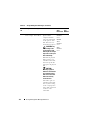
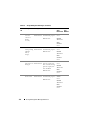
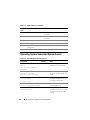
Fan <number> RPM is
less than the lower
critical threshold.
Critical
The speed of the specified fan is not
sufficient to provide enough cooling
to the system.
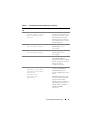
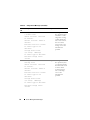
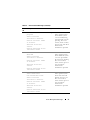
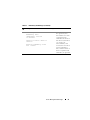
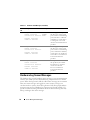
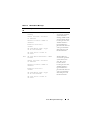
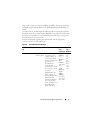
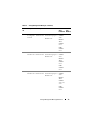
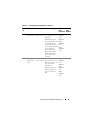
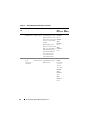
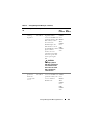
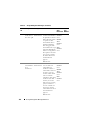
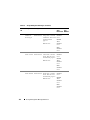
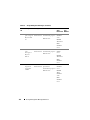
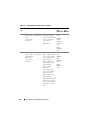
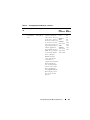
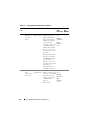
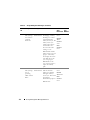
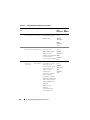
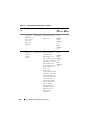
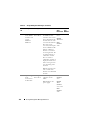
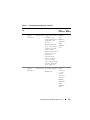
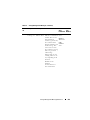
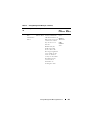
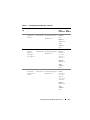
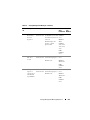
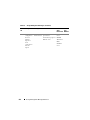
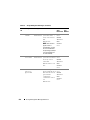
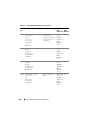
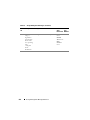
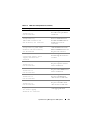
Fan <number> RPM is
Warning
greater than the upper
warning threshold.
The speed of the specified fan
exceeded the warning threshold.
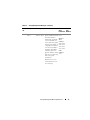
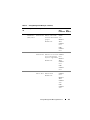
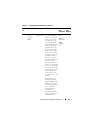
Fan <number> RPM is
Critical
greater than the upper
critical threshold.
The speed of the specified fan
exceeded the critical threshold.
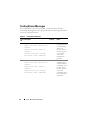
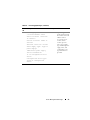
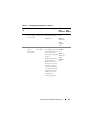
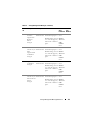
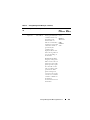
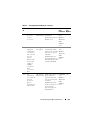
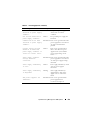
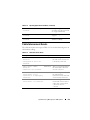
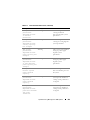
Fan <number> RPM is
outside of range.
Critical
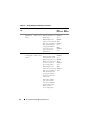
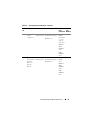
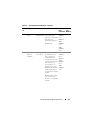
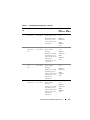
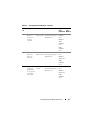
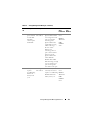
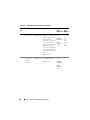
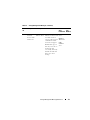
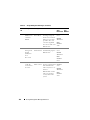
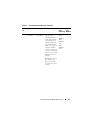
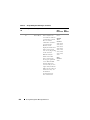
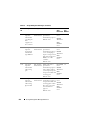
Fan <number> RPM is
within range.
Information The speed of the specified fan is
operating in a normal range.
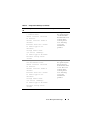
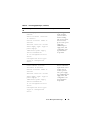
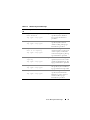
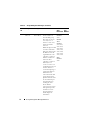
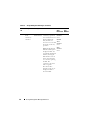
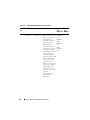
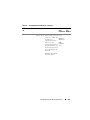
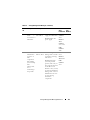
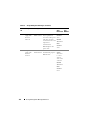
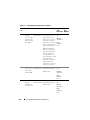
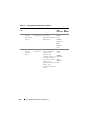
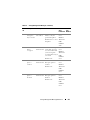
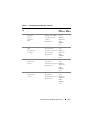
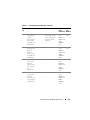
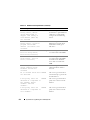
Fan <number> is
removed.
Critical
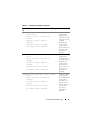
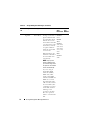
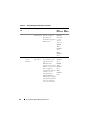
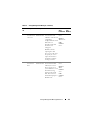
Fan <number> was
inserted.
Information A fan was added.
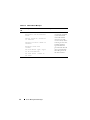
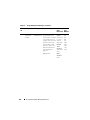
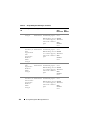
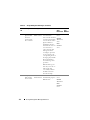
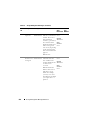
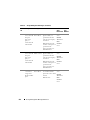
Fan <number> is
present.
Information The total number of fans present.
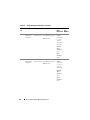
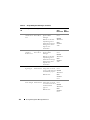
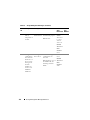
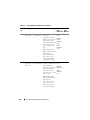
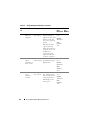
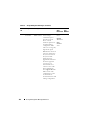
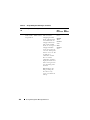
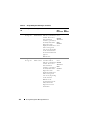
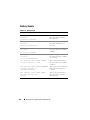
Fan <number> is
absent.
Critical
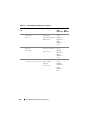
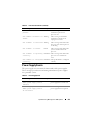
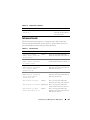
The fans are
redundant.
Information One or more fans may have started
functioning or installed and the
redundancy has been regained.
252
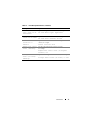
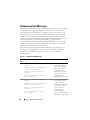
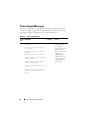
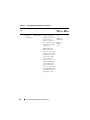
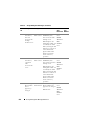
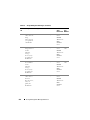
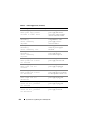
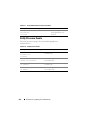
The speed of the specified fan might
not provide enough cooling to the
system.
A required fan was removed.
A required fan is missing.
System Event Log Messages for IPMI Systems