1
o
o
o
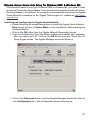
No devices to connect—no remote devices are permitted to initiate a
connection with this computer. However, this computer can still initiate
connections (as a client) with remote Bluetooth devices.
Only-paired devices to connect—only devices that have been paired
with this computer are allowed to connect to it.
Only devices listed below to connect—only the listed devices are
allowed to connect to this computer (see Accessibility, adding and
deleting devices).
Adding and Deleting Devices
Limit access to your computer to specific remote devices
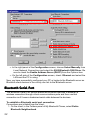
From the Bluetooth Configuration Panel, Accessibility tab, in the Allow drop-down
list box, select “Only devices listed below”.
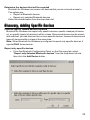
Add a device to the list of devices allowed to connect:
• From the Bluetooth Configuration Panel, Accessibility tab, click the Add
Device button.
Accessibility Tab- Add Devices
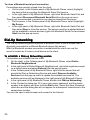
In the Devices with access... dialog box select the device(s) and click OK.
Multiple devices can be selected at the same time using SHIFT + click and/or
CTRL + click.
Delete a device from the list of devices allowed to connect:
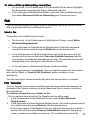
From the Bluetooth Configuration Panel, go to the Accessibility tab. In the list of
devices allowed to connect, click the name of the device to be removed, then
click Delete.
•
•
33