1
Advanced Internet
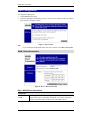
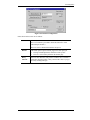
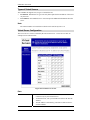
Type
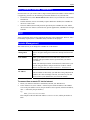
Select the type of Server you wish to use.
Enable
Check to enable this Server.
LAN IP Address
•
Enter the IP Address of a PC on your LAN.
•
You must install and configure the appropriate Server software
on the PC entered here.
•
If using DHCP, the LAN IP Address of a PC may change. To
solve this problem, use either of these methods:
•
Assign a fixed IP Address to the Server PC, ensuring that
its IP Address is NOT within the address range allocated
by the DHCP Server.
•
Reserve an IP Address for the Server PC in the DHCP
Server, using the Access Control - PC screen.
User Defined Virtual Servers
If the type of Server you wish to use is not listed on the Virtual Servers screen, you can define
it using this feature.
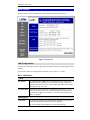
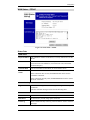
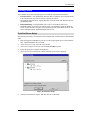
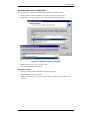
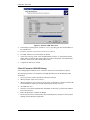
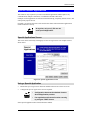
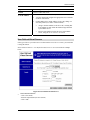
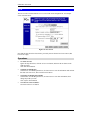
Select Advanced Internet - User Defined Virtual Servers to see a screen like the example
below.
Figure 29: User Defined Virtual Servers
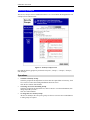
•
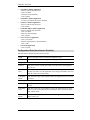
To Create a new Server
- Click "Clear Form"
- Enter the required data (See next section)
- Click "Add"
49