1
Using an LDAP Server for User Authentication
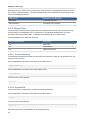
If you delete an account or domain, any hosts, clusters, pods, and zones that were dedicated to it are
freed up. They will now be available to be shared by any account or domain, or the administrator may
choose to re-dedicate them to a different account or domain.
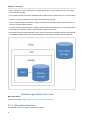
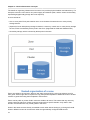
System VMs and virtual routers affect the behavior of host dedication. System VMs and virtual routers
are owned by the CloudPlatform system account, and they can be deployed on any host. They do
not adhere to explicit dedication. The presence of system vms and virtual routers on a host makes it
unsuitable for strict implicit dedication. The host can not be used for strict implicit dedication, because
the host already has VMs of a specific account (the default system account). However, a host with
system VMs or virtual routers can be used for preferred implicit dedication.
4.2. Using an LDAP Server for User Authentication
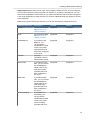
You can use an external LDAP server, such as Microsoft Active Directory or ApacheDS, to
authenticate CloudPlatform end-users. Just map CloudPlatform accounts to the corresponding LDAP
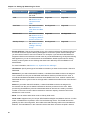
accounts using a query filter. The query filter is written using the query syntax of the particular LDAP
server, and can include special wildcard characters provided by CloudPlatform for matching common
values such as the user’s email address and name. CloudPlatform will search the external LDAP
directory tree starting at a specified base directory and return the distinguished name (DN) and
password of the matching user. This information along with the given password is used to authenticate
the user.
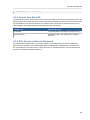
4.2.1. Configuring an LDAP Server
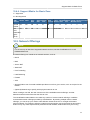
You can add or remove an LDAP server to CloudPlatform for user authentication. To set up LDAP
authentication, you provide the following:
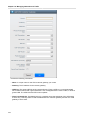
• Hostname or IP address and listening port of the LDAP server
• Base directory and query filter
• Search user DN credentials, which give CloudPlatform permission to search on the LDAP server
• SSL keystore and password, if SSL is used
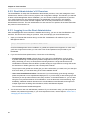
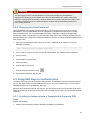
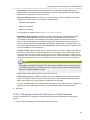
4.2.1.1. Adding an LDAP Server
1. Log in to the CloudPlatform.
2. From the left navigational bar, click Global Settings.
3. From the Select view drop down, select LDAP Configuration.
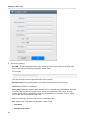
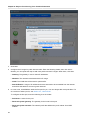
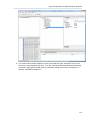
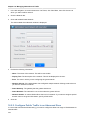
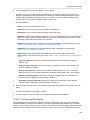
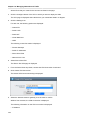
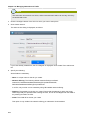
4. Click Configure LDAP.
The Configure LDAP dialog is displayed.
21