1
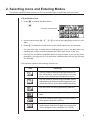
Selecting Icons and Entering Modes
2
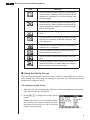
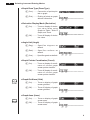
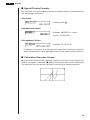
uGraph Axis Labels (Label)
P.136
1 (On) .......... Turns on display of graph
screen axis labels.
2 (Off) .......... Turns off display of graph
screen axis labels.
1 2 3 4 5 6
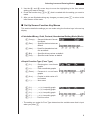
uDisplay Format (Display)
1 (Fix) .......... Displays screen for specification of number of decimal places.
2 (Sci) ......... Displays screen for specification of number of significant digits.
1 2 3 4 5 6
3 (Norm) ...... Switches exponential format display range.
P.18
4 (Eng) ........ Engineering mode.
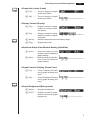
uStatistical Graph View Window Setting (Stat Wind)
1 (Auto) ....... Automatic setting of view
window values for statistical
graph drawing.
2 (Man) ....... Manual setting of view window values for statistical
graph drawing.
1 2 3 4 5 6
uGraph Function Display (Graph Func)
1 (On) .......... Turns on display of function
during graph drawing and
trace.
2 (Off) .......... Turns off display of function
during graph drawing and
trace.
P.161
1 2 3 4 5 6
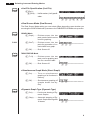
uGraph Background (Background)
1 (None) ...... No graph background.
2 (PICT) ...... Displays screen for specification of picture for graph
background.
1 2 3 4 5 6
7