1
Quick-Start
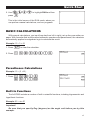
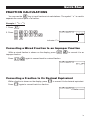
FRACTION CALCULATIONS
$
You can use the
key to input fractions into calculations. The symbol “ { ” is used to
separate the various parts of a fraction.
Example: 1 15/16 + 37/9
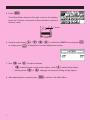
1. Press
o.
2. Press
b$bf$
bg+dh$
jw.
Indicates 6 7/ 144
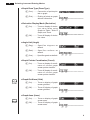
Converting a Mixed Fraction to an Improper Fraction
d/c
While a mixed fraction is shown on the display, press
improper fraction.
! $ to convert it to an
d/c
Press
!$ again to convert back to a mixed fraction.
Converting a Fraction to Its Decimal Equivalent
While a fraction is shown on the display, press
Press
M to convert it to its decimal equivalent.
M again to convert back to a fraction.
ix