1
Quick-Start
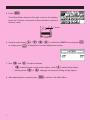
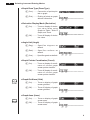
1. Press
o.
SET UP
2. Press
! m to switch the set up display.
cccc1 (Deg) to specify
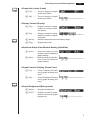
3. Press
degrees as the angle unit.
4. Press
J to clear the menu.
5. Press
o to clear the unit.
6. Press
cf*sefw.
REPLAY FEATURES
d e
With the replay feature, simply press
or
to recall the last calculation that was
performed. This recalls the calculation so you can make changes or re-execute it as it is.
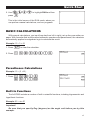
Example: To change the calculation in the last example from (25 × sin 45˚) to (25 × sin 55˚)
1. Press
d to display the last calculation.
2. Press
d twice to move the cursor under the 4.
3. Press
f.
4. Press
w to execute the calculation again.
viii