1
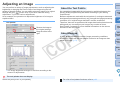
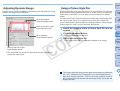
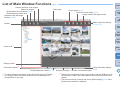
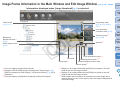
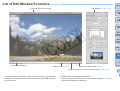
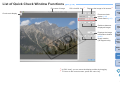
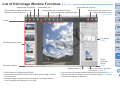
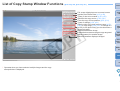
List of Edit Image Window Functions
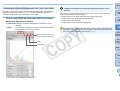
Shows/hides tool palette
Shows/hides thumbnail display area
Switches to main window (p.96)
(p.29, p.30)
Shows/hides grid*4
Enlargement ratio of displayed image
Introduction
Image path and file name
Image rotation (90 degree units)
Switches between displayed images
Batch conversion/saving
(p.74, p.75)
Contents at
a Glance
1
2
3
4
5
Basic
Operation
Toolbar
Advanced
Operation
Advanced
Image Editing
and Printing
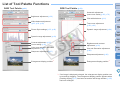
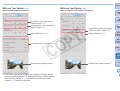
Tool palette
(p.99)
Thumbnail display area*3
Processing
Large Numbers
of Images
Editing JPEG
Images
Reference
CMYK
simulation
display
(p.68)
Information display*2
Display mode*5 (p.64)
*1 RAW images are displayed with [RAW].
*2 Displays the coordinates of the cursor position and the RGB values (8bit conversion).
*3 Displays images selected in the main window. The image selected
here is enlarged and displayed on the right.
Index
Image color space*1 and work
color space (p.59, p.68)
*4 You can set the grid spacing with [Grid pitch] in the [Preferences] (p.66).
*5 The item selected in [Viewing and saving RAW images] (p.64) of the
[Preferences] window is displayed.
102