1
8.4 User Mode
8
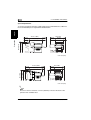
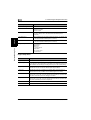
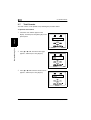
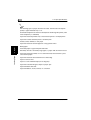
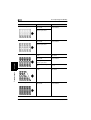
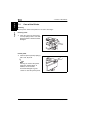
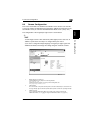
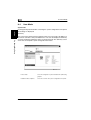
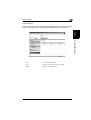
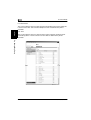
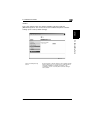
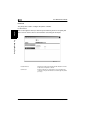
This screen appears when you click the [PCL Setting] sub-menu under the [Default
Setting] menu. The screen is used to set default values for various PCL settings. If
the page description language that the printer controller received is PCL, the
settings of the job have precedence.
Using PageScope Light
Chapter 8
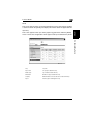
PCL Setting
8-14
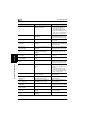
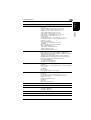
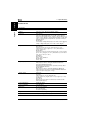
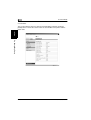
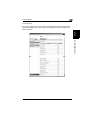
Paper Size:
From the drop-down list, select the default paper size.
Orientation:
From the drop-down list, select the default orientation of the
paper.
Settings: Portrait or Landscape
Form Length:
Enter the number of lines per page.
Settings: 5 to 128
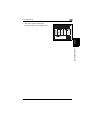
Font Size:
Enter the default proportional font size (points).
Settings: 4.00 to 999.75 (0.25 steps)
Font Pitch:
Enter the number of characters per inch in the horizontal
direction when printing fixed pitch font.
Settings: 0.44 to 99.00 (0.01 steps)
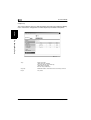
Symbol Set:
Select the symbol set used by the font. If a symbol set that
cannot be used currently is selected, the default symbol set is
used in its place.
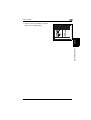
Font Number:
Enter the font number.
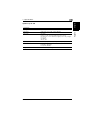
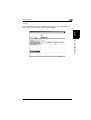
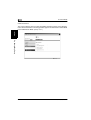
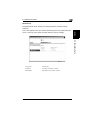
[Apply] button:
Click the button to apply the new settings.
[Clear] button:
Click the button to clear the settings that were entered or
selected.
CF2002/CF3102