1
2.1.3
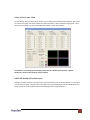
Software Operation
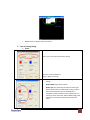
The software has following menu options available:
1.
File
2.
Background
3.
Main
4.
Sub
5.
Control
a.
b.
c.
d.
e.
f.
g.
h.
a.
b.
c.
d.
e.
f.
a.
b.
c.
d.
e.
f.
g.
h.
i.
a.
b.
c.
d.
e.
f.
a.
b.
c.
d.
e.
f.
g.
Connect
Save Settings
Load Settings
IR Control
Auto Sleep
Device ID
Factory Reset
Exit
Resolution
Layout
HFlip
VFlip
SWAP
Color
Input Source
Visible
Border
Label
Layer
Pause
Full Screen
Color Balance
Auto Config
Input Source
Visible
Border
Label
Layer
Pause
Border
Image
Color
Zoom
Pattern
HS/VS Delay
EDID Code
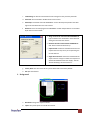
1. File
a.
Connect: This will synchronize the status of the DVI-VIDEOWALL-4 with that of the software,
especially after IR commands are sent.
b.
Save Setting: This will save current user preferred settings such as the positions and sizes of
the videos, the width or color of border etc. into your favorite setting files.
www.avenview.com
10