1
1.7
Device Features
1.6.1
Inputs and Outputs
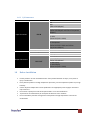
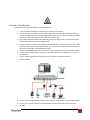
The Avenview DVI-SPLITPRO-2B has 4 inputs and accepts both graphics and video signals, which come from
computers (DVI or VGA) and NTSC/PAL video sources. You can pick up 2 of the 4 inputs and then display 2 of
them simultaneously on the same screen. Figure 2 shows the rear panel connectors of a DVI-SPLITPRO-2B and
Table 1 illustrates how you can connect video devices and display to the DVI-SPLITPRO-2B.
Rear Panel
To reset the DVI-SPLITPRO-2B to factory default settings: Turn on the DVI-SPLITPRO-2B
then switch both DIP Switches simultaneously up and down to reset the unit to factory
default settings
www.avenview.com
7