1
eDMSAPI Inbound
107
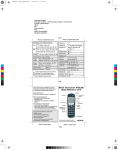
Figure 27
Alarm identifier
The Alarm Identifier, illustrated in Figure 27 "Alarm identifier" (page
107), is used as an Alarm Description, and contains properties for
the alarm (for example, ringing time, repeat intervals, scroll intervals
if messages are chopped). These properties determine, in part, how
the alarm is displayed. Other properties include: priority of the alarm,
message length, silence interval, and so on.
•
Set/Reset
Set/Reset determines if the alarm is activated or deactivated. See
“SET/RESET structure” (page 108).
•
Remove After
Remove After specifies what is to be done with the alarm after the
eKERNEL has received the alarm. Valid settings are as follows:
Remove after sent, Remove after Reset or Remove after Calculate.
This is discussed in “SET/RESET structure” (page 108).
•
Message
The message coming in through an IO Module is passed directly to the
device. The way the message is displayed depends on the properties
of that specific device, and the setting in the eKERNEL_ALARM table
for that specific alarm. The message coming in the Input Module is
transferred through the Input Module to the eKERNEL, and then to
the Output Device. However, after the Input Module does not receive
a message from outside, you must specify a message in the Input
Module.
Nortel Communication Server 1000
DECT Messenger Fundamentals
NN43120-120 03.01 4 June 2010
Copyright © 2003-2010 Nortel Networks. All Rights Reserved.